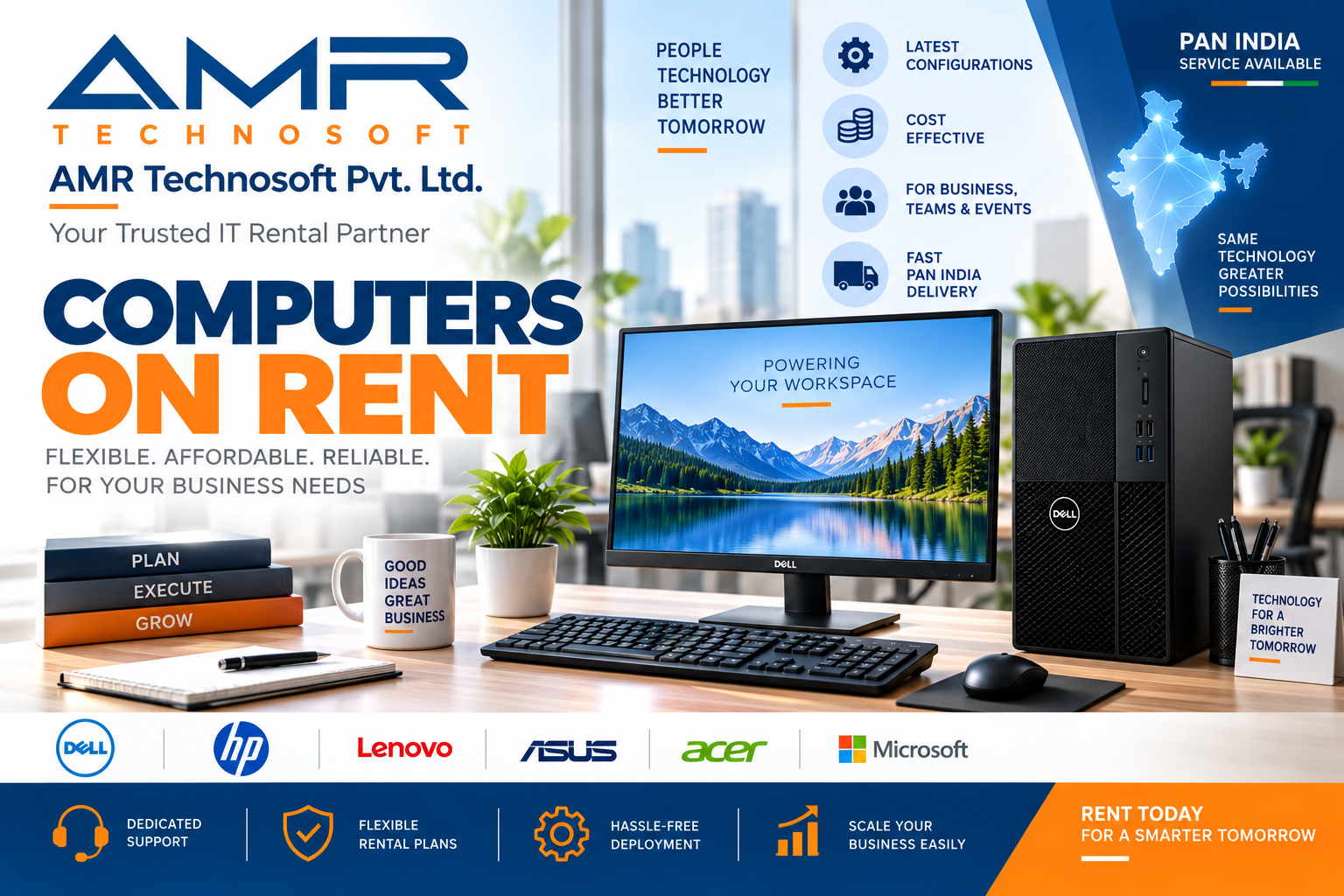
Introduction: Why “Computer on Rent Near Me” Is One of the Smartest Searches You Can Make Today
If you have typed “computer on rent near me” into Google recently, you are not alone. Thousands of students, startup founders, HR managers, event organizers, and remote employees search for this exact phrase every single day. The reason is simple: buying a computer outright is expensive, technology becomes outdated fast, and most people only need a high-performing machine for a limited period of time — a project, a semester, a training program, a conference, or a short-term work assignment.
Renting a computer solves this problem elegantly. Instead of locking thousands of rupees or dollars into a depreciating asset, you pay only for the time you actually use the device. But here’s the catch — not every computer on rent service is created equal. Some vendors offer poorly maintained, outdated machines with no support. Others charge hidden fees, delay delivery, or provide zero technical assistance when something goes wrong.
This guide is designed to be the only resource you will ever need to understand how to hire the best quality computer on rent near me, what the ideal combination of specifications looks like, how pricing works, what documents you need, how to spot red flags, and how to choose a rental partner you can actually trust. By the end of this 8000+ word guide, you will know exactly how to make the smartest possible decision — whether you need one laptop for a week or fifty desktops for a corporate training event.
Chapter 1: Understanding What “Computer on Rent” Really Means
Before you commit to any rental service, it helps to understand exactly what a computer on rent arrangement includes. In simple terms, computer rental is a service where a company or individual lends you a fully functional computer system — desktop, laptop, or workstation — for a fixed period, in exchange for a rental fee. At the end of the agreed period, you either return the device, renew the rental, or in some cases, convert the rental into a purchase.
A quality computer on rent service typically bundles in:
- The computer unit itself (CPU, monitor, keyboard, mouse for desktops; or the full laptop unit)
- Licensed operating system (Windows, macOS, or Linux depending on your requirement)
- Pre-installed essential software (browsers, productivity suites, antivirus)
- Basic accessories (charger, mouse, bag, cables)
- Technical support during the rental period
- Delivery and pickup service
- Maintenance or replacement guarantee in case of hardware failure
When people search for “computer on rent near me,” what they are really looking for is a local, fast, reliable, and affordable solution that removes the hassle of buying new equipment while still guaranteeing performance and support. Understanding this full picture is the first step toward making sure you don’t settle for a subpar deal.
Chapter 2: Who Actually Needs a Computer on Rent?
One of the most common misconceptions is that computer rental services are only for large corporations. In reality, the demand for computer on rent solutions spans a wide and diverse group of users. Let’s break down exactly who benefits the most from renting rather than buying.
1. Startups and Small Businesses
New businesses often operate on tight budgets during their first 12–24 months. Instead of spending a large portion of their capital on office computers, smart founders choose a computer on rent model to equip their entire team — from developers to sales executives — without draining cash reserves. This also allows startups to scale up or down quickly as headcount changes.
2. Students and Freelancers
Students working on short-term academic projects, dissertations, coding bootcamps, or design coursework often need a powerful machine only for a few weeks or months. Renting a computer on rent near me solution lets them access premium specifications (like high RAM or dedicated graphics cards) without the long-term financial commitment of ownership.
3. Corporate Training Programs and Workshops
HR teams and corporate trainers frequently need 20, 50, or even 200 computers for a single training session or onboarding batch. Buying that many machines for a one-time event makes no financial sense. This is precisely where bulk computer on rent services shine — offering identical, pre-configured machines delivered and set up on-site.
4. Event Organizers and Exhibition Companies
Trade shows, product launches, and exhibitions often require dozens of computers for registration desks, demo stations, and presentation booths. These devices are needed for just a few days, making computer on rent the only logical choice.
5. Remote and Hybrid Teams
With the rise of remote work, companies increasingly need to provision new hires with computers regardless of their location. Renting allows HR and IT departments to deliver a working computer on rent setup to an employee’s doorstep anywhere in the country, without the logistics of asset ownership and eventual resale.
6. IT Companies Handling Overflow Projects
Software companies sometimes win short-term projects requiring additional developer machines for 3–6 months. Instead of purchasing hardware that will sit idle after the project ends, they turn to computer on rent vendors for flexible, scalable capacity.
7. Government Bodies, NGOs, and Educational Institutes
Temporary offices, census operations, election duty centers, and NGO project sites often require computers for a defined project duration. Renting keeps costs predictable and avoids asset disposal headaches later.
Chapter 3: The Real Benefits of Choosing Computer on Rent Over Buying
Understanding the tangible benefits will help you evaluate whether renting truly makes sense for your situation, and will also help you communicate the value to your manager, client, or finance team if you need approval.
1. Massive Upfront Cost Savings
The most obvious benefit of a computer on rent arrangement is the dramatically lower upfront cost. Instead of paying the full retail price of a laptop or desktop, you pay a small fraction of that cost per month. This frees up capital for other business priorities like marketing, hiring, or product development.
2. No Depreciation Worries
Computers lose value fast — often 20–30% within the first year alone. When you rent, depreciation becomes the rental company’s problem, not yours. You get to use the latest technology without absorbing the financial hit of resale value loss.
3. Access to Latest Configurations
Reputable computer on rent providers refresh their inventory regularly, meaning you get access to relatively recent processors, sufficient RAM, and SSD storage — specifications you may not have budgeted for if buying outright.
4. Flexibility to Scale Up or Down
Business needs change. A computer on rent model lets you add five more laptops during a hiring spree and return them just as easily when a project ends — something nearly impossible to do efficiently with purchased assets.
5. Reduced Maintenance Burden
Most rental agreements include maintenance and replacement support. If a rented machine develops a hardware fault, the vendor typically repairs or replaces it — often within 24–48 hours — at no extra cost to you.
6. Predictable Monthly Budgeting
Renting converts a large, unpredictable capital expense into a small, predictable operating expense. This is particularly attractive for startups and finance teams trying to manage cash flow carefully.
7. Environmentally Responsible Choice
Because rental companies refurbish, redeploy, and recycle machines across multiple customers, renting reduces electronic waste compared to a “buy and discard” ownership cycle.
8. No Resale Hassles
When you own a computer and eventually want to upgrade, you must deal with the tedious process of selling or disposing of the old unit. With a computer on rent agreement, you simply return the device — no listing, negotiating, or shipping required.
Chapter 4: Types of Computers Available on Rent
Not all rental needs are the same, and neither is the inventory offered by most providers. Here is a breakdown of the different categories of machines typically available under a computer on rent service.
1. Business Laptops
Lightweight, portable laptops ideal for office work, presentations, and day-to-day productivity tasks. Common brands include Dell Latitude, HP EliteBook, Lenovo ThinkPad, and Apple MacBook.
2. Desktop Computers (Tower/CPU + Monitor Setup)
Ideal for fixed workstations in offices, call centers, and computer labs. These setups typically include a CPU cabinet, monitor, keyboard, and mouse — a complete plug-and-play solution.
3. All-in-One (AIO) Computers
Space-saving units where the CPU and monitor are integrated into a single body. Popular for reception desks, front offices, and minimalist workspace setups.
4. High-Performance Workstations
Machines equipped with dedicated graphics cards, high RAM (16GB–64GB), and powerful processors — designed for video editing, 3D rendering, CAD design, and data science work.
5. Gaming Laptops and PCs
Occasionally required for esports events, gaming cafes, or product demo booths, these come with high refresh-rate displays and dedicated GPUs.
6. Mini PCs and Thin Clients
Compact, low-power computers used in call centers, kiosks, and point-of-sale systems where space and energy efficiency matter most.
7. Chromebooks
Lightweight, browser-based devices ideal for basic tasks, exam centers, and training sessions where full-scale software isn’t required.
Knowing which category fits your requirement is the first step before you even start comparing computer on rent near me vendors — because pricing and availability vary significantly across these categories.
Chapter 5: How to Choose the Best Computer on Rent Near Me — The Complete Checklist
This is the section most readers are searching for. Here is a step-by-step checklist to ensure you hire the best quality computer on rent every single time.
Step 1: Define Your Exact Requirement
Before contacting any vendor, write down:
- Purpose (office work, gaming, design, coding, data entry)
- Number of units needed
- Rental duration (days, weeks, or months)
- Required specifications (RAM, processor, storage)
- Delivery location and timeline
- Budget range
Having this ready will help you get accurate, fast quotes when you search for computer on rent near me and speeds up the entire process.
Step 2: Check the Vendor’s Local Presence
Searching specifically for “computer on rent near me” matters because local vendors can offer same-day or next-day delivery, faster on-site support, and quicker replacements in case of technical issues. Always confirm the vendor has a service center or warehouse in your city, not just a website with a national-sounding name.
Step 3: Verify Quality Certification Process
Ask directly: “What quality checks do your rental computers go through before dispatch?” The best providers perform a multi-point inspection covering:
- Battery health and charging cycle
- Keyboard and trackpad functionality
- Display quality (dead pixels, brightness, color accuracy)
- Hard drive/SSD health and speed
- RAM stress testing
- Port functionality (USB, HDMI, charging)
- Software formatting and clean OS installation
- Full data wipe from previous usage (critical for privacy and security)
A vendor offering a certified computer on rent service should be able to show you this checklist without hesitation.
Step 4: Review Configuration Options
Don’t accept a “one size fits all” laptop. Ask for configuration options across processor generation, RAM, and storage so you’re not overpaying for specs you don’t need — or underpowered for specs you do.
Step 5: Understand the Pricing Structure
Get absolute clarity on:
- Base rental price per unit per day/week/month
- Security deposit (refundable or adjustable)
- Delivery and pickup charges
- Late return penalties
- Damage or loss liability charges
- GST/tax inclusion
Step 6: Ask About Replacement and Support SLA
A trustworthy computer on rent near me provider should guarantee a replacement device within a defined time window (ideally 24 hours) if the rented unit malfunctions. Ask this question directly and get the answer in writing.
Step 7: Read Reviews and Ask for References
Check Google reviews, testimonials, and if possible, ask the vendor for 2–3 existing corporate clients you can speak to. A provider confident in their service quality will happily share references.
Step 8: Confirm Delivery Timeline
For urgent needs, confirm same-day or next-day delivery capability. Many computer on rent near me searches come from people needing a device within 24–48 hours — make sure the vendor can genuinely meet that timeline, not just promise it.
Step 9: Check Insurance and Damage Policy
Accidents happen. Confirm whether accidental damage is covered under a minor insurance fee, and understand your liability if the device is damaged, lost, or stolen during the rental period.
Step 10: Negotiate for Longer-Term Discounts
If you need the computer for more than a month, most vendors offer tiered discounts. Don’t hesitate to negotiate — rental businesses have healthy margins and are often willing to offer 10–20% off for commitments beyond 3 months.
Chapter 6: The Best Recommended Configuration for Computer on Rent
If you’re unsure what specifications to request, here is the ideal, most recommended combination that fits roughly 90% of use cases — whether for personal work, office tasks, remote employees, or short-term projects.
| Component | Recommended Specification | Why This Is the Best Choice |
|---|---|---|
| Processor | Intel Core i5 (10th Gen or newer) / AMD Ryzen 5 | Excellent balance between speed, power efficiency, and cost |
| RAM | 8GB (upgradable to 16GB) | Smooth multitasking across browser tabs, office apps, and video calls |
| Storage | 256GB or 512GB SSD | Fast boot times, quick app loading, no lag |
| Display | 14–15.6 inch Full HD (1920×1080) | Comfortable for both office and creative work |
| Operating System | Licensed Windows 10/11 Pro | Business-ready, secure, supports enterprise software |
| Battery Life | 6+ hours | Reliable through a full workday or event session |
| Graphics | Integrated (Intel Iris Xe / AMD Radeon) unless design/gaming needed | Sufficient for 95% of standard office and study tasks |
| Included Accessories | Original charger, laptop bag, wireless mouse | Ready-to-use out of the box |
| Warranty/Support | On-call/remote IT support + replacement guarantee | Minimizes downtime |
Why This Combination Wins Every Time
This configuration is the sweet spot recommended by IT rental experts because it covers the widest range of tasks — from video conferencing and spreadsheet work to light coding, content writing, and presentation building — without over-provisioning (and overpaying) for specs the average user will never fully utilize.
For specialized needs, here are quick upgrade paths:
- For Video Editing/Design Work: Upgrade to Intel i7/Ryzen 7, 16GB RAM, dedicated graphics (NVIDIA GTX/RTX series), 512GB–1TB SSD
- For Basic Data Entry/Browsing: Intel i3/Ryzen 3, 4–8GB RAM, 256GB SSD is sufficient and more cost-effective
- For Software Development: Intel i7, 16GB RAM minimum, 512GB SSD, and a larger display (15.6″–16″)
- For Events/Reception Desks: All-in-One PCs or basic desktops with 8GB RAM are ideal for cost efficiency
Chapter 7: Understanding Rental Plans and Duration Options
Most computer on rent providers structure their pricing around flexible duration tiers. Here’s what to expect:
Daily Rental Plans
Best suited for one-off events, exhibitions, or emergency backup needs. Pricing per day is higher proportionally but total cost remains low for short use.
Weekly Rental Plans
Ideal for short training programs, project sprints, or temporary staff augmentation. Offers a middle-ground discount compared to daily rates.
Monthly Rental Plans
The most common and cost-effective option for businesses and individuals needing a computer on rent for ongoing work. Monthly plans typically come with the best per-day value.
Quarterly and Annual Plans
For long-term projects or semi-permanent staffing needs, quarterly and annual contracts unlock the deepest discounts — often 30–40% cheaper per month compared to a standalone monthly rate.
Rent-to-Own Plans
Some vendors offer a hybrid model where a portion of your rental payments can be adjusted toward eventual ownership of the device — a great option if you’re unsure whether you’ll need the machine long-term but want the flexibility to keep it later.
Chapter 8: Typical Pricing Guide for Computer on Rent Services
While pricing varies by region, brand, and configuration, here is a general benchmark to help you evaluate whether a quoted price for computer on rent near me is fair.
| Computer Type | Approx. Daily Rate | Approx. Monthly Rate |
|---|---|---|
| Basic Desktop (i3, 4GB RAM) | Low | Budget-friendly |
| Business Laptop (i5, 8GB RAM) | Moderate | Mid-range |
| High-Performance Laptop (i7, 16GB RAM) | Higher | Premium |
| Workstation with Dedicated GPU | Highest | Premium+ |
| All-in-One Desktop | Moderate | Mid-range |
| Chromebook/Basic Laptop | Lowest | Most economical |
Tip: Always ask for a bulk discount if you’re renting more than 5 units — most vendors are flexible on pricing for volume orders, and this is one of the easiest ways to reduce your overall computer on rent cost.
Chapter 9: Documents Typically Required to Rent a Computer
To protect both parties, rental companies usually require some basic verification documents. Be prepared with:
- Government-issued ID proof (Aadhaar card, passport, driver’s license, or equivalent)
- Address proof (utility bill, rental agreement, or bank statement)
- Company ID and authorization letter (for corporate/bulk rentals)
- GST registration certificate (for business rentals, if applicable, to claim tax benefits)
- Security deposit (refundable, usually a percentage of the device’s value)
- Signed rental agreement outlining duration, liability, and return conditions
Having these ready in advance dramatically speeds up your computer on rent near me transaction, especially for same-day delivery requests.
Chapter 10: Red Flags to Watch Out For When Renting a Computer
Not every provider offering “computer on rent” services operates with integrity. Watch for these warning signs before signing any agreement:
1. No Physical Address or Local Service Center
If a company can’t provide a verifiable local office or warehouse address, be cautious — you may struggle to get support later.
2. Extremely Low Prices Compared to Market Average
If a quote seems too good to be true, it usually is. Ultra-cheap rentals often come with outdated hardware, no warranty, and poor support.
3. No Written Agreement
Never proceed without a signed rental agreement clearly stating duration, pricing, deposit terms, and liability clauses.
4. Vague Answers About Quality Checks
If a vendor can’t clearly explain their inspection and certification process, assume the machines have not been properly tested.
5. No Replacement Guarantee
A computer on rent provider without a clear replacement policy for malfunctioning units is a major risk, especially for business-critical use.
6. Poor or No Online Reviews
Always check Google, Justdial, or social media reviews. A complete absence of reviews — or a flood of negative ones — is a clear warning sign.
7. Pressure to Pay Full Amount Upfront in Cash
Reputable vendors accept digital payments and typically don’t pressure large upfront cash payments without a formal invoice.
Chapter 11: Step-by-Step Process to Rent a Computer Near You
Here’s exactly what the process should look like when you search for and hire a computer on rent near me service:
Step 1: Search and Shortlist
Search “computer on rent near me” and shortlist 3–5 vendors based on reviews, website professionalism, and local presence.
Step 2: Request Quotes
Contact each shortlisted vendor with your exact requirement (units, specs, duration) and request a detailed quote.
Step 3: Compare Offers
Compare not just price, but also warranty terms, delivery timelines, support quality, and configuration options.
Step 4: Verify Documents and Sign Agreement
Submit required ID/address proof and sign the rental agreement after reading all terms carefully.
Step 5: Pay Deposit and Confirm Order
Pay the security deposit and first rental installment, and confirm your delivery address and preferred time slot.
Step 6: Receive and Inspect the Device
Upon delivery, inspect the computer on rent unit thoroughly — check the screen, keyboard, ports, and battery before signing the delivery acknowledgment.
Step 7: Use, Extend, or Return
Use the device for your project. If you need it longer, request an extension in advance. When done, schedule a pickup and ensure you receive a return acknowledgment and deposit refund confirmation.
Chapter 12: Computer on Rent for Businesses — A Deeper Look
Businesses represent the largest segment of the computer on rent market, and for good reason. Let’s explore specific business scenarios in more detail.
IT Equipment Rental for Corporate Training
Training sessions often require dozens of identical machines for a few days. A good rental partner will deliver pre-configured units with identical software images, set them up on-site, and provide a support technician on standby — eliminating IT headaches for HR teams.
Computer on Rent for Remote Employee Onboarding
When hiring remote employees across different cities, IT teams increasingly rely on rental providers with pan-regional delivery networks. The employee receives a fully configured laptop at their doorstep, and when they leave the company, the device is simply picked up — no asset recovery logistics required.
Computer on Rent for Software Development Teams
Development teams working on fixed-term client projects often rent additional high-spec machines rather than purchasing permanent hardware that becomes redundant once the project ends.
Computer on Rent for BPOs and Call Centers
Call centers frequently scale headcount up and down based on seasonal demand. Renting desktop setups allows them to add or reduce workstation capacity without the burden of asset depreciation.
Computer on Rent for Events and Exhibitions
Exhibition booths, registration desks, and product demo stations require computers for just a few days. Event management companies almost universally prefer renting over buying for these short bursts.
Chapter 13: Computer on Rent vs. Buying vs. Leasing — Which Is Better?
| Factor | Renting | Buying | Leasing |
|---|---|---|---|
| Upfront Cost | Very Low | High | Moderate |
| Flexibility | Very High | Low | Moderate |
| Best For | Short-term needs (days–months) | Long-term, permanent use (3+ years) | Medium to long-term (1–3 years) |
| Maintenance | Included | Your responsibility | Often included |
| Ownership | No | Yes | Sometimes (buyout option) |
| Ideal Users | Startups, students, events, temp staff | Established businesses, individual owners | Mid-size businesses planning long-term use |
Bottom line: If your need is short-term, unpredictable, or budget-sensitive, computer on rent is almost always the smarter financial decision. If you need a device for 3+ years with no anticipated change in requirements, buying may work out cheaper long-term. Leasing sits in the middle, often used by mid-sized companies wanting predictable costs with an eventual ownership option.
Chapter 14: How Local Vendors Improve Your Rental Experience
Searching specifically for “computer on rent near me” rather than a generic national provider offers real, practical advantages:
Faster Delivery Times
Local vendors can typically deliver within hours rather than days, since they don’t rely on long-distance courier logistics.
Quicker On-Site Support
If your rented computer on rent unit develops an issue, a local technician can visit in person far faster than a centralized national support desk.
Easier Returns and Extensions
Returning or extending your rental is simpler when the provider operates a nearby warehouse or service point.
Better Understanding of Local Business Needs
Local providers often have experience serving nearby industries — IT parks, educational institutions, event venues — and can recommend configurations based on real regional demand patterns.
Personal Relationship and Accountability
Working with a local business often means better accountability, easier communication, and a stronger incentive for the vendor to maintain their reputation within the community.
Chapter 15: Maintenance, Support, and What Happens If Something Goes Wrong
A common concern when renting is: “What if the computer breaks down during my rental period?” Here’s what a reliable computer on rent service should offer:
1. Remote Troubleshooting First
Most minor software issues (slow performance, connectivity problems, software errors) can be resolved remotely by the vendor’s support team within minutes.
2. On-Site Technician Visit
For hardware issues, a qualified local vendor should be able to send a technician to your location, typically within 24 hours.
3. Immediate Replacement Guarantee
If the issue cannot be resolved quickly, the vendor should provide a replacement unit of equal or better specification at no additional cost, ensuring zero disruption to your work.
4. Data Safety Protocols
Ask how the vendor handles data during replacement — ideally, you should be using cloud storage or regular backups so that a hardware swap doesn’t result in data loss.
5. Regular Preventive Maintenance
For long-term rentals (3+ months), quality vendors often perform scheduled check-ups to catch potential issues (battery degradation, overheating, storage health) before they become disruptive.
Chapter 16: Frequently Asked Questions About Computer on Rent
Q1: Is renting a computer cheaper than buying one?
For short-term use (under 12 months), renting is almost always cheaper when you factor in depreciation, maintenance, and eventual resale loss. For long-term use beyond 2–3 years, buying may become more economical.
Q2: Can I rent a computer for just one day?
Yes, most computer on rent near me providers offer daily rental plans, particularly useful for events, exhibitions, or emergency backup needs.
Q3: Do rented computers come with a warranty?
Reputable vendors include support and replacement coverage throughout the rental period as part of the service — functioning similarly to a warranty.
Q4: What happens if I damage the rented computer?
Most rental agreements include a damage liability clause. Minor wear and tear is typically covered, but significant damage may incur repair charges deducted from your security deposit. Always clarify this before signing.
Q5: Can I upgrade my rented computer’s specifications mid-term?
Many vendors allow you to upgrade your computer on rent configuration (e.g., higher RAM or a different model) by adjusting your monthly rate, especially for ongoing long-term rentals.
Q6: How quickly can I get a computer delivered?
Local providers found through a “computer on rent near me” search often offer same-day or next-day delivery, especially in metro cities.
Q7: Do I need to provide my own software licenses?
No — quality rental providers include a licensed operating system and basic productivity software as part of the package. If you require specialized software (like Adobe Creative Suite or CAD tools), confirm availability and any additional licensing costs upfront.
Q8: Is my data safe on a rented computer?
Reputable vendors perform a complete data wipe before and after each rental cycle. As a renter, avoid storing sensitive data locally and instead use cloud storage — this protects you if the device needs to be swapped or returned unexpectedly.
Q9: Can businesses claim tax benefits on computer rental expenses?
In many regions, computer rental is treated as an operating expense and may be tax-deductible, unlike depreciating capital assets. Consult your accountant for specifics relevant to your jurisdiction.
Q10: What’s the minimum rental duration typically offered?
Most vendors offer a minimum of 1 day for events, though many set a minimum of 1 week or 1 month for standard business rentals — always confirm this before finalizing your order.
Q11: Can I rent computers for a remote team spread across multiple cities?
Yes, larger computer on rent providers with multi-city logistics networks can deliver and support devices to remote employees anywhere within their service area, making this ideal for distributed teams.
Q12: What is the security deposit typically based on?
Security deposits are usually calculated as a percentage of the device’s market value and are refunded in full (minus any damage charges) upon safe return of the unit.
Chapter 17: Final Recommendation — The Best Solution for Computer on Rent
After examining every angle — cost, configuration, support, documentation, and vendor evaluation — here is the final, best-practice recommendation for anyone searching “computer on rent near me”:
- Always prioritize local vendors with verifiable addresses and fast delivery capability.
- Choose the recommended mid-range configuration (Intel i5/Ryzen 5, 8GB RAM, 256–512GB SSD) unless your work specifically demands more power.
- Insist on a certified quality-check process before accepting any device.
- Get everything in writing — pricing, deposit terms, replacement policy, and damage liability.
- Negotiate for monthly or quarterly plans if your need extends beyond a few weeks, as these offer the best value.
- Test the device immediately upon delivery to catch any issues before your rental clock starts running.
- Maintain data backups independently regardless of the vendor’s data protection promises.
Following this framework ensures that your computer on rent experience is smooth, cost-effective, and free of the common pitfalls that trip up first-time renters.
Chapter 18: Industry-Specific Guide to Renting a Computer
Different industries have very different requirements when it comes to renting a computer. Understanding your industry’s specific needs will help you request the right computer on rent configuration and avoid overpaying for unnecessary specifications.
IT and Software Companies
IT companies typically need higher-spec machines — at least 16GB RAM, SSD storage of 512GB or more, and a strong processor (Intel i7 or Ryzen 7) to comfortably run development environments, virtual machines, and multiple IDEs simultaneously. When searching for computer on rent near me as an IT company, prioritize vendors who can supply developer-friendly configurations in bulk with consistent specifications across all units, since inconsistent hardware across a dev team creates unnecessary friction.
Educational Institutions and Training Centers
Schools, colleges, and coaching institutes renting computers for labs or exam batches usually prioritize cost-efficiency over raw power. A computer on rent solution with mid-range specs (i3/i5, 4–8GB RAM) is typically sufficient for browser-based learning platforms, typing practice, and basic office applications. Bulk discounts matter enormously here since institutions often need 30–100+ units at once.
Media, Design, and Creative Agencies
Creative professionals working with video editing software, Adobe Creative Cloud, or 3D rendering tools need a computer on rent setup with dedicated graphics cards, at least 16–32GB RAM, and fast NVMe SSD storage. Display color accuracy also becomes a critical factor — ask vendors specifically about panel quality (IPS displays preferred) when renting for design work.
Healthcare and Diagnostic Centers
Clinics and diagnostic centers renting computers for reception, billing, and record-keeping typically need reliable, no-frills desktop setups. Since uptime is critical in healthcare settings, prioritize vendors offering same-day replacement guarantees over providers offering marginally lower prices without strong support commitments.
Retail and Point-of-Sale Operations
Retail businesses renting computers for billing counters or inventory management need compact, dependable machines — often Mini PCs or All-in-One units — that integrate easily with POS software and barcode scanners. A computer on rent arrangement here should include compatibility testing with your existing POS software before delivery.
Legal and Financial Services
Law firms and financial consultancies handling sensitive client data should prioritize vendors with strong data-wiping protocols and, where required, additional security features like encrypted storage. When renting a computer on rent near me for legal or financial work, always confirm the vendor’s data sanitization certification in writing.
Manufacturing and Engineering Firms
Engineering teams using CAD, CAM, or simulation software require workstation-grade rentals with professional-grade GPUs (like NVIDIA Quadro or equivalent), high RAM (32GB+), and multi-core processors. These specialized computer on rent units usually come at a premium but are essential for accurate, lag-free design work.
Chapter 19: Comparing Top Brands Commonly Available for Computer Rental
When evaluating a computer on rent near me provider’s inventory, it helps to know the general reputation and strengths of the most commonly rented laptop and desktop brands.
| Brand | Known For | Best Suited For |
|---|---|---|
| Dell (Latitude/Vostro/OptiPlex series) | Durability, strong business support ecosystem | Corporate office use, business laptops |
| HP (EliteBook/ProBook/ProDesk series) | Reliable build quality, good battery life | General office work, hybrid teams |
| Lenovo (ThinkPad/ThinkCentre series) | Excellent keyboards, strong reliability record | Developers, frequent travelers |
| Apple (MacBook Air/Pro) | Premium build, macOS ecosystem, long battery life | Design, creative work, executive use |
| ASUS | Good price-to-performance ratio | Budget-conscious renters, students |
| Acer | Affordable, decent performance | Basic office and educational use |
When you request a computer on rent quote, always ask which specific brand and model will be supplied — vendors sometimes substitute lower-tier models unless you specify your preference clearly in the agreement.
Chapter 20: City and Location Considerations When Searching “Computer on Rent Near Me”
Your location plays a significant role in what kind of computer on rent service you can access. Here’s what to keep in mind depending on where you’re based.
Metro Cities (Delhi, Mumbai, Bangalore, Chennai, Hyderabad, Pune, etc.)
Metro areas typically have the highest concentration of rental vendors, meaning more competition, better pricing, and faster same-day delivery options. Because demand is high, it’s also easier to negotiate bulk discounts on computer on rent orders in these cities.
Tier-2 and Tier-3 Cities
Availability may be more limited, and delivery timelines for the latest configurations can be slightly longer. In these locations, it becomes even more important to confirm inventory availability before committing to a delivery date, and to ask whether the vendor has a local warehouse or is shipping from a metro hub.
Remote or Rural Areas
If you’re located far from a major rental hub, expect longer delivery windows and potentially higher shipping charges. Look specifically for computer on rent near me providers who explicitly mention pan-regional or nationwide delivery networks, as these are more likely to serve remote pin codes reliably.
Multi-City Corporate Rollouts
If your organization needs computers delivered to employees across several cities simultaneously (a common scenario in remote-first companies), choose a rental provider with an established multi-city logistics network rather than juggling multiple local vendors — this ensures consistent configurations, pricing, and support quality across all locations.
Chapter 21: Negotiation Tips to Get the Best Deal on Computer Rental
Many renters accept the first quote they receive without realizing there is often significant room for negotiation. Here’s how to secure the best possible rate on your computer on rent order.
1. Always Ask for a Volume Discount
Even if you only need 3–5 units, ask whether a small volume discount applies. Vendors often have unpublished discount tiers they don’t advertise upfront.
2. Commit to a Longer Duration for a Lower Rate
If you anticipate needing the device for several months, ask for a quarterly or half-yearly rate instead of paying the monthly rate repeatedly — the per-month cost usually drops significantly with longer commitments.
3. Bundle Accessories Into the Deal
Ask if extras like a laptop bag, wireless mouse, or an external monitor can be included at no additional charge as part of your computer on rent package.
4. Compare at Least Three Quotes
Never accept the first quote you receive. Request pricing from at least three computer on rent near me vendors and use competing quotes as leverage in your negotiation.
5. Ask About Waived Security Deposits for Long-Term Clients
Some vendors reduce or waive the security deposit for repeat customers or long-duration contracts — it never hurts to ask.
6. Time Your Rental Around Off-Peak Periods
Demand for rental computers often spikes around exam seasons, festive hiring periods, and major corporate events. Renting during off-peak months can sometimes unlock better rates due to lower demand.
7. Request a Loyalty or Referral Discount
If you plan to use the same vendor repeatedly or can refer other businesses, ask whether a loyalty program or referral discount is available.
Chapter 22: Data Security Best Practices While Using a Rented Computer
Since a rented computer on rent unit has likely been used by previous renters and will be used by others after you, data security deserves special attention.
Before You Start Using the Device
- Confirm with the vendor that a complete factory reset and data wipe was performed before delivery
- Change all default passwords and set up your own user account
- Install or verify updated antivirus software is active
During Your Rental Period
- Avoid storing highly sensitive files locally — use encrypted cloud storage instead
- Enable two-factor authentication on all accounts you access from the device
- Regularly back up your work to avoid data loss during any mid-rental hardware swap
Before Returning the Device
- Sign out of all personal and business accounts
- Delete browser history, saved passwords, and cached files
- Request written confirmation from the vendor that the device will undergo a secure data wipe before being reassigned to another renter
Following these steps ensures your personal or business data remains protected throughout your computer on rent experience, regardless of how many times the device changes hands.
Chapter 23: Sustainability Benefits of Renting Computers
Beyond the financial and operational advantages, choosing a computer on rent model also contributes meaningfully to environmental sustainability — an increasingly important consideration for eco-conscious businesses and individuals.
Extended Product Lifecycle
Rental companies maintain and redeploy the same devices across multiple renters, significantly extending each unit’s useful life compared to a single-owner “buy and discard” pattern.
Reduced Electronic Waste
Electronic waste is one of the fastest-growing waste categories globally. By renting instead of buying new devices for short-term needs, you directly reduce the demand for new manufacturing and the resulting e-waste from discarded units.
Responsible End-of-Life Recycling
Established computer on rent near me providers typically have structured refurbishment and recycling processes for devices that reach the end of their usable life, ensuring components are responsibly disposed of or recycled rather than ending up in landfills.
Lower Carbon Footprint
Manufacturing a new computer has a substantial carbon footprint, from raw material extraction to assembly and shipping. Extending a device’s life through rental and reuse reduces the average carbon footprint per unit of computing power delivered.
For businesses tracking ESG (Environmental, Social, and Governance) metrics, incorporating computer on rent solutions into procurement policy can be a meaningful contributor to sustainability targets.
Chapter 24: Common Mistakes to Avoid When Renting a Computer
Even with the best intentions, renters often make avoidable mistakes. Here’s what to watch for:
Mistake 1: Not Specifying Exact Configuration Requirements
Vague requests like “just give me a good laptop” often result in receiving underpowered or mismatched hardware. Always specify processor, RAM, and storage explicitly in your computer on rent order.
Mistake 2: Ignoring the Fine Print on Damage Liability
Many renters skip reading the damage and loss liability clauses, only to be surprised by deductions from their deposit later. Read this section of the agreement carefully every time.
Mistake 3: Waiting Until the Last Minute
Urgent, same-day computer on rent near me requests often come with premium pricing and limited configuration choices. Planning even a few days in advance gives you more options and better rates.
Mistake 4: Not Testing the Device Immediately Upon Delivery
Failing to check the device thoroughly at delivery can result in disputes later about pre-existing damage or performance issues. Always inspect and test before signing the delivery receipt.
Mistake 5: Overlooking Software Licensing Needs
Assuming all software is included can lead to unpleasant surprises. Always clarify which software comes pre-installed and which licenses you’ll need to arrange separately.
Mistake 6: Choosing Based on Price Alone
The cheapest computer on rent quote isn’t always the best value once you factor in poor support, outdated hardware, or hidden fees. Evaluate the complete package, not just the headline price.
Chapter 25: Glossary of Key Terms Used in Computer Rental
- Rental Period: The agreed duration for which the computer is rented, ranging from a single day to multiple years.
- Security Deposit: A refundable amount paid upfront to cover potential damage or loss during the rental period.
- SLA (Service Level Agreement): A formal commitment outlining response times for support, repairs, and replacements.
- Configuration: The specific hardware specifications (processor, RAM, storage) of the rented device.
- Rent-to-Own: A rental model where a portion of payments can be applied toward eventual full ownership of the device.
- Bulk Rental: Renting multiple identical or similar units simultaneously, typically at a discounted per-unit rate.
- Data Wipe: The secure erasure of all previous user data from a device before it is reassigned to a new renter.
- Asset Refresh: The practice of periodically updating rental inventory with newer hardware models.
Understanding this terminology ensures you communicate clearly and confidently when discussing your computer on rent requirements with any vendor.
Chapter 26: Quick Recap Checklist Before You Finalize Your Computer Rental
Before signing any agreement, run through this final checklist:
- Defined exact use case and required specifications
- Shortlisted at least 3 local vendors via “computer on rent near me” search
- Verified vendor’s physical address and local presence
- Confirmed quality-check and certification process
- Compared pricing across daily, weekly, and monthly plans
- Clarified security deposit amount and refund conditions
- Confirmed replacement/repair SLA in writing
- Reviewed damage and loss liability clauses
- Verified included accessories and software licenses
- Checked delivery timeline against your actual need date
- Read recent customer reviews and, if possible, spoken to a reference client
- Signed a formal written rental agreement before payment
Completing this checklist virtually guarantees a smooth, dispute-free computer on rent experience from delivery through to return.
Chapter 27: Real-World Scenarios — How Different Renters Approach Computer on Rent
To bring all these principles together, let’s walk through a few realistic scenarios showing how the right computer on rent decision plays out in practice.
Scenario 1: A Startup Scaling From 5 to 20 Employees in Three Months
A growing startup needs to onboard 15 new employees quickly but doesn’t want to commit capital to purchasing laptops before confirming long-term headcount plans. By choosing a computer on rent near me provider offering monthly plans, the founder equips the entire new team within 48 hours, keeps monthly costs predictable, and retains the flexibility to return devices if any hires don’t work out during their probation period — something impossible with purchased hardware.
Scenario 2: A College Student Needing a Laptop for a Six-Week Capstone Project
A final-year engineering student needs a machine with 16GB RAM and a dedicated GPU to run simulation software for a capstone project, but can’t justify buying an expensive laptop for a one-time academic requirement. Renting from a local computer on rent vendor for six weeks costs a fraction of the purchase price and includes technical support if the simulation software has compatibility issues.
Scenario 3: An Event Company Running a Three-Day Tech Expo
An event management company needs 40 identical desktop setups for a three-day technology expo’s demo booths. They search “computer on rent near me” and select a vendor who can deliver, set up, and provide on-site technical staff for the full duration — then collect all units immediately after the event concludes, with zero ongoing asset management burden.
Scenario 4: A Remote-First Company Onboarding an Employee in a Different City
A company based in one city hires a remote employee in another. Rather than shipping a company-owned asset across state lines, they use a computer on rent provider with multi-city delivery capability to have a fully configured laptop delivered directly to the new hire’s home within two days — pre-installed with all required company software.
Scenario 5: A Freelance Video Editor Needing Temporary High-Power Hardware
A freelance video editor lands a large client project requiring 4K video rendering but their personal laptop can’t handle the workload. Instead of buying an expensive workstation for a single project, they rent a high-performance computer on rent unit with a dedicated GPU and 32GB RAM for the exact duration of the project, then return it once final deliverables are submitted.
Each of these scenarios shares a common thread: the renter had a clearly defined, time-bound need, and chose renting over buying because it aligned better with their budget, flexibility requirements, and risk tolerance. This is precisely the mindset to adopt when evaluating your own computer on rent near me decision.
Chapter 28: Building a Long-Term Relationship With Your Computer Rental Vendor
If you anticipate needing rental computers repeatedly — whether for recurring events, ongoing staff turnover, or ongoing project work — it’s worth investing time in building a long-term relationship with a trusted computer on rent provider rather than shopping around from scratch every time.
Benefits of a Long-Term Vendor Relationship
- Faster turnaround on future orders, since the vendor already has your documentation and preferences on file
- Better pricing over time, as loyal customers often receive preferential rates or first access to promotional discounts
- Priority allocation during high-demand periods, such as exam seasons or major corporate events, when rental inventory can become scarce
- Consistent hardware quality, since a vendor familiar with your standards is more likely to proactively meet them on future orders
- Smoother dispute resolution, since an established relationship generally leads to more flexible, good-faith handling of any issues that arise
How to Build This Relationship
Start by testing a single computer on rent near me vendor with a smaller order before committing to larger, recurring business. Provide clear feedback — both positive and constructive — after each rental cycle. Vendors who respond well to feedback and consistently deliver quality service are worth retaining as a long-term partner rather than switching providers purely to chase marginally lower prices elsewhere.
Conclusion
Choosing the right computer on rent near me service doesn’t have to be complicated once you know what to look for. The best solution isn’t necessarily the cheapest option — it’s the provider who combines fair pricing, certified quality machines, fast local delivery, and dependable support when you need it most. Whether you’re a student needing a laptop for a semester project, a startup equipping a growing team, or an event organizer needing fifty desktops for three days, the principles in this guide apply universally: define your requirement clearly, vet your vendor thoroughly, choose the right configuration, and always get your agreement in writing.
Renting a computer, done right, is one of the smartest financial and operational decisions you can make — offering flexibility, cost savings, and access to reliable technology exactly when and where you need it.
Ready to rent your next computer? Search local, verify quality, and rent with confidence.
Bonus: A Quick-Reference Summary Table
For readers who want the entire guide condensed into a single glance, here is a summary of the most important takeaways for anyone searching “computer on rent near me”:
| Decision Point | Best Practice |
|---|---|
| Vendor selection | Choose a local, verifiable vendor with strong reviews |
| Configuration | Default to Intel i5/Ryzen 5, 8GB RAM, 256–512GB SSD unless specialized work demands more |
| Duration | Match rental plan (daily/weekly/monthly/quarterly) to your actual timeline for best pricing |
| Documentation | Always sign a written agreement covering pricing, deposit, and liability |
| Quality assurance | Insist on a certified multi-point inspection and data-wipe process |
| Support | Confirm a 24-hour replacement guarantee before finalizing your order |
| Cost optimization | Negotiate bulk and long-term discounts; compare at least three quotes |
| Data security | Back up independently and avoid storing sensitive data locally |
Keep this table handy the next time you need to make a fast, confident decision about renting a computer — whether it’s a single laptop for a week or a hundred desktops for a corporate rollout. With the right approach, computer on rent near me stops being just a search query and becomes a genuinely smart, low-risk business and personal technology strategy.