Introduction
In a world where technology evolves faster than most people can keep up with, owning the latest laptop is no longer the only path to staying productive. Whether you’re a student attending an online semester, a startup founder scaling a remote team, an event planner setting up a conference registration desk, or a professional relocating for a short-term project, the question inevitably arises: should you buy a laptop, or should you rent one?
Laptop rental has quietly grown into a mainstream solution for individuals and businesses who need reliable computing power without the long-term financial commitment, depreciation headache, or maintenance burden that comes with ownership. Yet many people still hesitate, unsure whether renting a laptop is a smart financial decision or simply a stopgap measure that ends up costing more in the long run.
This guide takes a deep, practical look at laptop rentals from every angle — the economics, the use cases, the pros and cons, the hidden costs, the environmental impact, and the step-by-step process of renting a laptop the right way. By the end, you’ll have a clear, evidence-based answer to the question: is a laptop rental worth it for your specific situation?
What Is Laptop Rental?
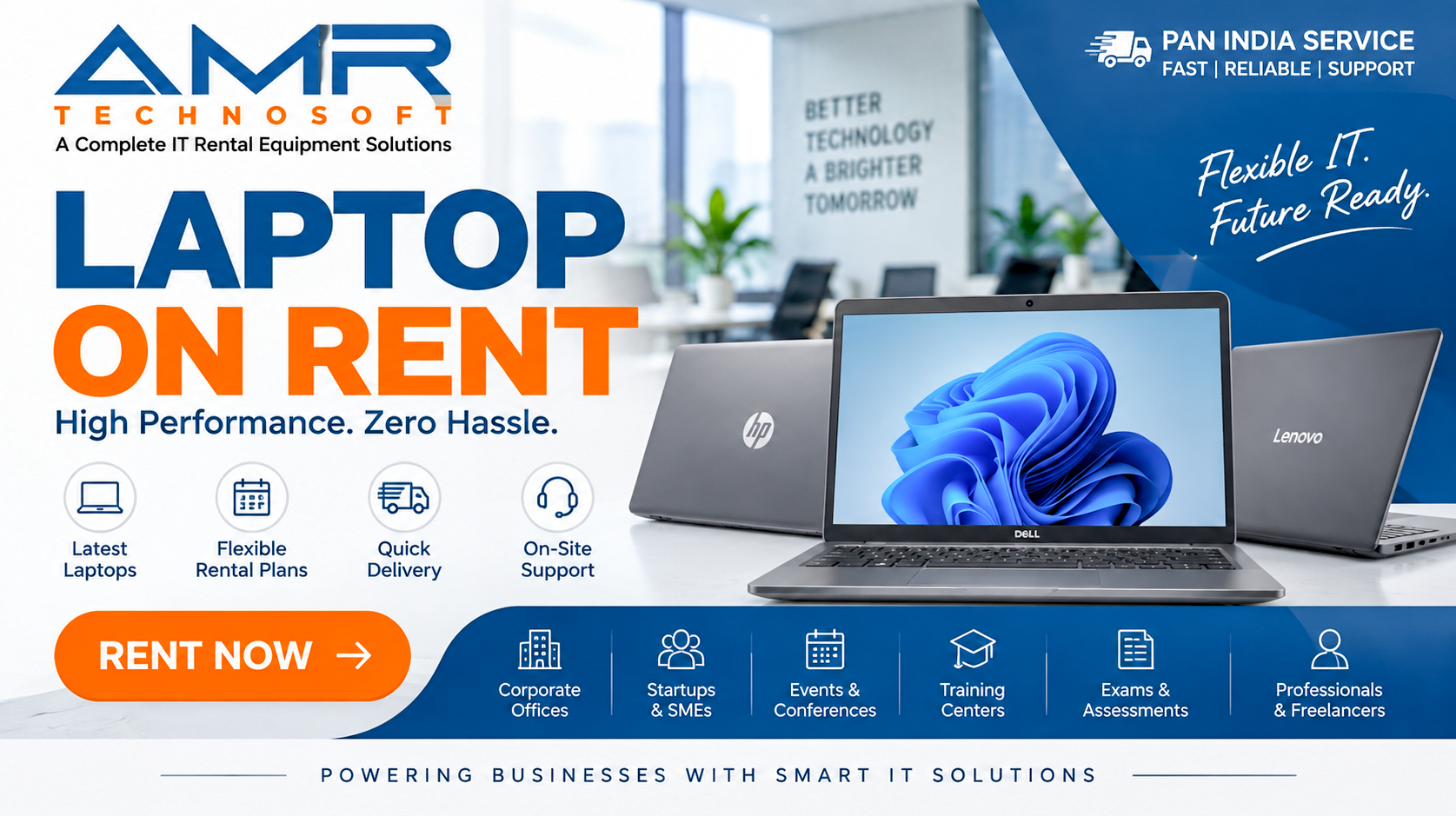
Laptop rental is a service model where individuals or businesses pay a recurring fee — typically daily, weekly, monthly, or for a fixed project duration — to use a laptop owned by a rental company, rather than purchasing the device outright. At the end of the rental period, the laptop is either returned, upgraded, or the rental is extended.
Unlike traditional purchasing, where the buyer assumes full ownership, depreciation risk, and responsibility for repairs, laptop rental shifts most of that burden onto the rental provider. The renter simply pays for usage, much like renting an apartment, a car, or office space.
Laptop rental services typically fall into a few broad categories:
- Short-term rentals — Ideal for events, conferences, training sessions, or temporary project needs, usually lasting a few days to a few weeks.
- Medium-term rentals — Common among freelancers, remote workers, and small businesses, typically spanning one to six months.
- Long-term rentals — Popular with corporates and enterprises that prefer an operating expense model over capital expenditure, often extending to one, two, or even three years with the option to upgrade hardware periodically.
- Rent-to-own models — A hybrid where a portion of the rental fee goes toward eventual ownership of the device.
The rental industry has expanded significantly because it solves a genuine pain point: technology becomes outdated quickly, upfront costs are high, and many use cases simply don’t justify permanent ownership.
How Laptop Rental Works: The Process Explained
Understanding the mechanics of laptop rental helps clarify why it appeals to such a wide range of users. While the exact process varies by provider, most laptop rental services follow a similar workflow.
Step 1: Choosing a Plan and Specification
Renters first decide what type of laptop they need — basic configurations for everyday browsing and document work, mid-range machines for business use, or high-performance laptops for design, engineering, or data-heavy tasks. Providers usually offer tiered options based on processor type (like Intel Core i3, i5, i7, or AMD Ryzen equivalents), RAM, storage, and display size.
Step 2: Selecting the Rental Duration
Most rental companies offer flexible durations — daily, weekly, monthly, or custom periods for corporate contracts. Pricing typically decreases per day as the rental duration increases, making longer rentals more cost-effective on a per-day basis.
Step 3: Documentation and Deposit
Renters usually need to submit identification documents (such as a government-issued ID, proof of address, or business registration for corporate rentals) and may be required to pay a refundable security deposit. Some providers waive the deposit for verified corporate clients or long-term contracts.
Step 4: Delivery and Setup
Once approved, the laptop is delivered — often within 24 to 48 hours for individual renters, or on a scheduled rollout basis for bulk corporate orders. Many providers pre-install the operating system, essential software, and security patches before delivery, and some offer on-site IT setup for business clients.
Step 5: Usage Period
During the rental period, the laptop functions like any owned device. Reputable rental companies also provide technical support, and if hardware issues occur, they typically offer a replacement unit rather than requiring the renter to pay for repairs (subject to the terms of the rental agreement, which usually exclude accidental damage or misuse).
Step 6: Return, Renewal, or Upgrade
At the end of the rental term, renters can return the device, renew the contract, or in many cases, upgrade to a newer model — a major advantage for anyone who wants to stay current with hardware trends without the cost of buying new equipment every time technology advances.
Who Should Consider Renting a Laptop?
Laptop rental isn’t a one-size-fits-all solution, but it fits an impressively wide range of situations. Below is a breakdown of the groups that benefit most from renting rather than buying.
1. Students
Students often need a laptop only for the duration of a course, semester, or degree program. Buying a high-end laptop for a two-year postgraduate program, only to have it become outdated or unnecessary after graduation, can feel like an inefficient use of a tight budget. Renting allows students to:
- Access decent specifications without a large upfront cost
- Avoid the financial risk of a laptop breaking outside a warranty period
- Upgrade easily if academic requirements change (for example, moving from basic coursework to software-intensive design or engineering programs)
- Return the device at the end of the course instead of trying to resell a depreciated asset
For students on scholarships, education loans, or tight monthly budgets, laptop rental converts a large one-time expense into manageable monthly payments — a meaningful difference for many families.
2. Remote Workers and Freelancers
The rise of remote work and the gig economy has created a new category of professionals who need reliable equipment but may not have predictable long-term income to justify large upfront purchases. Freelancers juggling multiple short-term contracts, or remote workers who are testing out a new career path, often find renting laptops far more practical than locking capital into hardware.
Additionally, freelancers working across different project types — say, moving from writing-based work to video editing gigs — can rent higher-spec machines only when a project demands it, rather than owning underutilized high-performance hardware year-round.
3. Startups and Small Businesses
Startups operate under constant financial pressure, and preserving cash flow is often more important than owning assets. Renting laptops for a growing team allows a startup to:
- Avoid large upfront capital expenditure
- Scale up or down quickly as team size fluctuates
- Keep hardware current without periodic reinvestment
- Simplify budgeting with predictable monthly costs
- Outsource IT asset management, freeing internal resources to focus on the core business
For an early-stage company unsure of its exact headcount in six months, renting removes the risk of over-purchasing (or under-purchasing) equipment.
4. Corporates and Enterprises
Larger organizations increasingly view laptop rental as a strategic decision rather than a stopgap. Enterprises use rental models for:
- Project-based teams that are formed and disbanded based on client contracts
- Seasonal workforce expansion, such as hiring temporary staff during peak periods
- Standardizing hardware fleets across departments or regional offices without a massive one-time purchase
- Reducing IT asset management overhead, since the rental provider often handles maintenance, replacement, and end-of-life disposal
- Shifting spending from CapEx to OpEx, which can offer accounting and tax advantages depending on jurisdiction
5. Event Organizers and Training Providers
Conferences, trade shows, hackathons, workshops, and corporate training sessions often require dozens or even hundreds of laptops for a short, defined period. Purchasing that many devices for a one-time or infrequent event makes little financial sense. Laptop rental companies specializing in bulk, short-term deployments can deliver, configure, and collect large quantities of laptops efficiently — often with on-site technical support included.
6. Travelers and Digital Nomads
International travelers, especially those relocating temporarily for work assignments, often prefer not to carry expensive personal equipment across borders, where it may be subject to customs complications, theft risk, or damage during transit. Renting a laptop locally, or through an international rental network, solves this problem while ensuring compliance with local power specifications and software licensing requirements.
7. Content Creators, Designers, and Gamers (Short-Term Needs)
Occasionally, a professional needs a high-performance machine — for video rendering, 3D modeling, or heavy computational work — only for a specific, short-term project. Instead of purchasing an expensive workstation-grade laptop that will sit idle after the project ends, renting a high-spec machine for the exact duration needed can be significantly more economical.
Types of Laptop Rental Plans
Laptop rental providers typically offer several plan structures to accommodate different needs. Understanding these options helps renters choose the most cost-effective arrangement.
Daily Rentals
Best suited for very short-term needs like a single-day conference, an exam, or an emergency backup device while a personal laptop is being repaired. Daily rates are the highest on a per-day basis but offer maximum flexibility.
Weekly Rentals
A middle-ground option for short training programs, week-long business trips, or temporary project sprints. Weekly rates are usually discounted compared to seven consecutive daily rentals.
Monthly Rentals
The most common rental structure, popular among freelancers, students, and small businesses. Monthly plans typically offer the best balance between flexibility and cost, and many providers allow month-to-month renewal without long-term commitment.
Long-Term or Annual Contracts
Designed for businesses that want predictable, budgeted IT expenses over an extended period. These contracts often include hardware refresh cycles (for example, upgrading to a new laptop model every 12–24 months), bundled technical support, and volume discounts for renting multiple units.
Rent-to-Own Plans
Some providers offer hybrid plans where a percentage of each rental payment is credited toward the eventual purchase price of the laptop. This can appeal to renters who want the flexibility of renting now but the option to own the device later without paying full price at that point.
Subscription-as-a-Service Models
An emerging trend, particularly among enterprise IT providers, bundles the laptop rental with software licensing, cybersecurity tools, IT support, and device management into a single monthly subscription — essentially “Laptop-as-a-Service” (LaaS). This model appeals to businesses that want a fully managed technology stack without juggling multiple vendors.
Renting vs. Buying: A Detailed Comparison
This is the heart of the decision-making process. Let’s compare renting and buying across the factors that matter most.
1. Upfront Cost
Buying: Requires a significant lump-sum payment, which can range from moderate for basic laptops to substantial for high-performance or premium models. For someone with limited savings or unpredictable income, this upfront cost can be a genuine barrier.
Renting: Requires little to no upfront cost beyond a security deposit (which is often refundable) and the first rental payment. This makes renting far more accessible for people who need a laptop immediately but don’t have the capital available.
2. Total Cost Over Time
This is where the comparison gets more nuanced. If you need a laptop for years and use it heavily, buying is often cheaper in the long run because the ongoing cost per month, spread over multiple years, tends to be lower than continuous rental payments.
However, if you only need the device for a few months, a specific project, or a defined academic term, renting is almost always cheaper than buying — because you avoid paying for years of ownership you don’t need, and you avoid the resale loss when eventually selling a used laptop.
A rough rule of thumb: if your need is shorter than 12–18 months, renting tends to be more cost-effective. If your need extends beyond 2 years with consistent daily use, buying often becomes more economical — though this varies depending on rental rates, laptop specifications, and regional pricing.
3. Depreciation
Buying: Laptops lose value quickly. A laptop purchased today may lose a substantial percentage of its resale value within the first year alone, and by the third year, resale value is often a small fraction of the original price. This depreciation is a sunk cost that buyers absorb entirely.
Renting: The rental company absorbs the depreciation risk, not the renter. This is one of the most underappreciated financial benefits of renting — you never have to worry about how much value your device has lost, because you never owned the asset in the first place.
4. Maintenance and Repairs
Buying: Owners are responsible for repairs once the manufacturer’s warranty expires, which can be expensive — a single motherboard or screen replacement can cost a significant percentage of the laptop’s original price.
Renting: Reputable rental providers typically include maintenance and repair coverage as part of the rental agreement (excluding accidental or intentional damage). If a rented laptop malfunctions due to normal wear, the provider usually repairs or replaces it at no additional cost, minimizing downtime and unexpected expenses.
5. Access to Updated Technology
Buying: Once purchased, a laptop’s specifications are fixed. Upgrading typically means buying an entirely new device, which reintroduces the full upfront cost and depreciation cycle.
Renting: Many rental agreements allow renters to upgrade to newer models at the end of a contract term, ensuring access to current technology without repeatedly paying full price for new hardware.
6. Flexibility
Buying: Committing to a purchase locks you into that specific device. If your needs change — say, you need a more powerful machine for a new project, or a lighter laptop for increased travel — you either adapt with the existing hardware or absorb the cost of buying again.
Renting: Rental agreements are inherently more flexible. Scaling up, scaling down, switching specifications, or ending the arrangement entirely is significantly easier than with owned equipment.
7. Tax and Accounting Treatment (For Businesses)
Buying: Laptop purchases are typically treated as capital expenditure (CapEx), which may be depreciated over several years for tax purposes, depending on local accounting rules.
Renting: Rental payments are usually classified as operating expenses (OpEx), which can often be deducted in the same fiscal period they’re incurred. Many businesses prefer this because it simplifies budgeting and can offer more immediate tax efficiency, though the exact benefit depends on each business’s specific tax jurisdiction and accounting practices. (This is general information, not tax advice — consult an accountant or tax professional for guidance specific to your business.)
8. Long-Term Asset Ownership
Buying: At the end of its useful life, an owned laptop remains an asset (albeit a depreciated one) that can be resold, repurposed, or donated.
Renting: Renters never build equity in the device. Once the rental term ends, the laptop is returned, and the renter has nothing to show for the rental payments beyond the usage they received.
Quick Comparison Summary
| Factor | Renting | Buying |
|---|---|---|
| Upfront Cost | Low | High |
| Long-Term Cost (short-term use) | Lower | Higher |
| Long-Term Cost (multi-year heavy use) | Higher | Lower |
| Depreciation Risk | None (provider absorbs it) | Full risk on owner |
| Maintenance | Usually included | Owner’s responsibility post-warranty |
| Access to Latest Tech | Easy upgrades | Requires new purchase |
| Flexibility | High | Low |
| Asset Ownership | None | Retained (depreciated) |
| Ideal Duration | Short to medium-term | Long-term, heavy use |
Cost Analysis: Running the Numbers
To make an informed decision, it helps to actually run through a simplified cost comparison. While exact prices vary by region, brand, and specification, the framework below illustrates how to think about the math.
Example Scenario: A Mid-Range Business Laptop
Suppose a mid-range business laptop costs a certain amount to purchase outright, and the same laptop is available for rent at a fixed monthly rate.
If renting for 3 months: The total rental cost is a small fraction of the purchase price, making renting the clear winner — especially since the renter avoids the resale loss they would face if they bought the laptop and tried to sell it after just three months of use.
If renting for 12 months: The cumulative rental cost may approach a significant percentage of the outright purchase price. At this point, the decision depends on whether the renter values the flexibility, maintenance coverage, and upgrade options enough to justify the higher cumulative cost — or whether ownership makes more sense because the need is clearly long-term.
If renting for 24+ months: In many cases, cumulative rental payments will exceed the original purchase price of the laptop. For genuinely long-term, predictable needs, buying (or negotiating a rent-to-own arrangement) usually becomes more economical — unless the renter specifically values the built-in maintenance, support, and upgrade flexibility that rental provides.
The Hidden Costs of Buying
When comparing costs, it’s easy to focus only on the sticker price of a laptop and ignore the hidden costs of ownership:
- Extended warranty costs, often needed once the manufacturer’s standard warranty (commonly one year) expires
- Repair costs for accidental damage, battery replacement, or hardware failure
- Software licensing that a buyer might need to purchase separately (whereas some rental packages include it)
- Resale effort and loss, including the time spent finding a buyer and the typically steep depreciation
- Disposal costs or environmental fees in regions with e-waste regulations
The Hidden Costs of Renting
Renting isn’t without its own less obvious costs:
- Security deposits, which tie up cash temporarily even though they’re refundable
- Late return fees or damage charges, which vary by provider and can be steep if the fine print isn’t read carefully
- Long-term rental costs exceeding purchase price, as discussed above
- Limited customization, since rented laptops may come with restrictions on installing certain software or making hardware modifications
Pros of Laptop Rental
Let’s consolidate the advantages of renting into a clear list.
- Lower upfront cost — Ideal for those without the capital or willingness to spend a large sum immediately.
- Predictable budgeting — Fixed monthly or periodic payments make financial planning easier, especially for businesses.
- No depreciation risk — The rental provider absorbs the loss in resale value over time.
- Included maintenance and support — Reduces downtime and unexpected repair costs.
- Access to updated technology — Easier to upgrade to newer models without a full repurchase.
- Scalability for businesses — Quickly rent more units as a team grows, or return units as it shrinks.
- Ideal for short-term or uncertain needs — Projects, events, courses, and temporary assignments are perfectly suited to rental.
- Reduced IT management burden — Providers often handle setup, software installation, and device lifecycle management.
- Environmentally efficient in some cases — Shared device pools and refurbishment cycles can reduce overall e-waste (discussed further below).
- Try before you buy — Renting allows users to test a specific laptop model or specification before committing to a purchase.
Cons of Laptop Rental
Renting isn’t perfect. Here are the genuine downsides to weigh.
- Higher long-term cost — For extended, heavy use, cumulative rental payments can exceed the cost of buying outright.
- No ownership or equity — At the end of the rental period, you have nothing tangible to show for the money spent.
- Deposit and documentation requirements — Some renters may find the verification process cumbersome, particularly for short-term needs.
- Usage restrictions — Rental agreements may limit software installations, hardware modifications, or specific usage types (like gaming or cryptocurrency mining).
- Damage liability — While normal wear is typically covered, accidental damage or loss can result in significant charges.
- Availability constraints — Highly specialized or premium configurations may not always be available for rent, especially on short notice.
- Return logistics — Renters are responsible for returning the device in good condition and on time, which adds a layer of administrative responsibility.
- Data security considerations — Since the same physical device may be used by multiple renters over its lifecycle, users should ensure providers follow strict data-wiping protocols between rentals.
Key Factors to Consider Before Renting a Laptop
Before signing a rental agreement, it’s worth walking through these considerations carefully.
Duration of Need
Be honest about how long you’ll actually need the device. If there’s genuine uncertainty (a project that might get extended, a course that might continue into a second year), renting offers a hedge against committing to a purchase prematurely.
Specification Requirements
Match the rental plan to your actual workload. Renting a high-performance laptop for basic document editing wastes money; renting a low-spec machine for video editing or software development will hurt productivity. Be specific about processor, RAM, storage, and graphics requirements.
Total Cost Over the Expected Period
Calculate the cumulative rental cost across your expected usage period and compare it against the purchase price of an equivalent laptop, factoring in the hidden costs discussed earlier.
Provider Reputation and Reliability
Not all rental companies offer the same quality of service. Look into:
- Average delivery times
- Responsiveness of customer support
- Turnaround time for repairs or replacements
- Transparency around fees, deposits, and damage policies
- Customer reviews and testimonials
Contract Terms and Flexibility
Carefully read the rental agreement for:
- Minimum rental commitment periods
- Early termination penalties
- Renewal and upgrade terms
- Damage and loss liability clauses
- Data security and device-wiping policies
Data Security
Since rented laptops are reused across multiple renters, ensure the provider has a documented, verifiable process for wiping data between rentals and installing fresh, licensed operating systems. This is especially critical for business users handling sensitive client data.
Support and Maintenance Coverage
Confirm exactly what’s covered under the rental agreement — software troubleshooting, hardware replacement, accidental damage protection (sometimes available as an add-on), and response times for support requests.
How to Choose the Right Laptop Rental Company
With the laptop rental industry growing, providers vary widely in quality, pricing, and service scope. Here’s a checklist to evaluate options effectively.
1. Range of Inventory
A good provider should offer a range of specifications — from entry-level laptops for basic tasks to high-performance machines for creative or technical work — along with multiple brands so you’re not locked into a single manufacturer’s ecosystem.
2. Transparent Pricing
Look for providers who clearly list rental rates, deposit requirements, and any additional fees (delivery, setup, late return, damage) upfront rather than burying them in fine print.
3. Delivery and Logistics Network
For individuals, fast and reliable delivery matters. For businesses needing bulk rentals across multiple locations, check whether the provider has a logistics network capable of handling multi-city or multi-branch rollouts.
4. Support Infrastructure
Evaluate the provider’s customer support channels (phone, email, chat), average response times, and whether they offer on-site technical support for larger deployments or events.
5. Damage and Insurance Policies
Understand what happens if a laptop is damaged, lost, or stolen during the rental period. Some providers offer optional insurance add-ons that cap your liability in these scenarios — a worthwhile consideration for expensive equipment.
6. Data Security Practices
Ask directly about the provider’s data-wiping and device refurbishment process between rentals. A credible provider should be able to explain their protocol clearly.
7. Flexibility for Upgrades and Extensions
Check whether you can easily extend your rental period, upgrade to a different specification, or switch models mid-contract without excessive penalties.
8. Reviews and Track Record
Look for independent reviews, testimonials, or case studies, particularly from businesses or institutions similar to your own use case.
Laptop Rental for Businesses: A Closer Look
Businesses represent one of the fastest-growing segments of the laptop rental market, and for good reason. Let’s explore the specific benefits and considerations for organizational use.
Cash Flow Preservation
For startups and small businesses, preserving cash flow is often more valuable than owning assets outright. Renting converts a large capital outlay into a smaller, predictable monthly operating expense, freeing up capital for core business priorities like hiring, marketing, or product development.
Simplified IT Asset Management
Managing a fleet of owned laptops requires tracking warranties, scheduling repairs, planning upgrade cycles, and eventually handling disposal or resale. Rental providers often absorb much of this operational overhead, allowing internal teams — especially in smaller companies without dedicated IT departments — to focus on their core work.
Scalability
Businesses with fluctuating headcounts (due to seasonal hiring, project-based teams, or rapid growth) benefit enormously from the ability to scale their laptop fleet up or down without the sunk cost of unused, owned equipment sitting in storage.
Standardization Across Teams
Renting from a single provider makes it easier to standardize hardware specifications across departments or locations, simplifying IT support and software compatibility.
Disaster Recovery and Business Continuity
Some businesses maintain rental relationships specifically as a contingency plan — ensuring that if owned equipment fails or is unavailable, replacement devices can be sourced quickly without waiting for a purchase and delivery cycle.
Considerations for Business Renters
- Negotiate volume discounts for bulk rentals.
- Establish clear internal policies on device usage, security, and return procedures.
- Factor in the time and cost of onboarding new hardware for each team member.
- Evaluate whether a hybrid model — owning core equipment while renting for temporary or seasonal needs — offers the best balance.
Laptop Rental for Students: A Closer Look
Students represent a unique case where financial constraints and defined usage periods make rental especially attractive.
Budget-Friendly Access to Technology
Many students face real financial constraints, and a large upfront laptop purchase can strain already tight budgets, especially when combined with tuition, housing, and other expenses. Renting spreads the cost over manageable monthly or semester-based payments.
Matching Specifications to Coursework
Different academic programs have different hardware demands. A humanities student may need only a basic laptop for writing and research, while an engineering or design student may require significantly more processing power and graphics capability. Renting allows students to match their device to their specific coursework without overpaying for unnecessary specifications — or upgrading mid-program if their needs change.
Avoiding the Resale Hassle
Students who buy a laptop for their studies often try to sell it after graduation, only to find that resale value has dropped substantially. Renting eliminates this entirely — there’s no device to sell, no marketplace listing to manage, and no negotiating with buyers.
Considerations for Student Renters
- Confirm whether the rental provider offers student discounts or education-specific plans.
- Check the provider’s policy on damage caused by normal campus life (drops, spills, wear and tear).
- Consider syncing the rental period with the academic calendar (semester or full-year plans) to avoid gaps in coverage.
Laptop Rental for Events, Conferences, and Training Programs
Large-scale, short-term deployments are one of the clearest use cases for laptop rental, where buying simply doesn’t make financial or logistical sense.
Why Rental Makes Sense for Events
- Bulk quantities needed for a short period — Purchasing dozens or hundreds of laptops for a single event would tie up enormous capital for equipment that sits unused most of the year.
- Standardized configurations — Rental providers can deliver pre-configured, identical units, simplifying setup for registration desks, training labs, or demo stations.
- On-site technical support — Many providers offer setup and troubleshooting support during the event itself, reducing the burden on internal staff.
- Post-event logistics — Providers handle collection and storage after the event, eliminating the need to find storage space for equipment that would otherwise go unused until the next event.
Planning Considerations for Event Organizers
- Book rentals well in advance, especially for large quantities, since providers may have limited inventory during peak event seasons.
- Confirm setup and teardown timelines align with the event schedule.
- Clarify liability for accidental damage during high-traffic events.
- Ensure network and software configurations are tested before the event begins.
Environmental Impact: Renting vs. Buying
Sustainability is an increasingly important factor in technology decisions, and laptop rental has a nuanced environmental profile worth examining.
The Case for Renting Being More Sustainable
- Extended device lifecycle — Rental companies often refurbish and redeploy laptops across multiple renters, extending the useful life of each device rather than having it discarded after a single owner’s use.
- Reduced e-waste from underutilized purchases — Individuals or businesses who would otherwise buy a laptop for short-term use and then let it sit unused (or discard it prematurely) instead return the device to a shared pool where it continues to be used productively.
- Centralized, responsible disposal — Reputable rental providers typically have structured end-of-life processes for laptops that are no longer fit for rental, including certified recycling or responsible disposal, which may be more consistent than the disposal habits of individual consumers.
- Efficient resource utilization — A shared inventory model means fewer total devices need to be manufactured to serve the same number of users over time, since each device serves multiple renters sequentially instead of one owner exclusively.
The Nuance
It’s worth noting that manufacturing a laptop has a significant environmental footprint regardless of who ultimately uses it, and the environmental benefit of rental depends heavily on how many renters actually use a given device over its lifecycle, how responsibly the rental company manages refurbishment and disposal, and how the device is transported between renters (excessive shipping can offset some sustainability gains). Renters who care about environmental impact should ask providers directly about their refurbishment rate, device lifecycle length, and end-of-life disposal practices.
Common Myths About Laptop Rental
Let’s address some misconceptions that often steer people away from considering rental as a viable option.
Myth 1: “Rented laptops are always old or low-quality.”
Reputable rental providers maintain modern inventories with regularly refreshed hardware. Many businesses specifically rent to access the latest technology without the cost of frequent purchases, which means rental fleets are often more current than the aging laptops many individuals continue using well past their prime.
Myth 2: “Renting is always more expensive than buying.”
As shown in the cost analysis section, this depends entirely on the duration and intensity of use. For short-to-medium-term needs, renting is frequently the more economical choice.
Myth 3: “You can’t get technical support with a rented laptop.”
Most reputable rental providers include technical support and maintenance as a core part of their service — often more responsive support than what’s available for an owned device once the manufacturer’s warranty has expired.
Myth 4: “Rented laptops are unsafe from a data security perspective.”
While it’s a valid consideration, credible rental providers implement strict data-wiping and device sanitization protocols between rentals. Renters should verify this directly with providers, but it’s not an inherent flaw of the rental model itself.
Myth 5: “Renting is only for people who can’t afford to buy.”
While affordability is one benefit, renting is increasingly chosen by well-resourced businesses and even wealthy individuals specifically for its flexibility, maintenance coverage, and ability to stay current with technology — not merely as a budget compromise.
Building an Internal Policy: A Guide for Business IT Teams
For companies that decide to incorporate laptop rental into their broader IT strategy, having a clear internal policy prevents confusion and inconsistency as the practice scales across teams.
Define Eligibility Criteria
Decide which roles or situations qualify for rented equipment versus company-owned equipment. For example, a business might rent for all contractors and temporary staff while issuing owned laptops to permanent, long-tenured employees.
Standardize Specification Tiers
Rather than allowing ad hoc requests, define two or three standard specification tiers (e.g., “standard,” “power user,” “creative/technical”) that map to common role requirements. This simplifies procurement and ensures consistency across the organization.
Establish a Single Point of Contact
Designate an internal owner — often within IT or operations — responsible for managing the rental relationship, tracking active rentals, coordinating returns, and handling renewals. Without a clear owner, rental fleets can become difficult to track, especially as headcount grows.
Create a Return and Offboarding Checklist
Integrate laptop returns into your standard employee or contractor offboarding process, ensuring devices are returned promptly when a team member departs or a project concludes, and that any locally stored data is properly backed up or wiped beforehand.
Track Costs Centrally
Maintain a simple internal record of active rentals, monthly costs, and contract end dates. This prevents auto-renewals from going unnoticed and helps finance teams accurately forecast IT spending.
Periodically Reassess the Rent vs. Buy Mix
As the business matures, periodically revisit which roles or situations are best served by rental versus ownership. A company in a fast-growth, high-uncertainty phase might rent extensively, while a more stable, mature organization might shift toward a higher proportion of owned equipment for cost efficiency over time.
Long-Term Rental Contracts vs. Subscription-Based IT Services
For organizations considering a significant commitment to laptop rental, it’s worth distinguishing between a straightforward long-term rental contract and a broader subscription-based IT service.
Long-Term Rental Contracts
These typically focus purely on hardware — you commit to renting a defined number of laptops for an extended period (often one to three years), usually with the option to refresh hardware at set intervals. Support may be limited to hardware repair and replacement, with software and IT management remaining the responsibility of the renting organization.
Subscription-Based IT Services (Device-as-a-Service)
These bundle hardware rental with a wider range of managed services — software licensing, endpoint security, remote device management, help-desk support, and sometimes even employee onboarding/offboarding logistics — into a single monthly fee per user. This model appeals to organizations that want to outsource IT operations more comprehensively, not just hardware provisioning, though it typically comes at a higher per-unit cost than a hardware-only rental contract.
Which Should You Choose?
- Choose a straightforward hardware rental contract if your organization already has capable internal IT support and simply wants to avoid the capital cost and depreciation risk of owning laptops.
- Choose a Device-as-a-Service subscription if your organization wants to minimize internal IT overhead entirely and is willing to pay a premium for a fully managed technology stack.
Legal and Insurance Considerations
Before entering a rental agreement, it’s important to understand the legal and financial protections involved.
Reading the Rental Agreement Carefully
Pay close attention to:
- Liability clauses — What happens if the laptop is damaged, lost, or stolen?
- Minimum commitment periods — Is there a penalty for returning the device early?
- Renewal terms — Does the contract auto-renew, and what’s the process for canceling?
- Late fees — What are the charges for late returns or late payments?
- Data and privacy clauses — Does the agreement specify how your data is handled and wiped after return?
Insurance Options
Many rental providers offer optional insurance add-ons that cover accidental damage, theft, or loss for an additional monthly fee. Depending on the value of the equipment and the renter’s risk tolerance, this can be a worthwhile investment — particularly for high-value or premium laptop rentals.
Business Considerations
Companies renting laptops in bulk should ensure their internal insurance policies (such as general business insurance or equipment coverage) account for rented equipment, and should clarify with the rental provider how liability is split between the company and individual employees using the devices.
(This section is for general informational purposes and is not legal advice. Always consult a legal professional for guidance specific to your contract or jurisdiction.)
Step-by-Step Guide to Renting a Laptop
If you’ve decided renting makes sense for your situation, here’s a practical roadmap to follow.
Step 1: Define Your Requirements
Determine the specifications you need (processor, RAM, storage, display size), the operating system, and any specific software requirements.
Step 2: Determine Your Rental Duration
Estimate how long you’ll need the device, keeping in mind the cost-effectiveness thresholds discussed earlier.
Step 3: Research and Compare Providers
Shortlist two to three rental companies and compare their pricing, inventory, support offerings, and reviews.
Step 4: Request Quotes and Clarify Terms
Reach out for detailed quotes, including all fees, deposit requirements, and contract terms. Ask specific questions about data security, damage policies, and upgrade options.
Step 5: Complete Documentation
Prepare the necessary identification, address proof, or business registration documents required by the provider.
Step 6: Review and Sign the Agreement
Read the contract thoroughly before signing, paying particular attention to liability, cancellation, and renewal clauses.
Step 7: Schedule Delivery and Setup
Coordinate delivery timing, and confirm whether the provider will handle software installation and initial setup, or whether that responsibility falls on you.
Step 8: Use, Maintain, and Communicate
During the rental period, follow the care guidelines outlined in your agreement, and promptly report any technical issues to the provider’s support team.
Step 9: Plan for Renewal or Return
As your rental period nears its end, decide whether to renew, upgrade, or return the device, and initiate that process according to the provider’s timeline to avoid late fees.
Typical Laptop Rental Pricing Structure (What Affects Your Rate)
Exact rental rates vary widely by country, city, provider, and current market conditions, so this section focuses on the factors that shape pricing rather than fixed numbers you should treat as universal.
Factors That Increase Rental Cost
- Higher specifications — More RAM, faster processors, dedicated graphics, and larger storage all push rates upward.
- Shorter rental durations — Daily and weekly rates carry a premium compared to the effective daily cost of monthly or long-term plans.
- Premium brands — Certain manufacturers and product lines command higher rental rates due to higher acquisition costs for the provider.
- Expedited delivery — Same-day or next-day delivery often costs more than standard delivery windows.
- Additional software licensing — Specialized professional software bundled into the rental (such as design, engineering, or video production suites) adds to the base rate.
- Optional insurance or damage waivers — Add-on protection plans increase the monthly cost but reduce financial exposure if something goes wrong.
Factors That Decrease Rental Cost
- Longer commitment periods — Providers typically offer meaningfully lower per-day rates for three, six, or twelve-month commitments compared to short-term rentals.
- Bulk/volume rentals — Businesses renting multiple units at once can often negotiate discounted per-unit pricing.
- Basic specifications — Entry-level configurations for browsing and document work are the most affordable tier.
- Self-managed setup — Skipping white-glove setup and configuration services (where the renter handles initial setup independently) can reduce costs slightly with some providers.
How to Get the Best Rate
- Compare quotes from multiple providers rather than accepting the first offer.
- Ask specifically about discounts for students, nonprofits, or long-term contracts — these aren’t always advertised.
- Bundle multiple units or a longer duration where possible, since per-unit and per-day costs typically drop with scale and time.
- Clarify whether the quoted price includes delivery, setup, and basic support, or whether these are billed separately.
Common Mistakes to Avoid When Renting a Laptop
Even when renting is the right choice, a poorly managed rental process can erode the benefits. Watch out for these common pitfalls.
1. Not Reading the Fine Print on Damage Liability
Many renters assume all damage is covered under the base agreement, only to discover after an incident that accidental damage was excluded. Always clarify what’s covered before you need to find out the hard way.
2. Underestimating or Overestimating Specification Needs
Renting a laptop that’s underpowered for your workload leads to frustration and lost productivity, while overpaying for specifications you don’t need wastes money. Take the time to accurately assess your actual requirements before selecting a plan.
3. Ignoring the Total Cost Comparison
It’s easy to focus only on the low upfront cost of renting without calculating the cumulative cost over your expected usage period. Always run the numbers before assuming renting is automatically cheaper.
4. Missing Return Deadlines
Late returns often trigger daily late fees that can add up quickly, sometimes at a rate higher than the original rental price. Set calendar reminders well ahead of your return date.
5. Failing to Document the Laptop’s Condition at Delivery
To avoid disputes over pre-existing damage, take photos or notes of the laptop’s condition when it arrives, and share this with the provider if their process allows it.
6. Overlooking Data Security Practices
Storing sensitive personal or business data locally on a rented device without understanding the provider’s data-wiping process can create unnecessary risk. Favor cloud storage or encrypted drives for sensitive files.
7. Choosing a Provider Based on Price Alone
The cheapest rental option isn’t always the best value if it comes with poor support, unreliable delivery, or restrictive contract terms. Weigh price against reliability, reviews, and service quality.
Real-World Scenarios: When Renting Makes the Most Sense
To bring this all together, here are a few illustrative scenarios that highlight when renting is clearly the smarter choice.
Scenario 1: The Six-Month Contractor
A software contractor takes on a six-month engagement with a client that requires a higher-spec laptop than their personal device. Renting a suitable machine for the contract duration avoids a large purchase for a temporary need, and the contractor returns the device once the engagement ends — no resale hassle, no depreciation loss.
Scenario 2: The Growing Startup
A startup goes from 5 to 25 employees within a year. Renting laptops for new hires allows the company to scale its equipment in lockstep with headcount, without the capital drain of bulk purchasing or the risk of over-purchasing if growth slows.
Scenario 3: The Weeklong Training Bootcamp
A corporate training provider runs a weeklong coding bootcamp for 50 participants. Renting 50 identical, pre-configured laptops for the week is dramatically more efficient than purchasing equipment that would otherwise sit unused for the rest of the year.
Scenario 4: The Study-Abroad Student
A student spends a single semester studying abroad and doesn’t want to ship a personal laptop internationally or navigate unfamiliar warranty and repair processes in a foreign country. Renting locally solves both the equipment need and the logistical complexity.
When Buying Still Makes More Sense
Conversely, buying remains the better choice for:
- Individuals with a clear, long-term (2+ years), consistent daily need for a laptop
- Professionals who require highly customized or specialized hardware configurations not typically available through rental providers
- Those who place high value on full ownership, unrestricted customization, and long-term asset retention
- Situations where the total rental cost over the expected usage period clearly exceeds the purchase price plus reasonable maintenance costs
The Laptop Rental Industry: Trends Shaping the Market
The laptop rental industry has evolved considerably over the past decade, driven by shifting work patterns, tighter corporate budgets, and growing awareness of sustainable consumption. Understanding these trends helps put the “rent vs. buy” decision into a broader context.
Rise of Remote and Hybrid Work
The shift toward remote and hybrid work arrangements has fundamentally changed how companies think about equipment provisioning. Instead of issuing laptops from a central office, many organizations now need to deliver equipment directly to employees’ homes across different cities — sometimes different countries. Rental providers with distributed logistics networks have stepped in to fill this gap, offering “deliver anywhere, collect anywhere” models that align with distributed workforces.
Device-as-a-Service (DaaS) Adoption
Large enterprises increasingly bundle laptop rental with software, security, and IT support into a single subscription — often called Device-as-a-Service or Laptop-as-a-Service. This model reflects a broader shift in enterprise IT away from asset ownership and toward managed, outcome-based services, similar to how businesses moved from owning servers to renting cloud infrastructure.
Growing Demand from the Gig Economy
As freelance and contract-based work continues to grow, more individuals fall into a category where owning expensive, dedicated equipment doesn’t match their income pattern or project cadence. Rental providers have responded with more flexible, shorter minimum commitment periods specifically targeting this segment.
Sustainability-Driven Demand
Increasing awareness of electronic waste and corporate sustainability commitments has pushed some businesses to formally include equipment rental (with its extended device lifecycle) as part of their environmental, social, and governance (ESG) reporting and sustainability strategy.
Regional Variation in Rental Maturity
The maturity of the laptop rental market varies considerably by region. In some markets, rental is a well-established, mainstream option with dozens of competing providers, fast delivery networks, and transparent pricing. In others, the market is still emerging, with fewer providers, longer delivery times, and less standardized contract terms. If you’re considering renting, it’s worth researching how developed the rental ecosystem is in your specific city or country, as this significantly affects pricing, selection, and service quality.
Laptop Rental vs. Other Alternatives
Renting isn’t the only alternative to outright purchase. It’s worth briefly comparing it against a few other options renters sometimes consider.
Laptop Rental vs. Buying a Refurbished Laptop
Buying a certified refurbished laptop is another budget-conscious alternative to buying new. Refurbished laptops offer full ownership at a lower price point than new devices, which can be appealing for long-term use. However, refurbished purchases still carry depreciation risk, typically shorter or no warranty coverage compared to new devices, and the buyer is still responsible for eventual resale or disposal. For short-term needs, rental remains more cost-effective; for long-term ownership at a reduced price, a certified refurbished laptop can be a strong middle-ground option.
Laptop Rental vs. Financing/EMI Purchase Plans
Some retailers offer installment-based purchase plans (EMI or “buy now, pay later” financing), which spread the cost of an outright purchase over several months, similar in feel to a rental payment structure. The key difference is that, at the end of the payment period, the buyer owns the laptop outright under a financing plan, whereas a rental renter does not own the device unless they specifically choose a rent-to-own arrangement. Financing plans also typically involve interest charges and require a credit check, whereas rental deposits are usually more accessible.
Laptop Rental vs. Borrowing from a Library or Institution
Many universities, public libraries, and some workplaces offer free or low-cost laptop lending programs, usually limited to short durations (days to a few weeks) and often restricted to specific eligible groups (students, members, employees). These programs can be a good option when available, but they typically lack the flexibility, specification choice, and extended support that a dedicated rental provider offers.
Laptop Rental vs. Cloud-Based Virtual Desktops
For some use cases — particularly software development, testing, or data-heavy work — renting access to a cloud-based virtual desktop or remote workstation can substitute for renting physical hardware entirely. This approach still requires a physical device (even a low-spec one) to access the cloud desktop, so it doesn’t fully replace the need for hardware, but it can reduce the specification requirements of the local device, potentially lowering rental costs if a lower-spec laptop is sufficient for accessing a virtual desktop.
Choosing the Right Laptop Specification for Your Needs
Whether renting or buying, matching the laptop’s specifications to your actual workload avoids both overpaying for unused power and underpowering yourself for the task at hand. Here’s a general guide to specification tiers commonly available through rental providers.
Basic/Entry-Level Laptops
Suited for web browsing, document editing, video calls, and general administrative tasks. Typically featuring entry-level processors, modest RAM (commonly 4–8 GB), and standard solid-state storage. Ideal for students in non-technical programs, administrative staff, or light personal use.
Mid-Range/Business Laptops
Suited for multitasking, business applications, moderate data analysis, and standard office productivity software. Typically featuring mid-tier processors (such as Intel Core i5 or equivalent), 8–16 GB of RAM, and solid-state storage. This tier covers the needs of most professionals, remote workers, and general business use.
High-Performance Laptops
Suited for software development, data analysis, moderate video editing, and running multiple resource-intensive applications simultaneously. Typically featuring higher-tier processors (Intel Core i7 or equivalent), 16–32 GB of RAM, and dedicated graphics capabilities in some configurations.
Workstation-Grade Laptops
Suited for 3D rendering, heavy video production, engineering simulations, and other computationally intensive professional work. These typically feature top-tier processors, 32 GB or more of RAM, dedicated professional-grade graphics cards, and high-capacity storage. Workstation-grade rentals are less commonly stocked and often need to be booked further in advance.
Regional and Cultural Considerations for Laptop Rental
If you’re renting internationally or relocating temporarily, a few additional factors are worth considering beyond price and specification.
Power and Plug Compatibility
Laptops sold or rented in different regions may come with power adapters designed for local electrical standards. Renting locally, rather than shipping a personal device internationally, avoids the need for separate voltage converters or plug adapters.
Keyboard Layouts
Regional rental providers typically supply laptops with keyboard layouts matching local conventions, which can be a meaningful convenience (or a hidden inconvenience if not specified) for renters used to a different layout.
Software Licensing and Regional Restrictions
Some software licenses are region-locked or subject to different pricing in different markets. Confirm with the rental provider whether pre-installed software licenses are valid for use in your specific country, especially for business or enterprise software.
Local Support Availability
If you’re renting while traveling or working abroad, check whether the provider has local support infrastructure in your destination, rather than only centralized support based in a different time zone, which could slow down issue resolution.
A Practical Decision-Making Checklist
To bring everything together, here’s a condensed checklist you can use to make your final rent-vs-buy decision.
- Estimate your realistic usage duration as precisely as possible.
- List the exact specifications your workload requires (don’t overestimate or underestimate).
- Calculate the total rental cost across your expected duration.
- Compare that figure against the outright purchase price of an equivalent laptop, including estimated maintenance and resale-loss costs.
- Factor in how much you value flexibility, included maintenance, and easy upgrades versus full ownership and unrestricted customization.
- Research at least two to three rental providers and compare pricing, reviews, and contract terms.
- Confirm data security and device-wiping practices with any provider you’re considering.
- Read the full rental agreement before signing, paying close attention to liability, renewal, and cancellation terms.
- Decide whether optional damage insurance makes sense for your risk tolerance.
- Revisit the decision periodically if your circumstances change — a temporary need can become a long-term one, and vice versa.
Frequently Asked Questions About Laptop Rental
1. Is renting a laptop cheaper than buying one?
It depends on the duration of use. For short-term needs (a few weeks to around a year), renting is typically more cost-effective. For long-term, multi-year use, buying often becomes cheaper on a cumulative basis, though renting still offers benefits like included maintenance and easy upgrades.
2. What documents are usually required to rent a laptop?
Most providers require a government-issued ID, proof of address, and sometimes a security deposit. Business rentals may additionally require company registration documents.
3. Can I upgrade my rented laptop to a newer model?
Many rental providers allow upgrades at the end of a contract term or, in some cases, mid-contract for an adjusted fee. Always confirm upgrade terms before signing the agreement.
4. What happens if a rented laptop breaks down?
Reputable providers typically repair or replace the device at no extra cost if the issue results from normal wear and tear. Accidental damage or misuse is usually excluded and may incur additional charges, unless covered by an optional damage protection add-on.
5. Is my data safe on a rented laptop?
Reputable providers implement thorough data-wiping and device sanitization procedures between rentals. It’s advisable to confirm this directly with the provider and, as an added precaution, avoid storing sensitive data locally — use cloud storage or encrypted external drives where possible.
6. Can businesses rent laptops in bulk?
Yes, many rental providers specialize in bulk business rentals and often offer volume discounts, standardized configurations, and dedicated account support for corporate clients.
7. Do rented laptops come with pre-installed software?
This varies by provider. Some include a base operating system and essential software, while specialized software (like industry-specific design or engineering tools) may need to be arranged separately, depending on licensing requirements.
8. What is a rent-to-own laptop plan?
A rent-to-own plan allows a portion of each rental payment to count toward the eventual purchase price of the laptop, giving renters the flexibility of renting now with the option to own the device later.
9. How quickly can I get a rented laptop delivered?
Delivery times vary by provider and location, but many companies offer delivery within 24 to 48 hours for individual rentals, with longer lead times for large bulk orders.
10. Can I rent a laptop for just a few days?
Yes, many providers offer daily rental plans specifically for short-term needs like a single event, exam, or emergency backup device.
11. What happens if I lose or damage a rented laptop?
This depends on the rental agreement’s liability clause. Some providers charge the full replacement cost, while others offer optional insurance to cap liability. Always clarify this before renting.
12. Are laptop rental prices negotiable?
For individual, short-term rentals, prices are usually fixed. However, for bulk or long-term business rentals, providers are often open to negotiating volume discounts or custom contract terms.
13. Is laptop rental available internationally?
Some rental providers operate across multiple countries or cities, which can be useful for travelers, digital nomads, or businesses with distributed teams. Availability and terms vary significantly by region.
14. Can students get discounted laptop rental rates?
Many providers offer student-specific plans or discounts, particularly for semester-length or academic-year rentals. It’s worth asking directly, as these offers aren’t always advertised prominently.
15. What’s the difference between laptop rental and laptop leasing?
The terms are often used interchangeably, but leasing typically refers to longer-term, contract-based arrangements (common in corporate settings), while rental often implies more short-term, flexible arrangements. The exact distinction can vary by provider and region.
16. Can I extend my laptop rental period after it starts?
Most providers allow extensions, either automatically through a rolling monthly renewal or by contacting support before the current term ends. It’s best to request an extension a few days in advance to avoid any gap in coverage or unnecessary late fees.
17. Do laptop rental companies offer warranties?
Since you don’t own the device, traditional manufacturer warranties aren’t the relevant protection — instead, the rental agreement itself typically functions as your protection, covering repairs and replacements for hardware issues that arise from normal use during the rental term.
18. Is it possible to rent a laptop with a specific operating system, like macOS instead of Windows?
Availability varies by provider. Some rental companies stock Apple devices alongside Windows laptops, though selection and pricing for macOS devices may be more limited due to higher acquisition costs on the provider’s end. Always confirm OS availability before finalizing a rental.
19. What credit or financial checks are involved in renting a laptop?
This varies widely. Individual consumer rentals often require only ID verification and a refundable deposit, while larger business rentals or longer-term contracts may involve a more formal credit or background check, particularly for high-value bulk orders.
20. Can a laptop rental be canceled early, and are there penalties?
Most rental agreements allow early cancellation, but many include an early termination fee or require forfeiting a portion of the deposit, especially if canceled well before the agreed minimum term. Always check the specific cancellation clause before signing.
Glossary of Common Laptop Rental Terms
- CapEx (Capital Expenditure): Upfront spending on long-term assets, such as purchasing laptops outright.
- OpEx (Operating Expenditure): Ongoing operational costs, such as recurring rental payments, typically deducted in the period they occur.
- Depreciation: The reduction in an asset’s value over time due to age, wear, and obsolescence.
- DaaS (Device-as-a-Service): A subscription model bundling hardware, software, and support into a single recurring payment.
- Rent-to-Own: A rental arrangement where a portion of payments contributes toward eventual ownership of the device.
- Refurbished Device: A previously used laptop that has been inspected, repaired if necessary, and restored to working condition for resale or rental.
- Security Deposit: A refundable sum paid at the start of a rental agreement to cover potential damage or loss.
- Device Lifecycle: The full duration a laptop remains in active use, from first deployment to final disposal or recycling.
- End-of-Life (EOL) Disposal: The process of responsibly retiring and recycling a device once it’s no longer fit for use.
- Bulk Rental: A rental arrangement covering multiple units, typically used by businesses, schools, or event organizers, often with volume-based discounts.
Key Takeaways
- Laptop rental makes the most financial sense for short-to-medium-term needs — typically anything under 12 to 18 months.
- For long-term, heavy daily use spanning multiple years, buying is usually more cost-effective on a cumulative basis.
- Renting eliminates depreciation risk, reduces upfront costs, and often includes maintenance and support.
- Buying provides full ownership, unrestricted customization, and long-term asset retention, but comes with higher upfront cost and full responsibility for maintenance and eventual resale.
- Students, freelancers, startups, event organizers, and businesses with fluctuating headcounts are among the groups that benefit most from renting.
- Always calculate your total expected cost under both scenarios, read the rental agreement carefully, and verify a provider’s data security and support practices before committing.
Conclusion: So, Is a Laptop Rental Worth It?
The honest answer is: it depends on your specific situation — but for a surprisingly large number of people and businesses, the answer leans toward yes.
If your laptop need is temporary, uncertain, or tied to a defined period — a semester, a project, an event, a season of business growth — renting offers a financially smart, low-risk, flexible solution that eliminates depreciation worries, maintenance headaches, and large upfront costs. It’s a model built for a world where needs change quickly and technology evolves even faster.
On the other hand, if you have a clear, long-term, consistent need for a laptop — and you value full ownership, unrestricted customization, and are comfortable managing your own maintenance and eventual resale — buying is likely to be the more economical choice over a multi-year horizon.
The smartest approach isn’t to view renting and buying as permanently opposing choices, but as tools suited to different situations. Many savvy individuals and businesses use a hybrid strategy: owning core, long-term equipment while renting to cover temporary spikes in need, specialized short-term projects, or uncertain growth phases.
Before making your decision, run through the framework in this guide: estimate your actual usage duration, calculate the total cost of both options over that period, factor in the hidden costs of ownership versus the flexibility of rental, and be honest about how much you value ownership versus convenience.
Whichever path you choose, understanding the full picture — as laid out in this guide — ensures you’re making a decision based on your actual needs and financial reality, not just assumptions about what “makes sense” on the surface.
To rent, or not to rent? Now you have everything you need to answer that question for yourself.
Disclaimer: This article is intended for general informational purposes only and does not constitute financial, legal, or tax advice. Rental terms, pricing structures, and policies vary significantly by provider and region. Always review individual rental agreements carefully and consult relevant professionals for advice specific to your situation.