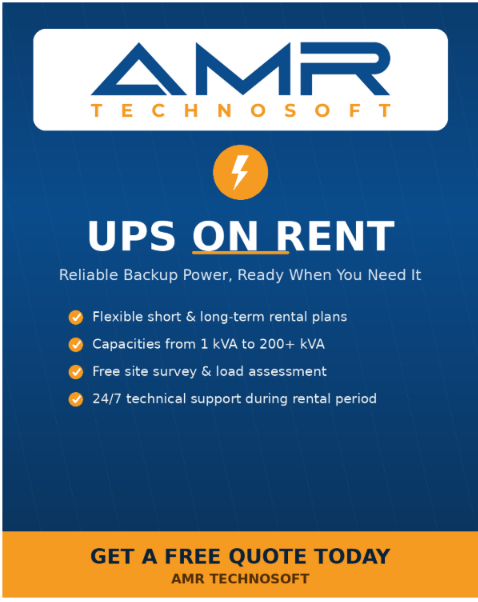
UPS on rent: the practical way to keep power flowing without buying hardware
A short, permanent, or seasonal load still deserves reliable backup. Here’s how to size a rental UPS correctly, pair it with the right battery bank, and put it exactly where a power cut would otherwise cost you the most.
Why businesses rent a UPS instead of buying one
An uninterruptible power supply is only useful for as long as it matches the load in front of it. Buy one sized for today’s office and it’s the wrong unit the day you add a server rack, host an outdoor event, or move to a bigger floor. Renting removes that mismatch. You get a unit sized for the job at hand, professionally commissioned, serviced through its contract period, and returned once the requirement ends — with none of the depreciation, storage, or battery-replacement costs that come with ownership.
This matters most in three situations: short-term jobs where owning hardware makes no financial sense (a three-day conference, a construction site, a temporary clinic), capacity that changes faster than a purchase cycle allows (a growing data room, a seasonal warehouse), and critical loads where a five-year-old battery bank is simply too much risk to carry (hospitals, server rooms, broadcast setups).
What “renting” typically includes
A proper UPS rental isn’t just a box on a truck. It should include site load assessment, delivery and installation, battery bank sizing, cabling, commissioning and load-testing, and a service response window for the rental period. Anything less shifts risk back onto you — ask what’s covered before signing.
Matching UPS capacity to your actual load
The single most common rental mistake is sizing by guesswork. Capacity is measured in kVA (apparent power) and kW (real power), and the right unit depends on total connected load, the load’s power factor, and how much headroom you want for future additions or inrush current from motors and compressors. As a working rule, add 20–30% headroom above your measured peak load rather than your quoted equipment nameplate, which tends to overstate real draw.
| Typical load | Indicative capacity | Common rental duration |
|---|---|---|
| Small office, POS systems, retail counters | 1–5 kVA | Days to weeks |
| Server room, network racks, small data closet | 6–20 kVA | Weeks to months |
| Hospital ward, diagnostic equipment, ICU | 20–60 kVA | Months, often renewed |
| Data center hall, broadcast studio | 60–200 kVA | Months to years |
| Events, exhibitions, outdoor production | 10–100 kVA (modular) | Days |
| Industrial plant, process control, large facility | 200 kVA+ | Long-term, contract-based |
Treat this table as a starting point, not a substitute for a load audit. A vendor worth using will walk your site, list every device that must ride through an outage, and size around that list rather than a rough square-footage estimate.
Building the right combination
The UPS unit is only half the system. The battery bank, the topology (online, line-interactive, or offline), and the accessories around them determine whether the setup actually does what you need when the grid fails. Here are the combinations that come up most often, and what each one is built for.
For it/server infrastructure
Online double-conversion UPS + extended battery bank
Online UPS units regenerate clean output power continuously rather than switching over when a cut is detected, which matters for equipment sensitive to even a few milliseconds of interruption. Pair this with an extended battery module to buy 30–60 minutes of runtime — enough for a generator to pick up the load or for an orderly shutdown.
For hospitals and diagnostic equipment
Redundant N+1 online UPS + isolation transformer + medical-grade battery bank
Life-safety and diagnostic loads justify a second, redundant module so maintenance or a fault on one unit never drops the load. An isolation transformer is added to protect sensitive imaging and monitoring equipment from harmonic noise on the incoming supply.
For events, exhibitions, and outdoor production
Modular/rack-mount UPS + weatherproof enclosure + portable distribution board
Events need speed of setup and teardown more than raw runtime. Modular units that scale in blocks let a rental provider match capacity to the day’s rig list, while a distribution board with clearly labeled circuits keeps lighting, audio, and staging power separated so one fault doesn’t take the whole show down.
For construction sites and temporary facilities
Line-interactive UPS + rugged battery cabinet + surge-rated input protection
Sites with unstable local supply and dusty or exposed conditions call for a more tolerant topology and hardened enclosures rather than the tightest voltage regulation. This combination favors durability and quick swap-out over the fine-grained conditioning a data center needs.
For manufacturing and process control
Three-phase online UPS + parallel-redundant battery strings + bypass switch
Process lines and control systems need a manual or automatic bypass so maintenance can happen without stopping production, plus parallel battery strings so one degraded string doesn’t take out backup for the whole line.
Allocation: where each solution actually belongs on site
Sizing and combination only pay off if the unit is placed where an outage would hurt most, and installed in conditions the equipment can tolerate. Allocation is the step most often rushed, and it’s where most rental disappointments come from.
- Data & server rooms Place the UPS as close to the rack row as ventilation and cabling allow, in a climate-controlled space — batteries lose service life fast in heat. Keep it on its own dedicated circuit, separate from lighting or HVAC loads in the same room.
- Hospitals & clinics Allocate backup at the ward or department level rather than one central unit for the whole building, so a fault in one area doesn’t affect ICU or operating theaters elsewhere. Battery rooms need their own ventilation, away from patient areas.
- Retail & officesA single unit near the point-of-sale terminals and the network switch usually covers the loads that actually need to survive a cut — tills, card readers, and the router — rather than backing up the whole floor’s lighting and general sockets.
- Events & exhibitions Distribute smaller modular units at each stage or zone instead of one large unit feeding everything through long cable runs. This limits how far a single fault can spread and shortens the cable paths that crews trip over.
- Factories & industrial floors Locate backup at the control-panel and PLC level first — the loads where even a blink causes a costly line stoppage — and treat general factory lighting as a lower priority if capacity is limited.
- Construction & temporary sites Position units in a lockable, weatherproof enclosure near the site office or the equipment that actually needs conditioning, and keep battery cabinets off bare ground and away from standing water.
Choosing a rental provider
The equipment matters less than the service wrapped around it. Before committing, work through this list.
- Load assessment is done on-site, not over a phone call — capacity and combination decisions should follow a real audit.
- Battery health is disclosed upfront, with a stated runtime at your actual load, not a generic spec-sheet number.
- Service response time during the rental period is written into the agreement, not left implied.
- Installation, commissioning, and removal are included in the quoted price, not billed separately later.
- The provider can scale capacity up or down mid-contract if your load changes.
- There’s a clear escalation contact for emergencies outside standard support hours.
Frequently asked questions
How long can a UPS be rented for?
Anywhere from a single day for an event to a multi-year contract for a data center or hospital. Most providers structure pricing in daily, weekly, monthly, and long-term tiers, with the per-day cost dropping sharply as the term lengthens.
Does rental include battery replacement?
It should. Batteries are the component most likely to degrade during a rental period, and a provider maintaining its own fleet will rotate them before capacity drops. Confirm this is covered rather than assumed.
Can capacity be increased once a rental is already running?
With modular units, yes — extra blocks can usually be added without swapping the whole system. With a fixed-capacity unit, scaling up typically means the provider replaces it with a larger one, which is why stating your growth plans at the assessment stage saves a mid-contract swap.
What runtime should I actually plan for?
Enough to cover the realistic gap between a power cut and either grid restoration or a generator taking over — commonly 15–60 minutes for most commercial sites, longer for facilities without a generator at all. Runtime is a business decision as much as a technical one: it should reflect how long you’re willing to risk running on batteries alone.
A UPS rental is only as good as the assessment behind it. Get the load right, choose the combination built for your kind of site, and place the backup where the outage would actually hurt — the rest is maintenance and paperwork.