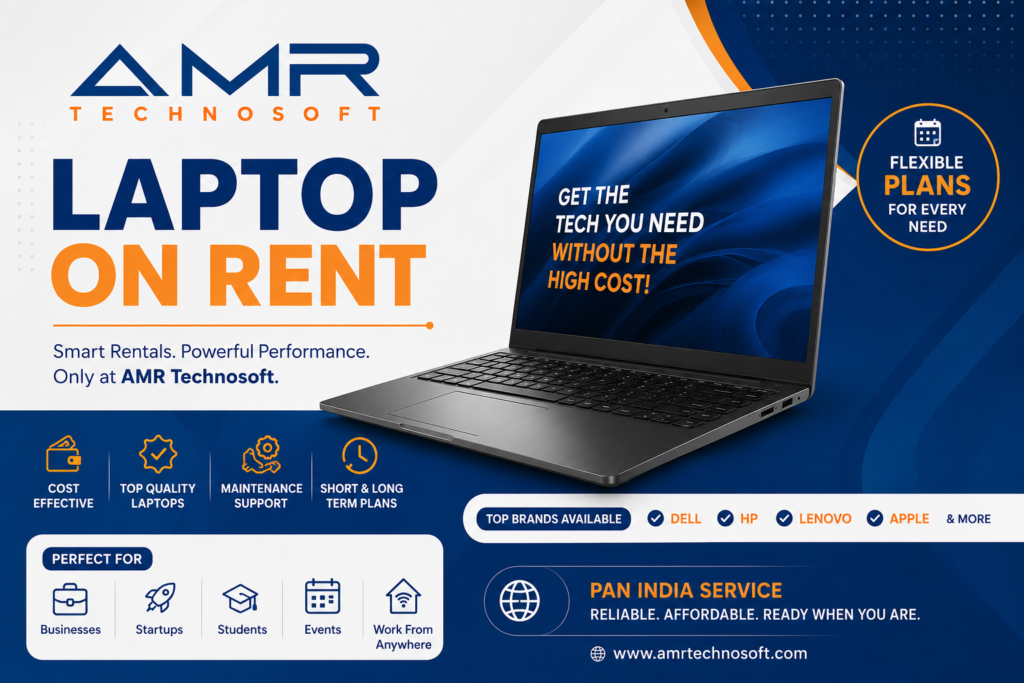
High-Performance Laptop for Rent: A Detailed Comparison
Introduction
Buying a high-performance laptop can easily cost anywhere depending on the specifications you need. For students working on a short-term project, professionals attending a temporary assignment, gamers wanting to try the latest hardware, or businesses scaling up for a seasonal spike in workload, that kind of upfront investment often doesn’t make financial sense. This is where laptop rental services come in.
Renting a high-performance laptop lets you access powerful hardware — think multi-core processors, dedicated graphics cards, high-refresh displays, and ample RAM — without the long-term commitment or depreciation risk of ownership. But not all rental services are created equal. Pricing models, hardware quality, rental duration flexibility, support, and insurance policies vary widely between providers. This article breaks down everything you need to know to make an informed decision, and compares the major categories of rental options available today.
Why Rent a High-Performance Laptop?
Before diving into comparisons, it’s worth understanding the specific scenarios where renting makes more sense than buying:
Short-term projects: If you need serious computing power for a three-month video editing contract, a hackathon, or a research project with a fixed end date, renting avoids sinking capital into a machine you won’t need afterward.
Testing before buying: High-performance laptops are expensive, and specs on paper don’t always translate to real-world performance for your specific workload. Renting lets you test a machine’s actual capabilities — thermal throttling under sustained load, battery life during intensive tasks, keyboard and display quality — before committing to a purchase.
Event and conference needs: Trade shows, hackathons, LAN parties, and corporate demos often require multiple identical high-spec machines for a few days. Renting in bulk is far more economical than purchasing.
Budget and cash flow management: Businesses, especially startups, often prefer to keep capital expenditure low. Renting converts a large one-time cost into a predictable operating expense.
Avoiding rapid obsolescence: High-performance computing needs — especially in fields like 3D rendering, machine learning, and game development — evolve quickly. Renting lets you always work with current-generation hardware without worrying about resale value or upgrade cycles.
Remote and hybrid work flexibility: Companies with distributed teams sometimes rent laptops for new hires or contractors, simplifying logistics and asset management since the rental company typically handles maintenance and replacement.
Key Factors to Compare When Renting
When evaluating laptop rental services, several factors determine whether you’re getting real value for your money.
1. Hardware Specifications
The core value proposition of a “high-performance” rental is the hardware itself. Pay close attention to:
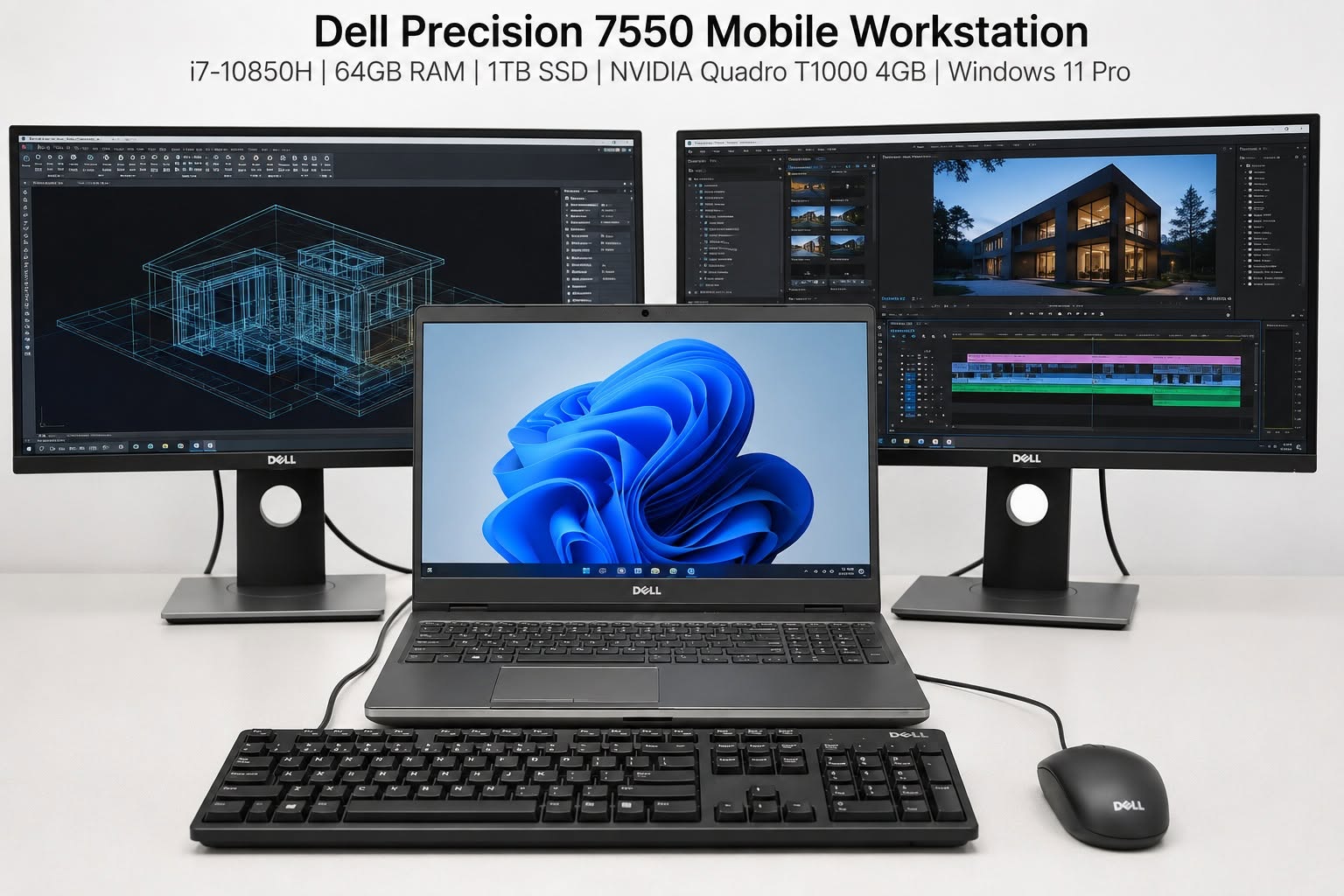
- Processor (CPU): Look for recent-generation Intel Core i7/i9 or AMD Ryzen 7/9 chips. For workloads like video rendering or software compilation, more cores and higher clock speeds matter significantly.
- Graphics (GPU): For gaming, 3D modeling, or AI/ML work, a dedicated GPU (NVIDIA RTX series or AMD Radeon RX series) is essential. Confirm the exact model, since “RTX” branding spans a huge performance range.
- RAM: 16GB is now a baseline for demanding work; 32GB or more is preferable for video editing, virtualization, or large datasets.
- Storage: NVMe SSDs are dramatically faster than older SATA SSDs or HDDs. Check both the type and capacity, since large media files or datasets fill storage quickly.
- Display: Refresh rate, resolution, and color accuracy matter for gaming, design, and video work respectively.
2. Rental Duration and Flexibility
Rental providers typically offer daily, weekly, monthly, and long-term (3–12 month) plans. Compare:
- Minimum rental periods (some providers require a minimum of one week or one month)
- Whether you can extend or shorten a rental without penalty
- Early termination fees
- Options to convert a long-term rental into a purchase (rent-to-own)
3. Pricing Structure
Pricing usually falls into a few models:
- Flat daily/weekly/monthly rate: Simple and predictable, common for short-term rentals.
- Tiered pricing by specification: Higher-spec machines cost more, with clear tiers (e.g., “Standard,” “Performance,” “Elite”).
- Deposit-based models: Many providers require a refundable security deposit, sometimes equal to a significant fraction of the laptop’s retail value.
- Insurance add-ons: Optional accidental damage protection, usually 5–15% of the rental cost, can save you from expensive repair bills.
Always calculate the total cost of rental including deposits, insurance, delivery fees, and any late-return penalties — not just the advertised daily rate.
4. Delivery, Setup, and Support
High-performance laptops for rent often come pre-configured for specific use cases (gaming, video editing, software development). Compare providers on:
- Delivery speed and geographic coverage
- Whether software (OS, creative suites, dev tools) is pre-installed or must be set up by the renter
- Technical support availability (24/7 vs. business hours only)
- Replacement policy if a unit malfunctions mid-rental
5. Condition and Age of Hardware
“High-performance” claims lose meaning if the hardware is several generations old. Reputable rental companies refresh their fleets every 12–18 months and clearly disclose the specific model and manufacturing year of each laptop.
Comparing Rental Categories
Laptop rental options generally fall into a few categories, each with distinct tradeoffs.
Local Rental Shops and Regional Providers
Pros: Often cheaper for short durations, faster local delivery or pickup, more flexibility to negotiate terms directly, and in-person support if something goes wrong.
Cons: Smaller inventory means less choice in specific models, hardware may be older or less consistently maintained, and there’s typically no presence outside a single city or region.
Best for: Students and local professionals who need a laptop for a few days to a few weeks and prefer face-to-face service.
National and Online Rental Platforms
Pros: Larger inventories with a wider range of high-performance configurations, standardized pricing and policies, nationwide (or international) shipping, and typically more robust customer support infrastructure.
Cons: Shipping delays are possible, pricing can be higher due to logistics overhead, and you lose the ability to physically inspect the machine before committing.
Best for: Remote workers, businesses onboarding distributed teams, and anyone who needs guaranteed access to specific high-end configurations (e.g., a particular RTX GPU tier).
Manufacturer and OEM Leasing Programs
Some laptop manufacturers and authorized resellers offer direct leasing programs, particularly for businesses.
Pros: Brand-new hardware straight from the manufacturer, often bundled with warranty and enterprise support, and sometimes includes device management tools (useful for IT departments managing many rented units).
Cons: Usually requires longer minimum commitments (often 6–12 months), less flexibility for very short-term needs, and pricing is generally less competitive for individual renters.
Best for: Companies equipping remote employees or contractors for extended engagements, where enterprise support and asset management matter more than day-to-day flexibility.
Peer-to-Peer and Marketplace Rentals
A growing category involves individuals renting out their own high-performance laptops through marketplace platforms.
Pros: Often the cheapest option, and you may find unusual or niche configurations (e.g., laptops with unlocked overclocking, specific creator-focused models).
Cons: Inconsistent quality control, minimal formal support if something breaks, and higher risk around deposits and damage disputes since there’s no institutional backing.
Best for: Budget-conscious renters comfortable with some risk, or hobbyists testing a specific machine before a purchase decision.
Use-Case Specific Recommendations
Different high-performance needs call for different rental priorities.
Gaming: Prioritize GPU tier and display refresh rate above almost everything else. A rental with a strong GPU (e.g., RTX 4070 or higher equivalent) and at least a 144Hz display will matter more than raw CPU core count. National platforms with clear GPU-tier pricing tend to make comparison shopping easiest here.
Video editing and content creation: Look for high RAM (32GB+), fast NVMe storage, and a color-accurate display. Pre-installed creative software (if offered) can save significant setup time for short rentals.
Software development and DevOps: CPU core count and RAM matter most, especially for running virtual machines, containers, or compiling large codebases. Multiple monitor support and keyboard quality also become important for longer engagements.
3D rendering, CAD, and engineering: Workstation-class GPUs (e.g., NVIDIA RTX A-series or similar professional-grade cards) and high RAM capacity are essential. Manufacturer leasing programs or specialized rental providers that explicitly cater to engineering workloads tend to offer better-matched hardware than general consumer rental shops.
AI and machine learning experimentation: GPU VRAM capacity is often the limiting factor. Confirm the exact GPU model and VRAM size, since ML workloads can be far more VRAM-hungry than gaming or general creative work.
Business and enterprise deployment: Prioritize providers offering fleet management, standardized configurations across multiple units, and enterprise-grade support agreements over pure price-per-day.
Cost Comparison Snapshot
While exact pricing varies by region and provider, here’s a general sense of what to expect across tiers:
- Entry-level high-performance (recent-gen i5/Ryzen 5, entry GPU, 16GB RAM): Often available for relatively low daily/weekly rates, suitable for light gaming or general productivity beyond basic laptops.
- Mid-tier performance (i7/Ryzen 7, mid-range dedicated GPU, 16–32GB RAM): A noticeably higher rate, reflecting suitability for serious gaming, content creation, and development work.
- Top-tier performance (i9/Ryzen 9, high-end GPU, 32GB+ RAM): The highest rental rates, aimed at professional rendering, high-end gaming, and demanding engineering or ML workloads.
Monthly rentals typically offer a meaningfully lower effective daily rate than short-term daily rentals, so if your need extends beyond two to three weeks, a monthly plan is usually more economical even if you don’t use the full month.
Red Flags to Watch For
When comparing providers, be cautious of:
- Vague or missing specification details (a listing that just says “gaming laptop” without CPU/GPU model numbers)
- No clear damage or loss policy
- Deposits that seem disproportionately high relative to the rental cost
- No verifiable reviews or track record
- Lack of a clear return/exchange process if the hardware underperforms
Conclusion
Renting a high-performance laptop can be a smart, flexible alternative to buying — but the right choice depends heavily on your specific use case, rental duration, and risk tolerance. Local shops offer speed and personal service for short-term needs; national platforms provide breadth and reliability for remote or business use; manufacturer leasing suits longer enterprise engagements; and peer-to-peer marketplaces offer savings for those willing to accept more risk.
Before committing, always compare the full picture: exact hardware specifications, total cost including deposits and insurance, support quality, and the provider’s track record. A slightly higher price from a provider with transparent policies and reliable support is often better value than the cheapest listing with vague terms. By weighing these factors carefully, you can find a rental option that delivers the performance you need without unnecessary cost or risk.