Introduction: Finding a Professional Laptop Rental Service Near You
If you have typed “laptop rental service near me” into Google this week, you are not alone. Every day, thousands of people across Delhi, Noida, Gurgaon, Pune and Indore look for a reliable laptop on rent. Some need one machine for a week. Others need two hundred machines by Monday morning. AMR Technosoft is built to serve both of them, and this guide explains exactly how.
The need for a rented laptop usually arrives suddenly. A new client project starts earlier than planned. A batch of twenty interns joins on short notice. A company decides to run a three-day training workshop in a hotel ballroom. A student’s laptop crashes two weeks before final submissions. A freelancer lands a video editing contract that their old machine simply cannot handle. In each case, buying a new laptop is either too slow, too expensive, or simply unnecessary for a short-term need.
That is where a professional laptop rental service makes sense. Instead of spending ₹50,000 to ₹2,00,000 on a device you may only need for a few months, you pay a manageable monthly rent. You get a tested, working machine delivered to your door. When the work is done, you hand it back. No resale headache, no depreciation, no storage problem.
Why “Near Me” Matters More Than You Think
When people search for a laptop rental service near them, they are not only looking for a low price. They are looking for speed and trust. A rental partner who is close by can deliver the same day or the next day. They can send a technician if something goes wrong. They can swap a faulty unit within hours instead of days. Distance directly affects how quickly your problem is solved.
A local presence also means the provider understands the city. Delivering laptops to a Cyber City tower in Gurgaon is different from delivering to a co-working space in Noida Sector 62. Setting up fifty machines for an exam centre in Indore needs different planning than supplying a single MacBook to a designer in Pune’s Koregaon Park. A provider with real experience in these cities knows the traffic, the building access rules, the typical client needs, and the right timing.
This is one of the main reasons AMR Technosoft has become a trusted name for people searching for laptop on rent in Delhi, laptop on rent in Noida, laptop on rent in Gurgaon, laptop on rent in Pune and laptop on rent in Indore.
What This Guide Covers
This article is written to be the most complete resource you will find on renting a laptop in India. Whether you are an IT manager planning a large deployment or a student who needs one reliable machine, you will find practical, honest answers here. We will walk through:
- Who AMR Technosoft is and what services they offer
- Why renting a laptop is often smarter than buying one
- The full range of laptops available on rent, from basic office machines to high-end MacBooks and workstations
- Detailed city guides for Delhi, Noida, Gurgaon, Pune and Indore
- Rental plans, durations and how pricing usually works
- Who benefits most from laptop rentals, with real-world scenarios
- The step-by-step rental process and documents you will need
- How to choose the right configuration for your work
- Support, maintenance, replacement and data security
- A clear cost comparison of renting versus buying versus leasing
- Bulk and corporate rental solutions
- How to pick a trustworthy rental provider near you
- Common mistakes people make, and how to avoid them
- A detailed FAQ section
You can read it from start to finish, or jump straight to the section that matters most to you.
The Changing Way Indians Use Technology
A decade ago, most Indian businesses bought every computer they used. Laptops were treated like furniture: purchased once, used for five or six years, and written off. That model no longer fits the way people work today.
Work has become project-based. Teams grow and shrink in weeks rather than years. Hybrid work means employees need portable machines they can carry between home and office. Software demands change fast; a laptop that ran everything smoothly three years ago may struggle with today’s design tools, development environments, or video calls with screen sharing.
At the same time, technology prices have risen. A business-grade laptop with a current-generation processor, 16 GB of RAM and a fast SSD is a serious investment. Multiply that by fifty employees, and the capital outlay becomes a real burden, especially for startups and small businesses trying to keep cash available for growth.
Renting solves this mismatch. It turns a large one-time purchase into a predictable monthly expense. It lets companies scale their hardware up or down along with their team size. It gives professionals access to better machines than they might be able to buy outright. And it moves the hassle of repairs and upgrades onto the rental provider.
Why AMR Technosoft Stands Out
There are many laptop rental companies in India. Some are small local shops with a handful of machines. Others are online platforms that act as middlemen. AMR Technosoft sits in a different category. It is an established IT rental and solutions company headquartered in New Delhi, with more than a decade of experience supplying laptops, desktops, servers, projectors, printers and other IT equipment to businesses and individuals.
What makes the company stand out is its focus on professional customers. The laptops are branded machines from names like Dell, HP, Lenovo and Apple. They are tested before every rental. Delivery and pickup are handled by the company’s own team. Technical support is available when you need it. And plans are flexible enough to cover a single day or several years.
In the sections that follow, you will see how all of this works in practice and why so many professionals across Delhi NCR, Pune and Indore choose AMR Technosoft when they need a laptop on rent.
A Quick Word on How to Use This Guide
If you are in a hurry and simply want a laptop delivered, skip to the section on the rental process. If you are comparing providers, read the section on choosing a rental partner and the section on common mistakes. If you are a finance or procurement person trying to justify renting over buying, the cost comparison section has the numbers and reasoning you need. And if you are looking for city-specific information, each of the five city guides stands on its own.
With that, let us start with the company behind the service.
About AMR Technosoft: A Trusted IT Rental Partner Since 2012
AMR Technosoft Private Limited is a New Delhi–based IT solutions company that has been renting laptops, desktops and other IT equipment to businesses and individuals since 2012. Over more than thirteen years, the company has grown from a focused laptop rental business into a full-service IT rental and support provider, serving customers across Delhi NCR and other major Indian cities.
The company’s core idea is simple: most people and businesses do not need to own every piece of technology they use. They need the right equipment, working properly, for as long as the job lasts. AMR Technosoft provides exactly that, with the added benefit of professional delivery, setup and support.
The Story Behind the Brand
When AMR Technosoft started, laptop rental in India was still a niche idea. Most companies bought their hardware, and individuals either bought their own machine or borrowed one. Renting was mainly something event organisers did when they needed a few machines for a conference.
The founding team saw a gap. Startups in Delhi NCR were growing fast, but they did not want to lock up lakhs of rupees in laptops. Training institutes needed dozens of machines for a few weeks at a time. Multinational companies needed temporary hardware for project teams, auditors and consultants. Students and freelancers needed reliable machines without paying full purchase prices.
AMR Technosoft was set up to serve all of these customers with one promise: branded, well-maintained equipment, delivered on time, with support you can actually reach. That promise has shaped the company’s growth ever since.
Today, the company is led by a management team with deep experience in IT hardware, and it employs a team of technicians, delivery staff, account managers and support engineers. This in-house team is an important part of what customers experience. When you rent from AMR Technosoft, the people who prepare, deliver and support your laptop work directly for the company.
What AMR Technosoft Offers
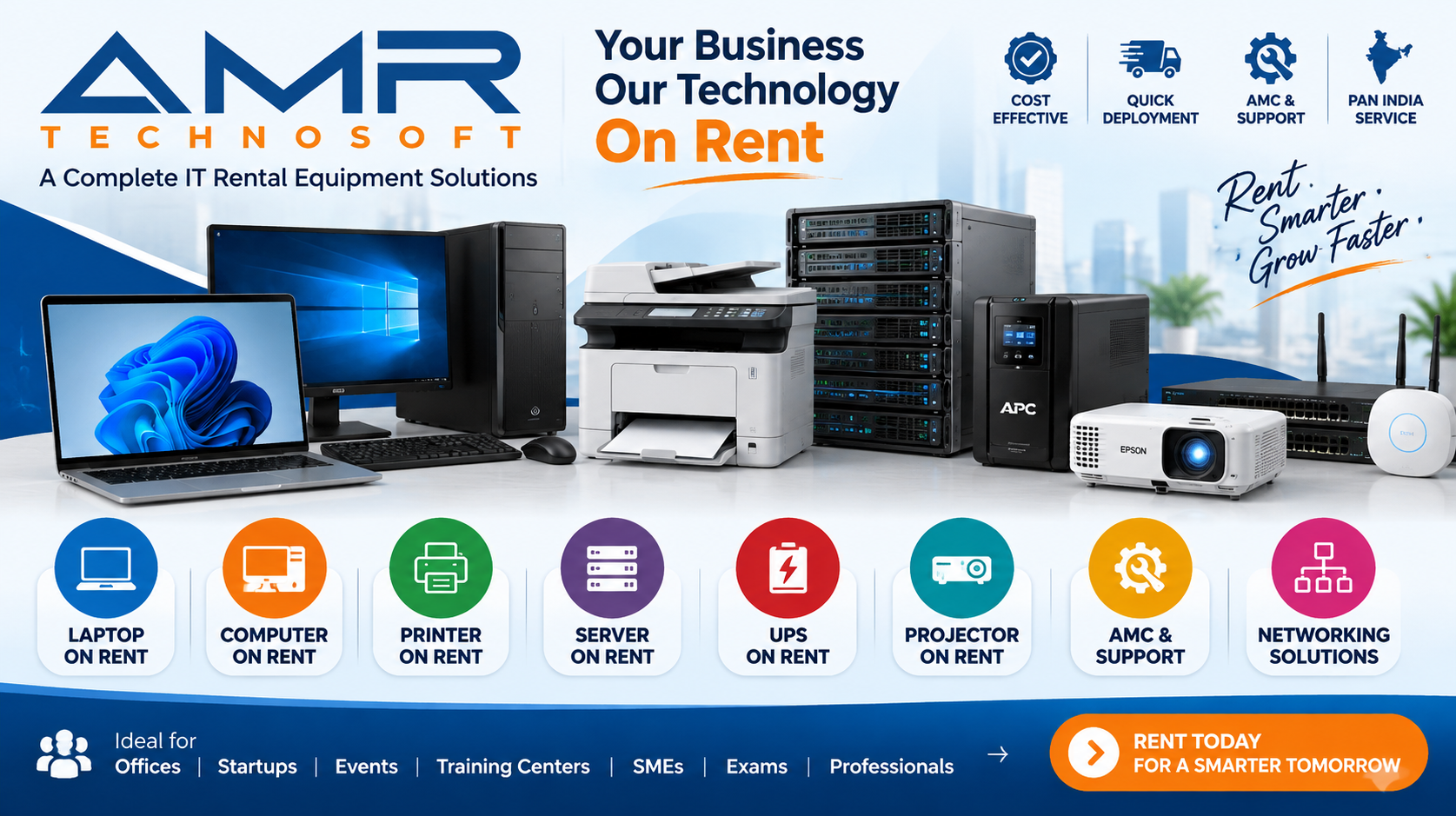
While laptops on rent are the flagship service, AMR Technosoft has built a broad range of IT rental and support services so that businesses can source most of their technology needs from one trusted partner.
Laptop rental. Branded laptops for every need, from basic Core i3 and Core i5 office machines to high-performance Core i7 and Core i9 systems, AMD Ryzen laptops, MacBook Air and MacBook Pro models, and graphics-capable machines for design and video work. Rentals can run for a day, a week, a month or several years.
Desktop rental. Branded desktop computers for offices, training centres, call centres and exam halls. Desktops are often the most economical choice when machines will stay in one place.
MacBook and Apple rentals. MacBooks for developers, designers, video editors and executives who work in the Apple ecosystem, along with iPads and other Apple devices where needed.
Server and workstation rental. Rack servers and powerful workstations for temporary projects, testing environments, data migrations and heavy computing workloads.
Projector, printer and copier rental. Projectors for training sessions and events, and multifunction printers and copiers for offices and temporary sites.
Tablet rental. Android tablets and iPads for surveys, field work, events, registrations and retail demonstrations.
UPS and networking. UPS units to keep equipment running through power cuts, and LAN networking installation for offices and event venues.
AMC and IT support. Annual maintenance contracts for companies that own their computers but want professional upkeep.
Refurbished laptops and desktops. Quality-checked used machines for buyers who would rather own a device at a lower price.
CCTV and security. Installation and rental of CCTV cameras and access control systems for workplaces.
This breadth matters. An event company can rent laptops, projectors, printers and a UPS from one vendor. A startup can rent its first twenty laptops and later add a server and a network setup. A training institute can rent desktops for its lab and laptops for its trainers. One partner, one invoice, one point of contact.
Cities Served
AMR Technosoft is headquartered in New Delhi and has its deepest presence across Delhi NCR. The company regularly supplies laptops on rent in:
- Delhi – including Connaught Place, Nehru Place, Dwarka, Janakpuri, Saket, Okhla, Karol Bagh, Rohini, Pitampura, Laxmi Nagar and other areas
- Noida and Greater Noida – including Sector 62, Sector 63, Sector 18, Sector 125–135 along the expressway, Film City, Knowledge Park and more
- Gurgaon (Gurugram) – including Cyber City, Udyog Vihar, Golf Course Road, Sohna Road, MG Road and Sector 44
- Ghaziabad and Faridabad – for businesses spread across the wider NCR region
Beyond NCR, AMR Technosoft also serves customers looking for a laptop on rent in Pune and a laptop on rent in Indore, two cities where demand from IT companies, educational institutions, startups and event organisers has grown rapidly. For large corporate orders, the company can also arrange supply in other cities across India.
What Makes AMR Technosoft Different
Many rental providers can hand you a laptop. Fewer can deliver a consistently good experience over months and years. Here is what customers usually point to when they explain why they chose AMR Technosoft.
Branded machines only. The fleet is made up of well-known brands such as Dell, HP, Lenovo and Apple. These machines are built for business use, have reliable keyboards and batteries, and are easy to service.
Every laptop is tested before it leaves. Each machine is checked for battery health, keyboard and touchpad function, display quality, ports, Wi-Fi, webcam and audio. Storage is cleaned and the operating system is freshly prepared, so you receive a ready-to-use device.
Doorstep delivery and pickup. The company’s own delivery team brings the laptop to your home, office, hotel or event venue and collects it when the rental ends.
Fast replacement. If a laptop develops a problem during your rental, AMR Technosoft replaces or repairs it quickly, so your work is not held up.
Flexible plans. You can rent for a day, a week, a month, or a full year or more. You can extend, upgrade or return machines as your needs change.
Transparent pricing. Rental quotes clearly state the configuration, the monthly or daily rate, the security deposit (if any), GST and delivery terms. There are no hidden surprises at the end.
GST-compliant invoicing. AMR Technosoft is a registered private limited company with GST registration, which means businesses receive proper tax invoices and can claim input tax credit where applicable.
One-stop IT partner. Beyond laptops, you can source desktops, servers, projectors, printers, tablets, UPS units and networking from the same company.
Who Trusts AMR Technosoft
Over the years, AMR Technosoft’s customers have included IT and software companies, startups, consulting firms, training institutes, schools and colleges, event and exhibition organisers, media and production houses, banks and financial firms, government projects, NGOs, and thousands of individual professionals and students.
The common thread is that these customers value reliability over the lowest possible price. They need the laptop to work on the first day, and they need someone to answer the phone if it does not. That is the kind of customer AMR Technosoft is built to serve.
A Customer-First Approach
Renting technology is a service, not just a product transaction. AMR Technosoft treats every rental as a relationship. Account managers help corporate clients plan their requirements and track their fleet. Support engineers help individual renters set up software and solve technical issues. Delivery staff make sure machines arrive on time and in good condition.
This focus on service is what turns a first-time rental into a long-term relationship. Many of the company’s corporate clients started by renting a handful of machines for a single project and now rely on AMR Technosoft as their main hardware partner.
In the next section, we will look at the bigger question behind every rental decision: why rent a laptop at all, when you could simply buy one?
Why Renting a Laptop Makes More Sense Than Buying
For most short-term and medium-term needs, renting a laptop is cheaper, faster and less risky than buying one. That is the short answer. The longer answer depends on how long you need the machine, how powerful it must be, and how much your needs might change. Let us look at the reasons in detail.
1. You Save a Large Upfront Investment
A good business laptop today can cost anywhere between ₹45,000 and ₹1,50,000. A MacBook Pro or a high-end workstation can cost well over ₹2,00,000. For a single person, that is a big purchase. For a company equipping a team of twenty or fifty people, it can mean tying up lakhs or even crores of rupees in hardware.
When you rent, you pay a small monthly amount instead. That money stays in your business, where it can be used for salaries, marketing, inventory or product development. For startups especially, keeping cash available can make the difference between growing steadily and running into a funding crunch.
2. You Turn Capital Expense into Operating Expense
Accountants call a hardware purchase a capital expense, or CapEx. It sits on your balance sheet as an asset and is depreciated over several years. Rent, on the other hand, is an operating expense, or OpEx. It is paid monthly and recorded as a regular business cost.
Many finance teams prefer OpEx for technology because it is predictable, easy to budget, and closely matched to actual usage. You pay for what you use, when you use it. If a project ends or a team shrinks, the expense ends too. GST paid on rental invoices can usually be claimed as input tax credit by registered businesses, which further reduces the effective cost. (Always check the specific tax treatment with your own chartered accountant.)
3. Laptops Lose Value Quickly
Technology depreciates fast. A laptop that costs ₹80,000 today may be worth only ₹30,000 to ₹40,000 after two years, and even less after three. Batteries wear out, newer processors arrive, and software requirements rise. If you buy a laptop for a six-month project, you will either have to sell it at a heavy loss or store a machine you do not need.
Renting removes that problem entirely. The depreciation risk belongs to the rental company. You simply return the laptop when you are done.
4. You Get the Right Machine for the Job
When people buy a laptop, they often compromise. They buy something cheaper than they really need because the budget is tight, or they overspend on a high-end model “just in case.” Neither choice is ideal.
Renting lets you match the machine to the work. A data entry team can use Core i3 or Core i5 laptops. A development team can use Core i7 machines with 16 GB or 32 GB of RAM. A video editor can rent a MacBook Pro or a laptop with a dedicated graphics card. A sales team that travels can use light, thin laptops with long battery life. You pay for exactly the capability you need.
5. Scaling Up or Down Is Easy
Businesses rarely grow in a straight line. You might hire fifteen people for a new client project and then reduce the team when the project ends. You might bring in thirty interns for the summer. You might open a temporary office for an audit or a product launch.
With a rental partner like AMR Technosoft, you can add machines as soon as you need them and return them when you do not. There is no need to buy, store, sell or dispose of equipment. Your hardware simply follows your headcount.
6. Maintenance and Repairs Are Not Your Problem
When you own a laptop, every problem is yours to solve. A cracked screen, a dead battery, a failing hard drive or a broken keyboard means a visit to a service centre, days of downtime, and an unexpected repair bill.
When you rent from a professional provider, maintenance is part of the service. If a machine develops a fault from normal use, the rental company repairs or replaces it. For businesses, this means far less downtime. For individuals, it means peace of mind.
7. No IT Department Needed for Small Teams
Large companies have IT teams that buy, configure, track and repair laptops. Small businesses and startups usually do not. Somebody ends up doing it part-time, often badly.
A rental partner effectively becomes your outsourced hardware team. AMR Technosoft can prepare machines with the operating system and basic software you need, deliver them ready to use, and handle repairs and swaps. Your team gets working laptops without anyone in the office having to become a hardware expert.
8. You Can Try Before You Buy
Sometimes people rent because they are considering a purchase but are not sure which model suits them. Renting a MacBook for a month is a good way to see whether you really want to switch from Windows. Renting a high-performance laptop lets you test whether your design or engineering software runs smoothly before committing to a large purchase.
9. Faster Than Buying, Especially in Bulk
Buying fifty identical laptops is not as simple as walking into a shop. Stock may not be available, procurement approvals take time, and setting up every machine is a project of its own. A rental company that keeps a large fleet in stock can often deliver the same week, sometimes the same day, with every machine already configured.
10. Better for the Environment
Rented laptops have long, productive lives. A single machine may be used by several customers over its lifetime, with professional refurbishment between rentals. This reduces the number of new devices manufactured and the amount of electronic waste created. At the end of a laptop’s life, a professional rental company is also more likely to recycle it responsibly than an individual or small office might.
When Buying Might Still Make Sense
Renting is not right for everyone in every situation. To be fair and honest, here are cases where buying may be the better option:
- You need the laptop for four years or more and will use it heavily the entire time.
- You have very specific hardware or security requirements that only a custom-built machine can meet.
- You have an in-house IT team and an established process for buying, maintaining and disposing of hardware.
- You are an individual who wants to personalise and keep the device for many years.
Even in these cases, many companies use a mix: they buy laptops for permanent core staff and rent machines for temporary staff, projects, events and peak periods. This hybrid approach gives them the stability of ownership with the flexibility of renting.
Renting vs Buying at a Glance
| Factor | Renting from AMR Technosoft | Buying a new laptop |
|---|---|---|
| Upfront cost | Low – monthly rent plus refundable deposit where applicable | High – full purchase price upfront |
| Accounting treatment | Operating expense | Capital asset with depreciation |
| Depreciation risk | Carried by the rental company | Carried by you |
| Repairs and maintenance | Included for normal wear and tear | Your responsibility after warranty |
| Scaling up or down | Add or return machines as needed | Buy more; resell or store extras |
| Delivery time for bulk orders | Often within days | Depends on stock and procurement |
| Upgrade path | Swap for newer models at renewal | Buy a new machine |
| Best for | Projects, events, temporary staff, startups, trials | Long-term, heavy, personal use |
The bottom line is clear. If your need is temporary, uncertain, or tied to a specific project, renting is almost always the smarter financial choice. And even for longer needs, renting can make sense when you value flexibility, included maintenance and freedom from depreciation.
Next, let us look at the actual machines you can rent from AMR Technosoft.
The AMR Technosoft Laptop Range: A Machine for Every Kind of Work
AMR Technosoft keeps a wide fleet of branded laptops so that every customer can find the right fit, from a single basic office machine to hundreds of high-performance systems. Below is an overview of the main categories available on rent. Exact models change as the fleet is refreshed, so the account team will confirm current availability when you ask for a quote.
Everyday Business Laptops (Core i3 / Core i5 / Ryzen 3 / Ryzen 5)
These are the workhorses of most offices. They handle email, web browsing, Microsoft Office, Google Workspace, video calls on Zoom, Teams or Google Meet, CRM software, accounting packages like Tally, and light multitasking with ease.
Typical configurations include an Intel Core i3 or Core i5 processor (or AMD Ryzen 3 or Ryzen 5), 8 GB of RAM, a 256 GB or 512 GB SSD, a 14-inch or 15.6-inch Full HD display, and Windows 10 or Windows 11. Popular models in this range come from the Dell Latitude and Vostro series, the HP ProBook and EliteBook series, and the Lenovo ThinkPad and ThinkBook series.
Best for: Corporate offices, back-office teams, data entry, customer support, students, training batches, exam centres, sales teams and anyone whose work centres on documents, spreadsheets and browsers.
These laptops offer the lowest rental rates and are the most popular choice for bulk orders. For many businesses, they represent the best balance of price and performance.
High-Performance Laptops (Core i7 / Core i9 / Ryzen 7 / Ryzen 9)
When the work gets heavier, you need more power. High-performance laptops are designed for demanding multitasking, software development, data analysis and professional applications.
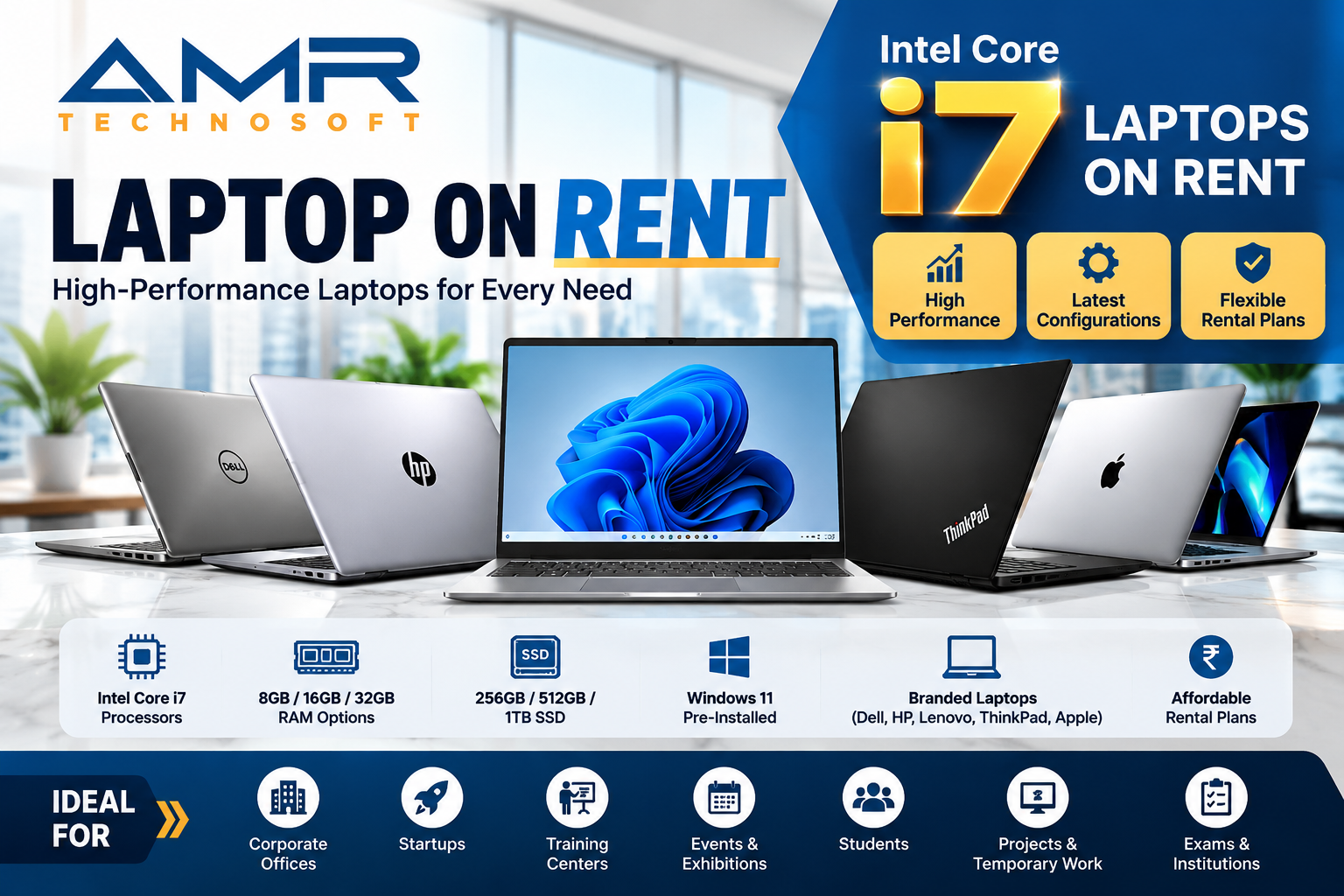
Typical configurations include an Intel Core i7 or Core i9 processor (or AMD Ryzen 7 or Ryzen 9), 16 GB or 32 GB of RAM, a 512 GB or 1 TB SSD, and a high-resolution display. Some models in this category include dedicated NVIDIA graphics.
Best for: Software developers, data scientists and analysts, financial modellers, engineers running simulation or CAD tools, IT professionals running virtual machines, and power users who keep dozens of browser tabs and applications open at once.
For developers in particular, extra RAM makes a big difference. Running an IDE, a local server, a database, Docker containers and a browser at the same time can easily use more than 16 GB. AMR Technosoft can configure machines with 32 GB where needed.
MacBook Air and MacBook Pro on Rent
Apple laptops are hugely popular with designers, developers, content creators and executives. They offer excellent build quality, long battery life, sharp Retina displays and smooth performance, especially on Apple Silicon (M-series) chips.
AMR Technosoft offers MacBooks on rent in several configurations:
- MacBook Air – thin, light and silent, with outstanding battery life. Ideal for executives, writers, students, consultants and anyone who works on the move.
- MacBook Pro (14-inch and 16-inch) – powerful machines for video editing, music production, app development, 3D work and photography. Higher-end configurations offer more CPU and GPU cores, more unified memory and larger SSDs.
Best for: iOS and macOS developers who need Xcode, video editors using Final Cut Pro or Premiere Pro, designers using Figma, Photoshop, Illustrator and Sketch, musicians using Logic Pro, and teams that work entirely within the Apple ecosystem.
Buying a MacBook Pro is a major investment, which makes renting especially attractive for short projects, freelancers and companies hiring contract designers or developers.
Graphics and Creative Workstations
Some work simply cannot run smoothly on a standard laptop. 3D rendering, architectural visualisation, game development, 4K and 8K video editing, machine learning experiments and heavy engineering simulation need serious graphics power.
AMR Technosoft can supply laptops with dedicated NVIDIA GeForce RTX or professional-grade graphics, along with high-refresh or colour-accurate displays. Mobile workstation models from the Dell Precision, HP ZBook and Lenovo ThinkPad P series are designed for exactly this kind of work and are certified for professional software.
Best for: Architects using AutoCAD, Revit, SketchUp or Lumion; 3D artists using Blender, Maya or 3ds Max; video editors and colourists using DaVinci Resolve; engineers using SolidWorks, ANSYS or MATLAB; and AI and machine learning practitioners running GPU workloads.
Thin and Light Laptops for Travelling Professionals
Sales managers, consultants, auditors and executives who spend their days moving between meetings and cities need a laptop that is easy to carry and lasts all day. Thin and light business laptops weigh around 1.1 to 1.4 kg, have long battery life, and often include features like fingerprint readers, backlit keyboards and fast charging.
Best for: Field sales teams, consultants, auditors, senior management and anyone who presents regularly at client sites.
Budget Laptops for Basic Use and Large Batches
For very simple tasks – online exams, basic data entry, typing tests, browser-based training, and kiosk use – a basic laptop is often enough. AMR Technosoft can supply budget configurations at lower rental rates, which helps when an organisation needs a large number of machines for a short period.
On its public listings, AMR Technosoft has advertised basic laptop rentals in Delhi starting at around ₹1,000 per month and Core i5 laptops from around ₹1,500 per month for suitable durations and quantities (IndiaMART). Actual rates depend on the model, rental duration and quantity, so always ask for a current quote.
Desktops, Tablets and Accessories
While this guide focuses on laptops, many rentals also include related equipment:
- Desktops for fixed workstations, labs and exam halls, often cheaper than laptops for the same performance.
- Monitors to give laptop users a larger second screen, which can greatly improve productivity for developers, analysts and designers.
- Tablets and iPads for surveys, registrations, field data collection and product demonstrations.
- Accessories such as external keyboards, mice, headsets with microphones, webcams, docking stations, laptop bags and extension boards.
- Projectors and printers for training rooms and events.
Bundling these items in a single order simplifies logistics and billing.
Operating Systems and Software
Most Windows laptops are supplied with a genuine licensed version of Windows. MacBooks run the current or recent macOS. On request, AMR Technosoft can prepare machines with commonly used software already installed, such as web browsers, PDF readers, office suites, video conferencing apps, antivirus tools and compression utilities.
For licensed professional software like Microsoft 365, Adobe Creative Cloud, AutoCAD or development tools, the customer usually brings their own licence or subscription. The AMR Technosoft team can help with installation and setup so your users can sign in and start working immediately.
Linux can also be installed on request for developers and engineering teams who prefer Ubuntu or another distribution.
How the Fleet Is Maintained
Every laptop that returns from a rental goes through a reset and inspection process before it goes out again. This typically includes:
- Secure wiping of all customer data from storage.
- Fresh installation or reset of the operating system.
- Hardware checks for battery, keyboard, touchpad, display, ports, speakers, microphone, webcam and wireless connectivity.
- Physical cleaning of the keyboard, screen and body.
- Replacement of any worn components, such as batteries, keyboards or chargers.
- Final quality check and labelling before dispatch.
This process is why renters receive machines that feel close to new, even when the laptop has served previous customers.
Not Sure Which Laptop You Need?
You do not have to work it out alone. Tell AMR Technosoft what you will be doing – the software you use, how many tabs or applications you run, whether you travel, and your budget – and the team will recommend a suitable configuration. A later section of this guide also walks through how to choose the right specifications step by step.
Now let us look at how laptop rental works in each of the five major cities AMR Technosoft serves, starting with the capital.
Laptop on Rent in Delhi: AMR Technosoft’s Home Turf
Delhi is where AMR Technosoft was founded and where its operations run deepest, which makes it one of the best options for anyone looking for a laptop on rent in Delhi. With its headquarters in New Delhi, the company can usually deliver across the city quickly, handle large orders at short notice, and provide fast on-site support when needed.
Why Delhi Has Such Strong Demand for Laptop Rentals
Delhi is not just India’s capital. It is one of the country’s largest business, education, government and events markets. That combination creates steady demand for rented laptops from many different kinds of customers.
Corporate offices and headquarters. Connaught Place, Barakhamba Road, Nehru Place, Saket, Jasola, Okhla and Aerocity host the offices of banks, consulting firms, law firms, media houses, insurance companies and multinational corporations. These businesses often need extra laptops for new joiners, project teams, visiting consultants and audits.
Government and public sector projects. Ministries, PSUs, public institutions and their contractors frequently run time-bound projects, surveys, data digitisation drives and training programmes that need large numbers of machines for limited periods.
Events, exhibitions and conferences. Delhi hosts a constant calendar of trade shows, expos, summits and conferences at venues such as Bharat Mandapam at Pragati Maidan, Yashobhoomi in Dwarka, and major hotels in Aerocity and central Delhi. Exhibitors and organisers need laptops for registrations, demonstrations, presentations and back-office work.
Education and coaching. Delhi is a national hub for coaching institutes, especially in areas like Mukherjee Nagar, Old Rajinder Nagar, Laxmi Nagar and Karol Bagh, along with universities and colleges across the city. Institutes rent laptops and desktops for computer labs, online tests and training batches, while students rent for semesters and projects.
Startups and small businesses. From Okhla and Mohan Cooperative to co-working spaces in South Delhi and West Delhi, thousands of startups and small firms prefer renting to buying in their early stages.
Freelancers and professionals. Designers, video editors, developers, chartered accountants, architects and consultants regularly rent machines for specific projects or while their own laptops are being repaired.
Areas Covered Across Delhi
AMR Technosoft delivers laptops on rent across all parts of Delhi, including:
- Central Delhi: Connaught Place, Barakhamba Road, Janpath, Karol Bagh, Paharganj, Rajendra Place, Daryaganj
- South Delhi: Saket, Nehru Place, Kalkaji, Greater Kailash, Hauz Khas, Malviya Nagar, Vasant Kunj, Vasant Vihar, Okhla, Jasola, Lajpat Nagar, Defence Colony, Green Park
- West Delhi: Janakpuri, Rajouri Garden, Punjabi Bagh, Patel Nagar, Tilak Nagar, Vikaspuri, Uttam Nagar, Kirti Nagar
- South West Delhi: Dwarka, Palam, Mahipalpur, Aerocity, Najafgarh
- North Delhi: Civil Lines, Kamla Nagar, Mukherjee Nagar, GTB Nagar, Model Town, Azadpur
- North West Delhi: Rohini, Pitampura, Shalimar Bagh, Netaji Subhash Place, Wazirpur
- East Delhi: Laxmi Nagar, Preet Vihar, Mayur Vihar, Patparganj, Shakarpur, Anand Vihar
If your location is not listed, it is still very likely covered. Just share your address when you request a quote.
Typical Rental Scenarios in Delhi
Every city has its own patterns. Here are some of the most common situations in which Delhi customers rent laptops from AMR Technosoft.
A consulting firm in Connaught Place starts a new audit. The firm needs twelve Core i5 laptops for a three-month engagement at a client’s office. Rather than diverting laptops from other teams or buying new ones, it rents the machines, has them delivered directly to the client’s site, and returns them when the audit closes.
An expo exhibitor at Bharat Mandapam. A technology company exhibiting at a four-day trade show needs eight laptops for product demos, two MacBooks for its leadership team, a large-screen display and a printer for its stall. AMR Technosoft delivers everything before setup day, and collects it after the event closes.
A coaching institute in Mukherjee Nagar. The institute wants to run computer-based mock tests for its students. It rents forty laptops for weekend test sessions over two months, avoiding the cost of setting up a permanent lab.
A startup in Okhla. A young SaaS company has just raised its seed round and is hiring fast. It rents fifteen developer laptops with 16 GB of RAM on a twelve-month plan, preserving cash for salaries and product development.
A video editor in Dwarka. A freelance editor lands a two-month contract to cut a documentary series. Their own laptop cannot handle 4K footage smoothly, so they rent a MacBook Pro for the duration of the project.
A government data project. A contractor working on a digitisation drive needs a hundred basic laptops for data entry operators for six months. AMR Technosoft supplies identical, pre-configured machines and provides on-call support throughout the project.
How Quickly Can You Get a Laptop in Delhi?
Because AMR Technosoft is based in New Delhi, delivery within the city is usually fast. For standard configurations that are in stock, same-day or next-day delivery is often possible, depending on the time of your order, the quantity and your location. Larger orders that require specific configurations or software setup may need a little more time.
If you have an urgent need – for example, an event that starts tomorrow morning or a new team joining on Monday – it is best to call as early as possible and share your exact requirement. The team will tell you honestly what can be delivered and when.
What a Typical Delhi Rental Includes
When you rent a laptop in Delhi from AMR Technosoft, a standard rental generally includes:
- A branded, tested laptop with the agreed configuration
- A charger and, where requested, a laptop bag and mouse
- A genuine operating system, freshly installed or reset
- Basic software installation on request
- Delivery to your address and pickup at the end of the rental
- Technical support during the rental period
- Repair or replacement for faults arising from normal use
For corporate and bulk orders, additional services can include asset tagging, custom software images, on-site setup, and a dedicated account manager.
Laptop Rental Prices in Delhi
Rental rates in Delhi depend mainly on four things: the configuration of the laptop, the length of the rental, the number of machines, and any extras like software setup or on-site support. As a general rule:
- Basic Core i3 or Core i5 laptops are the most affordable.
- Core i7, Ryzen 7 and higher machines cost more per month.
- MacBooks and graphics workstations sit at the top of the price range.
- Longer rentals and larger quantities bring the monthly rate down significantly.
- Daily and weekly rentals cost more per day than monthly rentals, because of the delivery and preparation effort involved.
AMR Technosoft has publicly listed laptop rentals in Delhi from around ₹1,000 per month for basic configurations (IndiaMART). For a precise figure, ask for a quote with your configuration, quantity and duration. Quotes are free and there is no obligation.
Why Delhi Customers Choose AMR Technosoft Over Market Vendors
Delhi has a large informal market for laptops, especially around Nehru Place. Some people consider renting from small shops or individuals because the rates look lower. In practice, this often creates problems: machines of unknown history, missing chargers, pirated software, no formal agreement, no GST invoice, and nobody to call when something goes wrong.
AMR Technosoft offers the opposite experience. You get a registered company, a written rental agreement, branded and tested machines, genuine software, GST invoices, a real support team, and a clear process for replacements and returns. For businesses especially, this professionalism protects you from compliance risks and wasted time.
Tips for Renting a Laptop in Delhi
- Plan around traffic. Delhi traffic can be unpredictable. If you need laptops for a morning event, ask for delivery the evening before.
- Check building access rules. Many corporate towers and government buildings require gate passes or prior entry approval for equipment. Arrange this in advance so delivery is not delayed at the gate.
- Account for power cuts at temporary venues. For events and temporary offices, consider renting a UPS along with the laptops.
- Book early during peak seasons. Demand rises around major exhibitions, exam seasons, financial year-end in March and the start of academic sessions. Booking early helps secure the exact configurations you want.
- Keep one contact person. For bulk rentals, name one person on your side who will coordinate with AMR Technosoft. It speeds up every step.
Get a Laptop on Rent in Delhi Today
Whether you need one laptop for a weekend or a hundred for a year, AMR Technosoft is well placed to serve you anywhere in Delhi. Share your requirements – configuration, quantity, duration, delivery address and date – and the team will send you a clear quote and help you get started.
Laptop on Rent in Noida: Powering the City’s IT, Media and Education Hubs
Noida has become one of North India’s busiest technology and services hubs, and AMR Technosoft is one of the most dependable choices for anyone who needs a laptop on rent in Noida or Greater Noida. Being in the same NCR region as the company’s Delhi base, Noida customers benefit from quick delivery, a large stock of machines and responsive on-site support.
Noida’s Unique Rental Landscape
Noida is a planned city, and its sectors are organised in ways that shape the kinds of laptop rentals people need. Understanding this helps explain why demand here is so strong and so varied.
IT and ITES companies. Sector 62, Sector 63, Sector 132, Sector 135, Sector 142, Sector 144 and the stretch along the Noida–Greater Noida Expressway are home to large IT parks, software companies, product startups and business process outsourcing firms. These companies hire in large batches, run client projects with fixed timelines, and often operate in multiple shifts.
Media and broadcasting. Film City in Sector 16A is home to many news channels, production houses and digital media firms. These organisations frequently need high-performance laptops and MacBooks for video editing, graphics and live production, often at short notice.
Education. Greater Noida’s Knowledge Park and the surrounding areas host many engineering colleges, management institutes and universities. Students, faculty and examination teams need machines for semester projects, labs, placements and online assessments.
Events and exhibitions. The India Expo Centre and Mart in Greater Noida hosts major trade fairs and exhibitions across sectors such as electronics, textiles, auto components, handicrafts and technology. Exhibitors need laptops, tablets, printers and display equipment for the duration of each show.
Manufacturing and electronics. Noida and Greater Noida have a large manufacturing base, including electronics and mobile phone assembly. These companies use rented laptops for supervisors, quality teams, auditors, trainers and temporary project staff.
Co-working spaces and startups. Sector 18, Sector 62 and the expressway corridor have many co-working spaces filled with startups and remote teams that prefer renting to buying.
Areas Covered in Noida and Greater Noida
AMR Technosoft delivers laptops on rent throughout Noida and Greater Noida, including:
- Central Noida: Sector 15, 16, 16A (Film City), 18, 27, 29, 44, 50, 51, 52
- IT corridor: Sector 57, 58, 59, 60, 62, 63, 64, 65
- Expressway corridor: Sector 125, 126, 127, 128, 129, 132, 135, 137, 142, 143, 144, 168
- Noida Extension (Greater Noida West): Gaur City, Techzone, and surrounding sectors
- Greater Noida: Knowledge Park I–V, Alpha, Beta, Gamma, Pari Chowk, Ecotech areas, India Expo Mart
Deliveries to residential societies, PG accommodation, college campuses, corporate towers and exhibition venues are all routine.
Common Rental Situations in Noida
An IT company onboarding a new batch. A mid-sized software services company in Sector 135 wins a new client contract and hires thirty engineers within a month. It rents thirty Core i7 laptops with 16 GB of RAM on a twelve-month plan. AMR Technosoft delivers them pre-configured with the company’s standard software image and asset tags, ready for the joining date.
A BPO running a new process. A customer support company in Sector 63 launches a new process that needs fifty agents for six months. Desktops make sense for the fixed seats, while team leads and trainers get laptops. The company rents both from one vendor.
A news channel at Film City. During a major news event, a channel needs extra editing capacity immediately. It rents four MacBook Pros for its video team for six weeks.
An exhibitor at India Expo Mart. An electronics company exhibiting at a five-day trade fair rents six laptops, two tablets for visitor registration, and a printer for its stall.
Engineering students in Knowledge Park. A group of final-year students needs capable laptops for a machine learning project. They rent machines with dedicated graphics for three months, which costs far less than buying.
A remote employee in Noida Extension. A software professional working from home for a Bengaluru company has a laptop failure. While the employer ships a replacement, the employee rents a laptop for two weeks so work does not stop.
Delivery Speed in Noida
Noida’s proximity to AMR Technosoft’s Delhi base means quick delivery is usually possible. For in-stock standard configurations, same-day or next-day delivery can often be arranged, depending on your order time and location. Greater Noida and Noida Extension deliveries may take slightly longer simply because of distance, but are still typically quick.
For IT companies that run night shifts, it is worth discussing delivery timing in advance so machines arrive when your facilities team is available to receive them.
What Noida IT Companies Should Ask For
IT and ITES companies in Noida often have specific requirements beyond the laptop itself. AMR Technosoft can help with:
- Standard software images. Install your company’s standard set of tools on every machine before delivery.
- Asset tagging. Label each laptop with your asset IDs for easy tracking.
- Domain and VPN readiness. Prepare machines so your IT team can join them to your domain or management system quickly.
- Hardware security features. Request laptops with TPM chips and fingerprint readers where your security policy requires them.
- Spare buffer stock. For large deployments, keep a few spare machines on site to replace any faulty unit instantly.
- Monthly usage reporting. Get a clear record of how many machines are on rent, where they are deployed, and when each contract ends.
Laptop Rental Pricing in Noida
Pricing in Noida follows the same principles as elsewhere in NCR. The configuration, rental duration and quantity drive the rate. Basic laptops for data entry, BPO or training use are the most affordable. Developer machines with 16 GB or 32 GB of RAM cost more. MacBooks and graphics workstations sit at the higher end.
Long-term corporate contracts in Noida often receive the best monthly rates, especially when the order covers dozens of machines. Short-term rentals for a few days or weeks have a higher per-day cost but avoid any long commitment.
The simplest way to get an accurate figure is to share your exact requirement with AMR Technosoft and request a written quote.
Why Renting Makes Particular Sense in Noida
Noida’s economy is driven heavily by project-based work. IT companies win and lose contracts. BPOs launch and close processes. Media houses scale up for big news cycles. Colleges run semester-based programmes. Exhibitions come and go.
In an environment like this, owning a fixed number of laptops is inefficient. Some months you have too few; other months, machines sit unused in a storeroom. Renting lets Noida businesses match their hardware to their real workload, month by month.
It also reduces the burden on internal IT teams, who can focus on software, security and user support instead of hardware repairs and procurement.
Tips for Renting in Noida
- Coordinate with society or office security. Many residential societies and IT parks require prior entry approval for deliveries. Share the delivery details with your security desk in advance.
- Plan for expressway traffic. Peak-hour traffic on the expressway and around Sector 18 can delay deliveries. Morning or mid-day slots are usually smoother.
- Consider desktops for fixed seats. For BPO floors and training labs where machines will not move, desktops can be more economical than laptops.
- Book early before major expos. Demand from exhibitors spikes before big events at India Expo Mart. Reserve your machines early.
- Ask about multi-location delivery. If your team is split between Noida, Delhi and Gurgaon, AMR Technosoft can deliver to all locations under one order.
Get Your Laptop on Rent in Noida
Whether you are an IT company scaling a team, a media house in Film City, a college in Greater Noida, or a professional working from home in Noida Extension, AMR Technosoft can deliver the right laptop to your door. Share your configuration, quantity, duration and address to receive a clear quote.
Laptop on Rent in Gurgaon: Corporate-Grade Rentals for the Millennium City
Gurgaon (Gurugram) is home to some of India’s largest corporate offices, and its businesses expect technology partners who work to corporate standards. AMR Technosoft meets that expectation, which is why it is a preferred choice for companies and professionals searching for a laptop on rent in Gurgaon. From a single MacBook for a visiting executive to hundreds of laptops for a new delivery centre, the company supplies Gurgaon with speed, consistency and professional support.
What Makes Gurgaon Different
Gurgaon’s business community has a distinct profile, and it shapes what customers need from a rental provider.
Multinational headquarters and global capability centres. DLF Cyber City, Cyber Park, Golf Course Road, Golf Course Extension Road and Sohna Road house the India headquarters of global brands and many global capability centres that provide technology, analytics, finance and operations services to parent companies worldwide. These organisations follow strict procurement, security and compliance processes.
Consulting, audit and professional services. Large consulting and audit firms, law firms and advisory practices have significant offices in Gurgaon. Their teams often work on client premises, run time-bound engagements, and need extra laptops during peak periods such as audit season.
Technology, e-commerce and startups. Gurgaon is also a major startup hub, with companies in e-commerce, fintech, mobility, travel, food delivery and SaaS. Their headcount can grow rapidly after a funding round.
Hospitality and events. The city’s large hotels, convention centres and event venues host conferences, product launches, corporate off-sites, leadership summits and award shows throughout the year.
Manufacturing and automotive. Udyog Vihar and the nearby IMT Manesar industrial area have a strong presence of automotive, auto components and manufacturing firms, which need laptops for engineers, auditors, trainers and project staff.
Executives and expatriates. Gurgaon has a large community of senior professionals and expatriate staff, many of whom need premium machines such as MacBook Pros for short assignments.
Areas Covered in Gurgaon
AMR Technosoft delivers laptops on rent across Gurgaon and the surrounding region, including:
- Corporate hubs: DLF Cyber City, Cyber Park, Udyog Vihar Phases I–V, Sector 44, Sector 18
- Golf Course Road and Extension: Sectors 42, 43, 53, 54, 55, 56, 58–68
- Sohna Road and South City: Sectors 47–49, Sector 70, Sector 71, South City I and II
- MG Road and DLF Phases: DLF Phase I–V, MG Road, Sushant Lok
- New Gurgaon and Dwarka Expressway: Sectors 81–115, Palam Vihar
- Industrial areas: IMT Manesar, Udyog Vihar
Typical Rental Scenarios in Gurgaon
A global capability centre ramps up a new team. A GCC in Cyber City needs sixty laptops in three weeks for a new analytics team. The machines must meet the company’s security standards, carry asset tags, and be ready for the IT team to enrol into its device management system. AMR Technosoft supplies business-grade laptops with TPM chips and fingerprint readers, delivers them in batches matched to the joining schedule, and provides a single consolidated invoice each month.
An audit firm during peak season. From January to May, an audit practice on Golf Course Road brings in additional associates and article assistants. It rents twenty-five Core i5 laptops for five months, then returns them when the season ends.
A leadership summit at a Gurgaon hotel. An event agency organising a two-day leadership summit rents laptops for registration desks, MacBooks for speaker presentations, projectors, printers and a UPS for backup power. Everything is delivered, set up and collected by the AMR Technosoft team.
A startup after its Series A. A fintech startup on Sohna Road doubles its team within six months. Instead of buying forty laptops, it rents them on an eighteen-month plan with the option to upgrade halfway through.
An expatriate executive on assignment. A senior executive arrives from overseas for a four-month assignment and needs a MacBook Pro configured with English language settings and standard productivity tools. A rental is quicker and more practical than buying.
An automotive firm in Manesar. A manufacturer running a new quality improvement programme needs laptops for a team of consultants and engineers working on the shop floor for three months.
Corporate Requirements AMR Technosoft Can Handle
Gurgaon corporates often have specific demands that go well beyond simply supplying a laptop. AMR Technosoft is experienced in supporting:
- Vendor onboarding. Providing company documents, GST details, and other information required by corporate procurement and vendor registration processes.
- Formal agreements and purchase orders. Working under written rental agreements, master service agreements and purchase orders.
- Security-ready hardware. Business laptops with TPM 2.0, BIOS passwords, fingerprint readers and support for disk encryption.
- Data wiping certification. Secure data wiping after machines are returned, so your confidential data never leaves with the device.
- Asset tracking. Serial-number-wise records, asset tags and regular reports on deployed machines.
- Consolidated billing. One monthly invoice across multiple locations or departments, with GST.
- Replacement SLAs. Clear commitments on how fast faulty units will be replaced.
Delivery and Support in Gurgaon
Gurgaon is well connected to AMR Technosoft’s New Delhi base, and deliveries across the city are part of the team’s routine. For standard machines in stock, quick delivery – often the same day or the next day – is possible depending on order time and quantity. Large, customised corporate orders are typically planned in advance and can be delivered in phases to match your onboarding plan.
For on-site issues, the support team can troubleshoot remotely first and, when needed, arrange a replacement or technician visit. Many Gurgaon offices keep a small number of spare rented machines on site so that any faulty unit can be swapped instantly.
Laptop Rental Prices in Gurgaon
Gurgaon rental pricing depends on the same core factors as elsewhere: configuration, duration, quantity and any additional services. Because many Gurgaon customers prefer premium business laptops and MacBooks, average rental values here can be higher than in other markets. At the same time, large corporate volumes and long contracts often secure attractive monthly rates.
If you are comparing quotes, make sure you compare like for like: the same processor generation, the same RAM and storage, the same support terms, and the same delivery and pickup inclusions.
Why Gurgaon Businesses Prefer Renting
Gurgaon companies are often under pressure to move quickly. A client wants a new team live within weeks. A leadership offsite is planned with two weeks’ notice. A new hire is joining on Monday and their laptop has not arrived from global procurement.
Renting turns these hardware problems into simple service requests. It also keeps hardware off the balance sheet, which many global companies prefer for their Indian entities. And for companies that are uncertain about how long a team or project will last, renting avoids the risk of buying machines that may soon be surplus.
Tips for Renting in Gurgaon
- Start the vendor onboarding early. If your company requires vendor registration, start it as soon as you shortlist a rental partner. This avoids delays on delivery day.
- Share your security policy upfront. Tell AMR Technosoft about your encryption, BIOS, and device management requirements so the right machines are prepared.
- Plan for building access. Cyber City and Golf Course Road towers often require gate passes and loading bay bookings. Arrange these before delivery.
- Phase large deliveries. Match laptop deliveries to your joining dates so machines do not sit idle.
- Use MacBooks wisely. Rent MacBooks for roles that genuinely need them, and business Windows laptops for everyone else, to control costs.
Get a Laptop on Rent in Gurgaon
Whether you are a global company in Cyber City, a startup on Sohna Road, an event agency on Golf Course Road, or a manufacturer in Manesar, AMR Technosoft can supply professional laptops on rent with the speed and standards Gurgaon expects. Share your requirements to receive a detailed, transparent quote.
Laptop on Rent in Pune: Reliable Machines for Maharashtra’s Tech and Education Capital
Pune combines a booming IT industry, a huge student population and a strong manufacturing base, and AMR Technosoft serves all three with professional laptop rentals. If you are searching for a laptop on rent in Pune, whether for an IT project in Hinjewadi, a training batch in Kharadi, or a semester of study near Shivajinagar, AMR Technosoft can supply branded, tested machines with clear pricing and dependable support.
Why Pune Needs Flexible Laptop Rentals
Pune’s economy is built on sectors that rely heavily on computers and change their headcount often.
IT parks and software companies. Rajiv Gandhi Infotech Park in Hinjewadi (Phases I, II and III), EON IT Park and World Trade Center in Kharadi, Magarpatta City, and IT offices in Hadapsar, Baner, Balewadi, Viman Nagar, Yerawada and Kalyani Nagar together employ a huge technology workforce. Service companies, product firms and global capability centres here regularly run new projects, hire in batches, and onboard contractors.
Education and training. Pune is often called the “Oxford of the East” because of its many universities, colleges and institutes. Students from across India come here to study engineering, management, law, design and the sciences. Training institutes for software, data science, cloud and testing skills are also everywhere, especially near Hinjewadi, Karve Nagar, Deccan and Shivajinagar.
Automotive and manufacturing. Pimpri-Chinchwad, Chakan, Bhosari, Talegaon and Ranjangaon form one of India’s biggest automotive and engineering clusters. These companies need laptops for engineers, supervisors, auditors, trainers and project staff, often on temporary assignments.
Startups and co-working. Baner, Balewadi High Street, Koregaon Park, Kalyani Nagar and Viman Nagar host a growing number of startups and co-working spaces.
Events and corporate offsites. Pune’s hotels, convention spaces and nearby resorts in Lonavala and surrounding areas are popular for corporate conferences, training programmes and offsites.
Areas Served in Pune
AMR Technosoft serves customers across Pune and Pimpri-Chinchwad, including:
- West Pune IT belt: Hinjewadi Phases I–III, Wakad, Baner, Balewadi, Aundh, Pashan, Sus, Pimple Saudagar
- East Pune IT belt: Kharadi, Viman Nagar, Kalyani Nagar, Yerawada, Wagholi, Magarpatta, Hadapsar
- Central Pune: Shivajinagar, Deccan, Camp, Koregaon Park, Swargate, FC Road, JM Road
- South Pune: Kothrud, Karve Nagar, Warje, Katraj, Bibwewadi, Kondhwa, Undri
- Pimpri-Chinchwad and industrial belt: Pimpri, Chinchwad, Akurdi, Nigdi, Bhosari, Chakan, Talegaon
For locations outside this list, share your address when requesting a quote.
Common Rental Situations in Pune
A software company in Hinjewadi starts a new client project. It needs twenty-five Core i7 laptops with 16 GB of RAM for an eight-month engagement. AMR Technosoft supplies the machines with a standard software image so the company’s IT team can complete enrolment on day one.
A training institute launches a data science batch. The institute runs a twelve-week course and wants every student to work on an identical laptop capable of running Python, Jupyter notebooks and data tools smoothly. It rents thirty laptops with 16 GB of RAM for the duration of the course.
A student at a Pune college. An engineering student’s personal laptop fails during the final semester. Rather than buying a new one with a few months left before placements, the student rents a reliable Core i5 laptop for four months.
An automotive company in Chakan. A manufacturer engages an external consulting team for a six-month process improvement programme. The consultants need laptops that can run analytics and design software, so the company rents them as part of the project budget.
A corporate offsite near Pune. An HR team organising a three-day leadership programme at a resort rents laptops for participants, a projector, a printer and backup power.
A startup in Baner. A young product startup rents ten MacBook Airs for its design and product team and ten Windows laptops for operations, on a twelve-month plan that can expand as the team grows.
Delivery and Planning for Pune
AMR Technosoft’s central operations are based in New Delhi, and Pune orders are planned and dispatched accordingly. For individual and small orders, the team will confirm the expected delivery time when you place your request. For larger corporate and institutional orders, it is best to share your requirements as early as possible so that machines can be prepared, configured and delivered in time for your start date.
The key to a smooth Pune rental is planning. Tell the team your exact start date, the number of machines, the configuration, any software requirements, and the delivery address. With this information, AMR Technosoft can confirm a schedule and stick to it.
Support for Pune customers starts with remote troubleshooting, which resolves many common problems quickly – for example, Wi-Fi settings, driver issues or software configuration. For hardware faults, the team arranges a replacement unit. For larger deployments, keeping a few spare machines on site is strongly recommended so that any faulty unit can be swapped immediately while the replacement is processed.
What Pune IT Companies Should Plan For
IT companies in Pune often have strict joining schedules and security processes. To get the most out of a rental:
- Share your onboarding calendar. Let AMR Technosoft know how many people join on which dates.
- Specify security needs. Mention any requirements for TPM, BIOS passwords, encryption, or device management enrolment.
- Agree on a software image. Decide what should be installed before delivery and what your IT team will handle.
- Request spare units. Keep two to five percent of the fleet as spares on site for instant swaps.
- Plan the return process. Decide how machines will be collected and how data will be wiped at the end of the project.
Laptop Rental Prices in Pune
As in other cities, Pune rental prices depend on configuration, duration, quantity and services. Students and individuals usually rent basic or mid-range laptops on monthly plans. IT companies more often rent developer-grade machines with 16 GB or more RAM, which carry higher monthly rates but deliver the performance their teams need.
Because Pune orders may involve longer transit, monthly and longer rentals generally offer much better value than very short rentals of a few days. If you need machines for a short event in Pune, plan the order well ahead.
Ask AMR Technosoft for a written quote that shows the monthly rate, deposit, delivery terms and support terms, so you can compare options clearly.
Why Renting Makes Sense in Pune
Pune’s workforce is young and mobile, and its businesses are project-driven. Students move cities after graduating. IT professionals switch companies and projects. Training batches start and end every few months. Manufacturing firms bring in consultants for fixed programmes.
In this environment, renting a laptop is often more practical than buying one. Students avoid spending a large amount on a machine they may replace after college. Companies avoid owning hardware for teams that may only exist for a year. Training institutes avoid the cost of maintaining a large fleet between batches.
Tips for Renting in Pune
- Book ahead of academic and hiring seasons. Demand rises around July–August, when colleges reopen, and during major campus and lateral hiring cycles.
- Protect against the monsoon. Pune’s heavy rains can damage electronics. Use a waterproof laptop bag when commuting, and never leave a laptop near open windows.
- Consider power backup. For training rooms and temporary sites, a UPS keeps work going during power fluctuations.
- Confirm campus and IT park entry rules. Many IT parks and colleges require prior entry approval for deliveries.
- Choose monthly plans. For Pune, monthly and longer rentals generally give you the best value.
Get a Laptop on Rent in Pune
Whether you are a tech company in Hinjewadi or Kharadi, a training institute in Karve Nagar, an engineering firm in Chakan, or a student near FC Road, AMR Technosoft can help you rent the right laptop in Pune. Share your requirements, and the team will confirm availability, pricing and a delivery plan.
Laptop on Rent in Indore: Supporting Central India’s Fastest-Growing Business City
Indore has grown from a regional trading centre into central India’s leading hub for IT, education, startups and industry, and demand for rented laptops has grown with it. AMR Technosoft serves customers looking for a laptop on rent in Indore with branded machines, flexible plans and professional support, helping businesses, institutes and individuals get the technology they need without buying it.
Indore’s Growing Need for Laptop Rentals
Indore’s development over the last decade has created several strong sources of rental demand.
IT and the Super Corridor. The Super Corridor connecting the city to the airport has become the centre of Indore’s IT growth, hosting large campuses of major Indian IT companies along with special economic zones. Crystal IT Park and offices around Vijay Nagar, AB Road and Scheme 54 add many more technology firms, BPOs and startups.
Education and coaching. Indore is home to premier national institutions such as IIM Indore and IIT Indore, along with Devi Ahilya Vishwavidyalaya and dozens of engineering, management and professional colleges. The city is also a major coaching hub for competitive exams, with many institutes in areas like Bhawarkuan, Vijay Nagar and Geeta Bhawan. Students, coaching institutes and test organisers all need laptops.
Online examinations and recruitment drives. Many competitive exams, recruitment tests and certification assessments are now computer-based. Exam agencies and test centres in Indore often need large numbers of identical machines for a few days at a time.
Industry and manufacturing. The nearby Pithampur industrial area is a major centre for automotive, pharmaceutical and engineering companies, and Sanwer Road and other industrial zones host many more manufacturers. These firms rent laptops for project teams, auditors, trainers and consultants.
Government and smart city projects. Indore is widely known for its cleanliness rankings and civic initiatives. Government departments, smart city projects and their contractors frequently run surveys, digitisation programmes and training sessions that need temporary IT equipment.
Events and conventions. Indore hosts business summits, investor meets, conferences, educational fairs and exhibitions at convention centres and hotels across the city.
Startups. Indore’s startup ecosystem has grown quickly, with young companies in software, e-commerce, edtech and services that prefer to rent rather than buy their early hardware.
Areas Served in Indore
AMR Technosoft serves laptop rental customers across Indore and nearby areas, including:
- IT and business zones: Super Corridor, Crystal IT Park, Vijay Nagar, Scheme 54, Scheme 78, AB Road, Palasia, MG Road, LIG Square
- Education hubs: Bhawarkuan, Geeta Bhawan, Khandwa Road, Rau, Navlakha, Old Palasia
- Residential and commercial areas: Rajendra Nagar, Sudama Nagar, Annapurna, Bengali Square, Mahalaxmi Nagar, Nipania, Bicholi Mardana, Rajwada
- Industrial areas: Pithampur, Sanwer Road, Dewas Naka, Palda
If your location is not listed, share your address when you request a quote.
Common Rental Situations in Indore
An online examination centre. A test centre in Indore has been allocated a recruitment exam over three days and needs eighty identical laptops with a secure browser setup. AMR Technosoft supplies and configures the machines, delivers them before the trial run, and collects them after the final session.
An IT company on the Super Corridor. A technology firm wins a new project and hires twenty developers. It rents Core i7 laptops with 16 GB of RAM on a twelve-month plan so the team can begin work without waiting for procurement.
A coaching institute in Bhawarkuan. The institute wants to offer computer-based mock tests to its students. It rents forty laptops for weekend test series across the exam season.
An MBA student in Indore. A student pursuing a management programme needs a reliable laptop for case studies, presentations and analytics coursework. Renting for the academic year is easier on the budget than buying.
A pharmaceutical company in Pithampur. During a regulatory compliance project, the company engages auditors and consultants who need laptops for documentation work. It rents ten machines for four months.
A government survey project. A contractor running a citywide digital survey needs tablets for field workers and laptops for supervisors and data verification staff for six months.
Delivery and Planning for Indore
AMR Technosoft’s central operations are in New Delhi, so Indore orders are planned and dispatched with clear timelines. When you request a laptop on rent in Indore, the team will confirm when the machines can reach you based on configuration, quantity and your start date.
For exam centres, training batches and corporate projects, the most important step is to share your requirement early. Exams and training programmes run on fixed dates, so advance planning ensures that machines arrive tested, configured and ready for a trial run before the real event.
Support for Indore customers includes remote troubleshooting for software and setup issues, and replacement of faulty units where needed. For large exam or training deployments, it is wise to keep a few spare laptops on site, so that any unit with a problem can be swapped in seconds without disrupting candidates or trainees.
Special Considerations for Exam Rentals in Indore
Because Indore has a high volume of computer-based tests, exam rentals deserve a few specific points:
- Identical configurations. Every candidate should have a machine with the same performance, screen size and keyboard layout.
- Clean and locked-down setup. Laptops should be freshly prepared, with only the required exam software or secure browser installed and unnecessary features disabled as per the exam agency’s rules.
- Trial run. Schedule a mock session a day before the exam to test every machine with the actual software.
- Spare units. Keep at least five to ten percent extra machines on standby.
- Power backup. Arrange a UPS or generator backup, since a power cut during an exam can be disastrous.
- Wired network option. Where the exam software runs over a local network, consider wired LAN connections for stability.
AMR Technosoft can help with the laptops, UPS units and networking needed for such setups.
Laptop Rental Prices in Indore
Rental prices in Indore depend on configuration, quantity, duration and any setup work required. Basic laptops for exams, training and data entry are the most affordable. Developer and business-grade machines sit in the middle of the range, while MacBooks and graphics workstations are at the top.
Because Indore orders involve planning and transit from AMR Technosoft’s central operations, monthly and longer rentals offer the best value. For short-duration needs like exams and events, larger quantities help bring the per-unit cost down.
Always ask for a clear written quote that shows the rate per machine, deposit if any, delivery and pickup terms, and what support is included.
Why Renting Makes Sense in Indore
Indore’s growth is fast but often project-based. Exams happen on fixed dates. Training batches start and end. IT projects ramp up and down. Government programmes run for set periods. Students live in the city for one to four years.
Owning a large fleet of laptops for these needs means paying for machines that sit idle much of the time. Renting lets Indore’s businesses and institutions pay only for what they use, while getting professional-grade equipment and support.
Tips for Renting in Indore
- Book early for exam seasons. Demand for laptops spikes before major recruitment and competitive exams.
- Plan for summer heat. Indore summers are hot. Make sure rooms with many laptops are well ventilated or air-conditioned.
- Arrange power backup. For training rooms, exams and events, rent a UPS along with the laptops.
- Share your exam or training software in advance. This allows machines to be configured and tested before delivery.
- Choose monthly plans for individual use. Students and professionals get the best value from monthly or semester-length rentals.
Get a Laptop on Rent in Indore
Whether you run an exam centre, a coaching institute, an IT company on the Super Corridor, a factory in Pithampur, or you are a student in Bhawarkuan, AMR Technosoft can help you rent the right laptop in Indore. Share your requirements and dates, and the team will confirm availability, pricing and a delivery plan.
Rental Plans: Daily, Weekly, Monthly and Long-Term Options
AMR Technosoft offers laptop rentals for almost any duration, from a single day to several years. The right plan depends on how long you need the machine, how predictable that need is, and how much you want to pay per month. Here is how each type of plan works and who it suits best.
Daily Rentals (1 to 6 Days)
Daily rentals are designed for very short needs: a one-day seminar, a weekend workshop, a product demonstration, a client presentation, or a short exam. You pay for the exact number of days you use the laptop.
Because every rental – no matter how short – involves preparing the machine, delivering it, collecting it and resetting it afterwards, the per-day cost of a daily rental is higher than the per-day equivalent of a monthly plan. Even so, for a short event, renting for a few days costs only a small fraction of buying a laptop.
Best for: Events, conferences, exhibitions, one-day training sessions, exams, client presentations, and emergencies where your own laptop has suddenly failed.
Tips for daily rentals:
- Book as early as possible, especially for event dates that are fixed.
- Ask for delivery the day before your event so you can test every machine.
- Confirm the pickup time so that machines are collected promptly after the event.
- If you need laptops for more than a few days, compare the daily total with the weekly or monthly rate; a longer plan may cost the same or less.
Weekly Rentals (1 to 3 Weeks)
Weekly rentals suit needs that last longer than a few days but less than a month, such as short training programmes, multi-day events, short consulting assignments, or the time it takes for your own laptop to be repaired.
The per-day cost of a weekly plan is lower than a daily plan, and the commitment is still short.
Best for: Training programmes of one to three weeks, exhibitions and trade fairs, short audits and assignments, visiting staff, and laptop repair periods.
Monthly Rentals (1 to 11 Months)
Monthly rentals are the most popular option for individuals and businesses alike. They offer a good balance between flexibility and cost. You pay a fixed monthly rent, and you can usually extend the rental month by month as long as you need the machine.
For most customers, monthly rentals deliver the best value. The rate per day is far lower than daily or weekly plans, and there is no long-term lock-in.
Best for: Students during a semester, freelancers on a project, new employees waiting for permanent equipment, startups in their early months, project teams with uncertain timelines, and seasonal staff.
How monthly billing typically works:
- The rental period starts on the day of delivery.
- Rent is billed monthly, often in advance.
- A refundable security deposit may apply, especially for individual renters; this is returned when the laptop comes back in good condition.
- GST is charged on the rental invoice.
- You can extend by informing the team before the current period ends.
Long-Term Rentals (12 Months and Above)
Long-term rentals are designed for businesses that want the benefits of renting – no capital outlay, included maintenance, easy upgrades – for their regular staff, not just temporary needs. Contracts usually run for twelve, eighteen, twenty-four or thirty-six months.
Because long-term contracts give the rental company predictable revenue and lower handling costs, they come with the lowest monthly rates. They also often include extra services such as asset tagging, custom software images, priority replacement and periodic health checks.
Best for: Startups and growing companies, businesses that want to keep hardware off their balance sheet, companies without an in-house IT team, organisations that want a predictable monthly technology cost, and firms that prefer to refresh their laptops every two or three years without dealing with resale.
What to look for in a long-term contract:
- A clear monthly rate fixed for the contract period
- A defined replacement process and timeline for faulty units
- The option to add more machines at the same rate as the team grows
- The option to upgrade configurations partway through the contract
- Clear terms for early return or reducing the number of machines
- A defined process for data wiping when machines are returned
Project-Based and Custom Plans
Some needs do not fit neatly into daily, weekly or monthly categories. A company may need fifty laptops for four months, then twenty for another six months. An exam agency may need a hundred machines on specific dates spread across a year. An event company may need different quantities for different shows.
AMR Technosoft can create custom plans for these situations. Share your full requirement and timeline, and the team will propose a plan that matches it as closely as possible, often at a better overall rate than booking each period separately.
Rent-to-Own and Purchase Options
Some renters decide partway through a rental that they would like to keep the laptop. In such cases, it is worth asking AMR Technosoft whether the machine can be purchased. The company also sells quality-checked refurbished laptops and desktops, which can be a cost-effective option for people who prefer ownership but do not want to pay for a new device.
Comparing the Plans
| Plan | Typical duration | Relative cost per day | Commitment | Ideal for |
|---|---|---|---|---|
| Daily | 1–6 days | Highest | Minimal | Events, demos, exams, emergencies |
| Weekly | 1–3 weeks | High | Short | Training, trade fairs, repair cover |
| Monthly | 1–11 months | Moderate | Flexible, month by month | Students, freelancers, projects, startups |
| Long-term | 12–36 months | Lowest | Fixed contract | Regular staff, growing companies |
| Custom | As needed | Negotiated | As agreed | Complex projects, multi-date needs |
What Affects Your Rental Price
Whichever plan you choose, the final price depends on several factors:
- Configuration. Processor, RAM, storage, graphics and screen size all affect the rate. A MacBook Pro or a workstation costs more than a basic office laptop.
- Duration. Longer rentals bring down the monthly rate.
- Quantity. Larger orders usually qualify for better per-unit pricing.
- Location and logistics. Delivery distance, building access, multiple drop points and urgent delivery can affect cost.
- Services. Custom software images, on-site setup, asset tagging and dedicated support may add to the price or be included in larger contracts.
- Accessories. Monitors, docking stations, bags, mice and headsets can be added as needed.
- Deposit. Some rentals require a refundable security deposit, which affects your upfront payment but not the rental cost itself.
How to Get the Best Value
- Rent only the power you need. Do not pay for a Core i7 if your team only uses email and spreadsheets.
- Choose the right duration. If you are likely to need the laptop for more than three weeks, a monthly plan usually costs less.
- Bundle your needs. Renting laptops, monitors, projectors and printers together can simplify logistics and reduce cost.
- Plan ahead. Urgent orders are possible, but advance bookings give you the best choice of machines.
- Consider longer terms for stable teams. If you know a team will exist for a year or more, a long-term contract saves money over repeated monthly renewals.
With the plan options clear, let us look at the kinds of people and organisations that benefit most from renting laptops.
Who Rents Laptops? Ten Kinds of Customers Who Benefit Most
Almost anyone who needs a computer for a limited period, or who wants to avoid a large upfront purchase, can benefit from renting. In practice, AMR Technosoft’s customers fall into ten broad groups. If you see yourself in one of them, renting is very likely the smarter choice.
1. Startups and Early-Stage Companies
Startups live and die by cash flow. Every rupee spent on hardware is a rupee not spent on product, hiring or marketing. Yet every new employee needs a good laptop from day one.
Renting lets startups equip their teams without draining their bank balance. A company with twenty employees might need ₹12–15 lakh to buy decent laptops for everyone. Renting turns that into a manageable monthly expense. As the team grows after a funding round, more machines can be added quickly. If the company needs to cut costs, machines can be returned.
Startups also rarely have dedicated IT staff. With a rental partner handling repairs and replacements, founders and managers can focus on the business instead of fixing laptops.
2. Large Corporations and MNCs
It might seem that large companies with big budgets would always buy. In reality, many large corporations rent extensively. They rent for temporary staff, contractors and interns; for new projects whose duration is uncertain; for audit seasons and peak periods; for new office locations while permanent procurement is underway; and for global procurement gaps when imported hardware is delayed.
For these companies, renting offers speed and flexibility that internal procurement processes often cannot match.
3. IT and Software Companies
IT services and product companies hire in waves tied to client contracts. When a new project starts, they may need dozens of developer laptops within weeks. When the project ends, those machines may not be needed.
Renting high-performance laptops with plenty of RAM allows IT companies to match hardware to project demand. It also makes it easy to provide specialised machines – MacBooks for iOS developers, GPU laptops for machine learning teams – without permanently owning them.
4. Training Institutes and Corporate Training Programmes
Training institutes teach software, data science, cloud computing, testing, accounting, design and many other skills. Each batch needs identical, reliable machines for a fixed number of weeks.
Maintaining a permanent computer lab is expensive and inflexible. Renting allows institutes to scale the number of machines with batch sizes and to choose configurations that match each course. Corporate HR and learning teams also rent laptops for induction programmes, leadership workshops and skill-building sessions held at hotels or training centres.
5. Schools, Colleges and Universities
Educational institutions rent laptops for computer labs during expansions, for practical examinations, for workshops and hackathons, for teacher training, and for campus events. Renting avoids large capital purchases and lets institutions get modern machines without waiting for annual budgets.
6. Students
For students, a reliable laptop is essential for assignments, projects, coding, research, online classes and placement preparation. But buying a good laptop can be a heavy financial burden for students and their families.
Renting allows students to use a capable machine for a semester or an academic year at a fraction of the purchase price. It is also a smart option when a student’s own laptop breaks down near exams or submissions, or when a specific project needs more power than their usual laptop provides.
7. Event Organisers and Exhibitors
Conferences, summits, trade fairs, product launches, award shows and sporting events all need technology behind the scenes. Registration desks need laptops and printers. Speakers need machines for presentations. Exhibitors need laptops for demos. Media teams need laptops for live updates.
Event needs are short and intense. Renting is the only practical option for most organisers, and a rental partner who can deliver, set up and collect everything on schedule is invaluable.
8. Exam Agencies and Test Centres
Computer-based testing has become standard for many recruitment exams, competitive exams, certifications and university assessments. Test centres often need large numbers of identical machines for a few days or weeks.
Renting allows exam agencies to scale capacity to each exam’s size without owning hundreds of computers that sit idle between exams. A good rental partner also helps with setup, testing, spare units and power backup.
9. Freelancers and Independent Professionals
Freelance designers, video editors, developers, writers, photographers, architects and consultants often take on projects that need specific hardware. A video editor might need a MacBook Pro for a three-month documentary. An architect might need a workstation for a large rendering job.
Renting lets freelancers take on bigger, better-paying projects without first spending lakhs on equipment. The rental cost can even be built into the project quote.
10. Professionals Between Machines
Sometimes the need is simple and urgent. Your laptop has been stolen, damaged, or sent for repair. Your new company laptop has not arrived. You are visiting a city for a few weeks and do not want to carry your personal machine.
Renting bridges these gaps quickly, so your work does not stop.
Other Common Renters
Beyond these ten groups, AMR Technosoft also regularly serves:
- NGOs and social organisations running time-bound programmes and surveys
- Government departments and contractors working on digitisation, surveys and training
- Film, TV and media production teams working on location
- Banks and financial institutions setting up temporary branches or running special drives
- Healthcare organisations running camps, screening programmes or temporary facilities
- Political and social campaigns that need temporary office setups
- Real estate developers running site sales offices and customer events
- Market research firms conducting field surveys with tablets and laptops
A Simple Self-Check: Should You Rent?
Ask yourself these questions:
- Will I need this laptop for less than two years?
- Is my need tied to a specific project, event, batch or season?
- Would buying put pressure on my cash flow?
- Do I lack an in-house IT team to handle repairs and replacements?
- Might my requirements change – more machines, fewer machines, or more powerful machines – in the coming months?
- Do I need the laptop quickly?
If you answered yes to two or more of these questions, renting is very likely the better choice for you.
Now let us walk through exactly how renting a laptop from AMR Technosoft works, step by step.
How to Rent a Laptop from AMR Technosoft: Step-by-Step Process
Renting a laptop from AMR Technosoft takes seven simple steps: share your requirement, receive a quote, confirm the order, complete the documentation, receive delivery, get support during use, and return the machine at the end. Most individual rentals can be completed within a day or two, and corporate orders follow the same process with a little more planning. Here is what happens at each step and what you need to prepare.
Step 1: Share Your Requirement
The process begins when you contact AMR Technosoft by phone, WhatsApp, email or the enquiry form on the company’s website or listing pages. To get an accurate quote quickly, share the following details:
- What you will use the laptop for. For example, office work, coding, video editing, design, exams, training or events.
- Preferred configuration. Processor, RAM, storage, screen size, operating system, or simply “Windows” versus “MacBook” if you are not sure.
- Quantity. One laptop, ten laptops, or a hundred.
- Duration. Number of days, weeks or months.
- Start date. When you need the machine in your hands.
- Delivery address. Including city, area and any access details.
- Software needs. Any applications to be installed before delivery.
- Accessories. Mouse, bag, headset, monitor, docking station, etc.
- Other equipment. Projectors, printers, UPS, tablets or desktops, if needed.
If you are not sure what configuration you need, simply describe your work. The team will recommend suitable options.
Step 2: Receive a Clear Quote
Based on your requirement, AMR Technosoft prepares a quote. A good quote should clearly state:
- The exact configuration of each laptop
- The rental rate per day, week or month
- The quantity and the total amount
- GST applicable
- Any refundable security deposit
- Delivery and pickup charges, if any
- Support and replacement terms
- Payment terms
Take a moment to check the quote carefully. If anything is unclear, ask. It is much easier to clarify details before the order is confirmed than after the laptops have been delivered.
Step 3: Confirm Your Order
Once you are happy with the quote, confirm your order. For individuals, this is usually done by message or email along with the advance payment. For businesses, it is common to issue a purchase order or sign a rental agreement.
At this stage, agree on the final delivery date and time, and the name and phone number of the person who will receive the machines.
Step 4: Complete the Documentation (KYC)
Like any responsible rental company, AMR Technosoft needs some basic documents to verify the renter’s identity and address. This protects both the customer and the company. Exact requirements can vary, but generally include the following.
For individuals and students:
- A government-issued photo ID, such as an Aadhaar card, PAN card, passport, voter ID or driving licence
- Address proof, if different from the ID
- A college ID card for students, where relevant
- A contact phone number and email address
- In some cases, a reference contact or a local address proof for out-of-town renters
For companies and organisations:
- Company GST certificate
- Company PAN card
- Certificate of incorporation or registration, where requested
- Authorised signatory’s ID proof
- A purchase order or signed rental agreement
- Billing and delivery addresses
For institutions and events:
- Organisation registration documents or the event organiser’s company details
- ID proof of the responsible person
- Event or venue details for delivery
KYC requirements are standard across the rental industry and are usually handled quickly. Keep scanned copies ready to speed things up.
Step 5: Delivery and Setup
On the agreed date, the AMR Technosoft delivery team brings your laptops to your address. Before they leave, take a few minutes to check each machine together:
- Confirm the model and configuration match your order.
- Switch on each laptop and check that it boots properly.
- Check the display for dead pixels, lines or discolouration.
- Test the keyboard and touchpad.
- Connect to Wi-Fi.
- Check the battery charge and that the charger works.
- Check the webcam, microphone and speakers if you will use them.
- Note any existing scratches or marks on the delivery note, so you are not held responsible for them later.
For corporate orders, the team can help with on-site setup, such as connecting to your network, installing software, or arranging machines in a training room or event venue.
Sign the delivery receipt once you are satisfied. Keep a copy of this receipt, along with your rental agreement and invoices.
Step 6: Use, Support and Extensions
During the rental, use the laptop as you would your own – with care. If you face any issue, contact AMR Technosoft’s support team. Most software and setup problems can be resolved quickly over the phone or remotely. If there is a hardware fault from normal use, the team will arrange a repair or replacement.
If you need the laptop for longer than planned, inform the team before your rental period ends. Extensions are usually simple and can be done with a renewed invoice.
If you need more laptops partway through, place an additional order. If you need a more powerful machine, ask about upgrading.
Step 7: Return and Deposit Refund
When your rental period ends, AMR Technosoft collects the laptops from your address. Before handing them back:
- Back up your data. Copy all your files to cloud storage, an external drive or your own computer.
- Sign out of all accounts. This includes email, cloud storage, browsers, messaging apps and any software licences.
- Delete your personal files. As an extra precaution, remove your personal data and clear browser history and saved passwords.
- Return all accessories. Charger, bag, mouse and anything else that came with the laptop.
- Check the condition together. The pickup team will inspect the machine.
Once the laptop is inspected and found to be in good condition, any refundable security deposit is returned according to the agreed terms, after adjusting any pending dues. AMR Technosoft also securely wipes all returned machines before preparing them for the next customer.
How Long Does the Whole Process Take?
For individual rentals of standard in-stock configurations in Delhi NCR, the entire process from enquiry to delivery can often be completed within the same day or the next day. For larger corporate orders, custom configurations, or deliveries to Pune and Indore, allow a few days for preparation and dispatch, and share your requirement as early as possible.
Tips for a Smooth Rental Experience
- Be specific. The more detail you give upfront, the faster and more accurate your quote will be.
- Have documents ready. Scanned KYC documents speed up the process.
- Plan delivery logistics. Arrange gate passes, building access and a person to receive the machines.
- Test before signing. Check every laptop at delivery.
- Keep your paperwork. Store the agreement, delivery note and invoices safely.
- Communicate early. Tell the team about extensions, additions or returns in advance.
Next, we will help you decide exactly which laptop configuration is right for your work.
How to Choose the Right Laptop Configuration for Your Work
The right laptop is the one that runs your work smoothly without making you pay for power you will never use. For most office work, a Core i5 or Ryzen 5 laptop with 8 GB of RAM and an SSD is enough. Developers, analysts and designers usually need 16 GB of RAM or more, and video editors and 3D artists need a MacBook Pro or a laptop with dedicated graphics. This section explains each specification in plain language so you can choose with confidence.
Processor (CPU): The Brain of the Laptop
The processor decides how quickly your laptop can complete tasks. Intel’s Core i3, i5, i7 and i9 and AMD’s Ryzen 3, 5, 7 and 9 are the most common families. Higher numbers generally mean more power. Apple’s MacBooks use M-series chips, which are very efficient and powerful for their class.
The processor generation matters as much as the tier. A recent-generation Core i5 can outperform an old Core i7. When comparing quotes, always check the generation, not just the “i5” or “i7” label.
- Core i3 / Ryzen 3: Basic tasks – browsing, email, documents, online exams, typing, video playback.
- Core i5 / Ryzen 5: Most office work – Office suites, multiple browser tabs, video calls, CRM, accounting software, light photo editing.
- Core i7 / Ryzen 7: Heavy multitasking, programming, data analysis, larger spreadsheets, virtual machines, moderate design and video work.
- Core i9 / Ryzen 9: Very demanding workloads – large code compilation, 3D rendering, high-end video editing, engineering simulation.
- Apple M-series: Excellent for creative work, development and long battery life; higher-tier versions (Pro, Max) handle professional video and 3D work.
RAM (Memory): How Much You Can Do at Once
RAM determines how many applications and browser tabs you can keep open without slowdowns. Running out of RAM is the most common reason a laptop feels sluggish.
- 8 GB: Comfortable for everyday office work, browsing, documents and video calls.
- 16 GB: Recommended for developers, analysts, designers, heavy multitaskers and anyone who keeps many tabs and applications open. This is the sweet spot for most professionals today.
- 32 GB or more: For running virtual machines, Docker containers, large datasets, 4K video editing, 3D work and large engineering models.
If you are unsure, choose 16 GB. The extra cost per month is usually small, and the improvement in day-to-day smoothness is significant.
Storage: SSD Size and Speed
All modern business laptops should use an SSD (solid-state drive) rather than an old hard disk. SSDs make the laptop start up in seconds and open applications much faster.
- 256 GB SSD: Enough for office work when most files are stored in the cloud.
- 512 GB SSD: A comfortable standard for most professionals, developers and students.
- 1 TB SSD or more: For video editors, photographers, designers and anyone storing large project files locally.
If your work involves large files but you do not want to pay for bigger internal storage, consider renting an external SSD or using cloud storage.
Graphics (GPU): Integrated or Dedicated
Most office laptops use integrated graphics built into the processor. These are perfectly fine for documents, browsing, video calls and presentations.
You need a dedicated graphics card (such as NVIDIA GeForce RTX or a professional workstation GPU) if your work includes:
- 3D modelling and rendering (Blender, Maya, 3ds Max, SketchUp with rendering plugins, Lumion)
- Professional video editing and colour grading at high resolutions
- CAD and engineering software that benefits from GPU acceleration
- Machine learning experiments and GPU computing
- Game development
Apple’s M-series chips include powerful integrated graphics that handle much creative work well, especially the Pro and Max versions.
Display: Size, Resolution and Quality
- 13–14 inches: Light and portable. Best for travel, meetings and students who carry their laptop all day.
- 15.6 inches: The most common business size. Comfortable for long working hours and spreadsheets.
- 16–17 inches: Large workspace for designers, editors and engineers, but heavier to carry.
Always choose at least a Full HD (1920×1080) display for professional work. Designers and photographers should ask for colour-accurate screens. If you work long hours at a desk, consider adding a rented external monitor for a much larger workspace.
Battery Life and Weight
If you travel, attend meetings, or work away from power sockets, battery life and weight matter a lot. Thin and light business laptops and MacBook Airs often offer a full working day of battery. Heavier performance laptops with dedicated graphics usually have shorter battery life.
Operating System: Windows, macOS or Linux
- Windows: The most widely used option for business software, accounting tools, Office, ERP clients and most corporate environments.
- macOS: Preferred by many designers, video editors, iOS developers and executives. Required for Xcode and iOS app development.
- Linux: Popular with developers, data scientists and system administrators. Can be installed on many business laptops on request.
Choose the operating system your software and team use. Switching operating systems for a short rental can slow you down.
Ports and Connectivity
Check that the laptop has the ports you need: USB-A for older accessories, USB-C or Thunderbolt for modern docks and fast charging, HDMI for projectors and external displays, and an Ethernet port or adapter if you need wired networking. Wi-Fi 6 offers faster and more stable wireless connections in busy offices and venues.
Security Features
For corporate use, ask for business laptops with:
- A TPM 2.0 chip for disk encryption and Windows security features
- A fingerprint reader or IR camera for secure sign-in
- BIOS password support
- A privacy shutter on the webcam
Recommended Configurations by Role
| Role or use | Processor | RAM | Storage | Graphics | Notes |
|---|---|---|---|---|---|
| Online exams, typing, data entry | Core i3 / Ryzen 3 | 4–8 GB | 256 GB SSD | Integrated | Identical machines for every candidate |
| Office staff, sales, support, students | Core i5 / Ryzen 5 | 8 GB | 256–512 GB SSD | Integrated | Best value for most users |
| Managers, analysts, heavy multitaskers | Core i5 / i7 or Ryzen 5 / 7 | 16 GB | 512 GB SSD | Integrated | Thin and light for travellers |
| Software developers | Core i7 / Ryzen 7 or Apple M-series | 16–32 GB | 512 GB–1 TB SSD | Integrated or dedicated | 32 GB for VMs and containers |
| iOS / macOS developers | Apple M-series (Pro for larger projects) | 16 GB+ | 512 GB+ SSD | Integrated | MacBook required for Xcode |
| Graphic and UI designers | Core i7 / Ryzen 7 or MacBook | 16 GB | 512 GB SSD | Integrated or dedicated | Colour-accurate display |
| Video editors | Core i7 / i9 or MacBook Pro | 16–32 GB | 1 TB SSD | Dedicated or M-series Pro/Max | External storage for footage |
| Architects and 3D artists | Core i7 / i9 or Ryzen 7 / 9 | 32 GB | 1 TB SSD | Dedicated RTX or workstation | Mobile workstation recommended |
| Data scientists and ML engineers | Core i7 / i9 or Ryzen 7 / 9 | 32 GB+ | 1 TB SSD | Dedicated NVIDIA GPU | Linux on request |
| Executives and consultants | Core i5 / i7 or MacBook Air | 16 GB | 512 GB SSD | Integrated | Light weight, long battery |
Five Questions to Ask Before You Choose
- Which applications will I run most often? Check their recommended system requirements.
- How many applications and tabs do I keep open at once? Heavy multitaskers need more RAM.
- Will I travel with the laptop? If yes, prioritise weight and battery life.
- Do I work with large files? If yes, choose more storage or plan for external storage.
- What operating system does my team use? Stay consistent with your colleagues and clients.
Share your answers with AMR Technosoft, and the team will recommend the right configuration. If you are unsure, it is usually better to go one step up in RAM than one step up in processor tier; for most users, more memory makes a bigger difference in daily use.
With your configuration chosen, the next important topic is what happens if something goes wrong – and how your data stays safe.
Support, Maintenance, Replacement and Data Security
A rented laptop is only as good as the support behind it. With AMR Technosoft, faults caused by normal use are repaired or the laptop is replaced, software and setup issues are handled by a support team you can actually reach, and every returned machine is securely wiped so your data never travels to the next customer. Here is how each part of that promise works.
Technical Support During Your Rental
Most problems with laptops are not hardware failures. They are everyday issues: Wi-Fi not connecting, a printer not being detected, an application crashing, a display not projecting to a screen, or Windows asking for an update at the worst possible moment.
AMR Technosoft’s support team helps with these issues by phone, WhatsApp or remote session. Common examples include:
- Connecting to Wi-Fi networks, VPNs and office printers
- Setting up external monitors and projectors
- Installing or reinstalling software you are licensed to use
- Solving driver and update problems
- Resetting forgotten passwords on machines supplied by the company
- Fixing audio, microphone and webcam settings for video calls
- Troubleshooting slow performance
For corporate clients, support can be coordinated through a dedicated account manager who knows your setup and your fleet.
Hardware Faults and Replacement
Occasionally, hardware does fail. A battery may stop holding charge. A key may stop responding. A charger may fail. A hard drive or SSD may develop errors. When a fault arises from normal use, it is the rental company’s responsibility, not yours.
When you report a hardware problem, AMR Technosoft typically follows this process:
- Diagnosis. The support team asks a few questions and may run remote checks to identify the issue.
- Quick fix if possible. Some problems, such as a faulty charger, can be solved by sending a replacement part.
- Repair or replacement. If the laptop needs repair, the team arranges a technician visit or replaces the whole machine, depending on the issue and your urgency.
- Data continuity. If your data is on the faulty machine, the team will advise on how to recover or move it, where possible. This is one more reason to keep your important files backed up in the cloud.
For businesses with large fleets, keeping a small number of spare rented laptops on site is strongly recommended. When a user’s laptop fails, they can switch to a spare immediately while the faulty unit is replaced.
What Counts as Normal Use – and What Does Not
It is important to understand the difference between normal wear and tear and damage caused by misuse, accidents or negligence. Rental agreements usually distinguish between them.
Normal wear and tear (covered):
- Gradual battery ageing
- Component failures that happen during ordinary use
- Minor cosmetic wear from regular handling
- Software problems not caused by deliberate tampering
Physical damage or misuse (usually charged to the renter):
- Cracked or broken screens from drops or pressure
- Liquid spills on the keyboard or inside the laptop
- Broken hinges, ports or casings from rough handling
- Missing or lost chargers and accessories
- Theft or loss of the laptop
- Damage from unauthorised repairs or opening the laptop
- Stickers, engravings or permanent marks
Read the damage and loss terms in your rental agreement carefully before you sign. If you are renting for a team, share these rules with every user.
How to Look After a Rented Laptop
A few simple habits protect both you and the laptop:
- Use a padded laptop bag when carrying the machine.
- Keep drinks away from the keyboard. Spills are one of the most common causes of damage.
- Do not place heavy objects on the closed laptop; this can crack the screen.
- Close the lid gently and never lift the laptop by its screen.
- Use the original charger supplied with the laptop.
- Keep the laptop ventilated. Do not use it on beds or cushions that block air vents for long periods.
- Avoid extreme heat, such as leaving the laptop inside a parked car in summer.
- Protect it from rain during the monsoon with a waterproof bag or cover.
- Never attempt repairs yourself. Contact the support team instead.
Data Security: Protecting Your Information
For businesses and professionals, data security is often the biggest concern about renting a laptop. You may be working with client files, financial data, source code, personal information or confidential documents. Here is how to keep that data safe – and how AMR Technosoft protects it.
Before you start using the laptop:
- The laptop arrives freshly reset, with no previous user’s data on it.
- Create your own user account and a strong password or PIN.
- Turn on disk encryption (BitLocker on Windows business editions, FileVault on macOS) if your work involves sensitive data. Many business laptops include TPM chips that support this.
- Install your company’s security software, VPN and device management tools if required by your policy.
While you are using the laptop:
- Store important files in your company’s cloud storage or approved systems rather than only on the local drive.
- Lock the screen whenever you step away.
- Avoid saving passwords in browsers on shared or temporary machines.
- Keep the operating system and security software updated.
Before you return the laptop:
- Back up anything you need.
- Sign out of all accounts, including email, cloud storage, browsers, messaging apps and software licences.
- Delete your personal files and clear browser data.
- Remove the laptop from your company’s device management system if applicable.
After the laptop is returned:
AMR Technosoft securely wipes every returned laptop before it is prepared for another customer. This goes beyond simply deleting files; the storage is cleaned and the operating system is reset so that previous data cannot be casually recovered. For corporate clients with strict compliance requirements, ask the account manager about data wiping confirmations or certificates.
Corporate Security and Compliance
Larger organisations often have formal information security policies. AMR Technosoft can work within these requirements by:
- Supplying business-grade laptops with TPM, fingerprint readers and BIOS password support
- Preparing machines with your approved software image
- Allowing your IT team to enrol devices in your management system
- Recording serial numbers and asset tags for every machine
- Providing wiping confirmation when machines are returned
- Signing non-disclosure agreements where needed
If your company has specific requirements, share them during the quote stage so the right machines and processes can be arranged from the start.
Insurance and Liability
Some customers, especially businesses renting large fleets or high-value machines such as MacBook Pros and workstations, choose to cover rented equipment under their own office or business insurance policies. Check with your insurer whether rented equipment in your custody can be covered. For theft or loss, file a police complaint promptly and inform AMR Technosoft immediately; the agreement will set out how such cases are handled.
Why This Matters
The difference between a good rental experience and a frustrating one is almost always about what happens when something goes wrong. A cheap rental with no support can cost far more in lost working days than a professional rental with fast replacements. By choosing a provider with clear support processes and responsible data handling, you protect your time, your work and your information.
Now let us look at the numbers and compare the real cost of renting, buying and leasing.
Cost Comparison: Renting vs Buying vs Leasing a Laptop
Renting is clearly cheaper than buying for needs of up to about a year, and it stays competitive for longer periods once you count depreciation, repairs, downtime and the value of keeping cash in your business. Buying can win on pure cash cost only when you keep and use the same machine for several years. Leasing sits in between and mainly suits large companies with long, fixed needs. The worked examples below show why.
Note: The figures in this section are illustrative examples meant to explain the reasoning. They are not AMR Technosoft’s price list. Actual purchase prices, resale values and rental rates vary by model, market conditions and quantity, so always use real quotes for your own calculation.
The Three Options Explained
Buying means you pay the full price of the laptop upfront (or through an EMI) and own it. You carry all the costs of repairs after warranty, the risk of damage or theft, and the loss of value over time. When you no longer need it, you sell it, store it or dispose of it.
Renting means you pay a periodic fee to use a laptop owned by the rental company. Maintenance and replacement for normal faults are included. You can return the laptop whenever your rental period ends, and you are free to change configurations or quantities over time.
Leasing is a longer-term financial arrangement, usually offered by banks, finance companies or manufacturers’ finance arms. It typically requires a fixed contract of two to five years, credit approval, and sometimes an option to buy the equipment at the end. Leases are less flexible than rentals and usually do not include day-to-day support or quick replacement.
Hidden Costs of Buying That People Forget
The sticker price of a laptop is only part of its true cost. When you buy, you also pay for:
- Depreciation. Laptops typically lose a large part of their value in the first two to three years.
- Repairs after warranty. Batteries, keyboards, screens and chargers eventually need replacement.
- Downtime. When a laptop is in for repair, the user may lose days of productive work.
- IT administration time. Someone must buy, configure, track, repair and eventually dispose of each laptop.
- Idle machines. When an employee leaves or a project ends, laptops often sit unused in a cupboard.
- Opportunity cost of capital. Money spent on hardware cannot be used to grow the business. For a startup, that money might otherwise fund salaries, marketing or product development.
- Disposal. Old laptops must be sold, recycled or securely wiped and discarded.
Renting removes or reduces almost all of these costs.
Example 1: A Six-Month Project with 20 Laptops
Imagine a company needs 20 business laptops (Core i5, 16 GB RAM, 512 GB SSD) for a six-month client project.
If the company buys:
- Purchase price: 20 × ₹65,000 = ₹13,00,000 upfront
- Estimated resale value after six months (say about 60% of purchase): ₹7,80,000
- Loss on resale: ₹5,20,000
- Time and effort to sell 20 used laptops, or the cost of storing them unused
- Configuration, tracking and any repairs handled in-house
If the company rents:
- Illustrative rental: 20 × ₹2,800 per month × 6 months = ₹3,36,000
- Maintenance and replacement included
- No capital tied up; no resale effort
In this example, renting costs roughly ₹1,84,000 less than buying and selling – and saves a great deal of administrative effort. For short projects, renting wins clearly.
Example 2: A Twelve-Month Need with 20 Laptops
Now imagine the same 20 laptops are needed for twelve months.
If the company buys:
- Purchase price: ₹13,00,000
- Estimated resale value after one year (say about 50%): ₹6,50,000
- Net cost: ₹6,50,000, plus administration and any repairs
If the company rents:
- Illustrative rental at a lower monthly rate for a longer term: 20 × ₹2,500 × 12 = ₹6,00,000
- Maintenance and replacement included
At twelve months, the costs are broadly similar on paper, but renting still comes out slightly ahead in this example – and it keeps ₹13 lakh of cash free for the whole year, avoids resale effort, and includes support. For most businesses, renting remains the better choice at this duration.
Example 3: A Three-Year Need with 20 Laptops
Finally, consider a stable team that will use the laptops for three full years.
If the company buys:
- Purchase price: ₹13,00,000
- Estimated resale value after three years (say about 20%): ₹2,60,000
- Repairs after warranty (batteries, keyboards, chargers – say ₹4,000 per laptop over the period): ₹80,000
- Net cost: about ₹11,20,000, plus administration and downtime
If the company rents on a long-term contract:
- Illustrative rental at a long-term rate: 20 × ₹2,200 × 36 = ₹15,84,000
- Maintenance, replacement and support included
Here, buying is cheaper on pure cash cost by a meaningful margin. This is the honest picture: if you have a stable team, enough cash, and an IT process to manage hardware, buying can make financial sense over three or more years.
However, many companies still choose to rent long-term because:
- They want to keep ₹13 lakh of capital working in the business instead of in hardware.
- They value guaranteed support and fast replacement over managing repairs themselves.
- They are not certain the team will stay the same size for three years.
- They prefer a predictable monthly expense to a large upfront purchase.
- They want to refresh to newer machines without the hassle of selling old ones.
The right answer depends on what you value most: the lowest possible total cash outflow, or flexibility, cash availability and freedom from hardware management.
Example 4: An Individual Needing a MacBook Pro for Three Months
A freelance video editor needs a MacBook Pro for a three-month project.
- Buying: perhaps ₹2,00,000 or more upfront, with the machine losing a noticeable share of its value as soon as it is used, plus the risk and effort of reselling.
- Renting: a monthly rental that, over three months, costs only a fraction of the purchase price, with no resale risk.
For individuals with short, specific needs, renting is almost always far cheaper.
Break-Even Thinking: A Simple Rule of Thumb
A useful way to decide is to estimate your break-even point:
- Take the purchase price of the laptop.
- Subtract the expected resale value at the end of your need.
- Add expected repair costs and the value of your team’s time spent managing hardware.
- Compare this total with the total rental cost for the same period.
In general:
- Under 12 months: Renting is usually cheaper.
- 12 to 24 months: Renting is often comparable or cheaper once hidden costs are counted, and much more flexible.
- Over 24–36 months with stable needs: Buying may be cheaper on cash cost; renting still offers flexibility, included support and cash-flow benefits.
Tax and Accounting Considerations
For GST-registered businesses, GST charged on laptop rental invoices may be claimable as input tax credit, subject to the applicable rules. Rental payments are generally treated as a business expense. When you buy, the laptop is recorded as an asset and depreciated over time according to applicable accounting and tax rules.
These treatments can affect your real cost significantly. Always discuss the specifics with your chartered accountant before making a large decision.
Comparison Summary
| Factor | Renting | Buying | Leasing |
|---|---|---|---|
| Upfront cost | Low | High | Low to moderate |
| Typical commitment | Day to multi-year, flexible | Ownership | Fixed 2–5 years |
| Approval process | Simple KYC or company documents | Purchase approval | Credit check and finance paperwork |
| Maintenance and replacement | Included for normal faults | Your responsibility after warranty | Usually your responsibility |
| Flexibility to scale | High | Low | Low |
| Depreciation risk | Rental company | You | Varies by lease type |
| Best value period | Up to 12–24 months; longer for flexibility | 3+ years of stable use | Large firms with long, fixed needs |
The takeaway is simple. For short and medium needs, renting from a provider like AMR Technosoft is the clear winner. For long needs, it remains a strong option whenever flexibility, cash flow and hassle-free support matter to you.
Next, we look at how AMR Technosoft handles large-scale corporate and bulk rentals.
Bulk and Corporate Laptop Rentals: Equipping Teams at Scale
When you need twenty, a hundred or several hundred laptops, renting is not just a cost decision – it is a logistics project. AMR Technosoft handles bulk and corporate laptop rentals as planned deployments, with identical configurations, pre-installed software, asset tagging, phased delivery, spare units and a single point of contact. This section explains how large rentals work and how to plan one well.
Who Needs Bulk Laptop Rentals?
Bulk rentals are common among:
- IT and software companies starting new client projects
- Global capability centres building new teams
- BPOs and customer support centres launching new processes
- Corporates running induction programmes and campus hiring batches
- Training institutes and skill development programmes
- Exam agencies and online test centres
- Event organisers, conferences and exhibitions
- Government projects, surveys and digitisation drives
- Schools, colleges and universities expanding labs or running assessments
- Companies opening temporary offices or disaster recovery sites
What Makes Bulk Rentals Different
Renting one laptop is straightforward. Renting a hundred requires careful coordination. The key differences are:
Consistency. Every user should receive the same model with the same configuration and the same software. This simplifies training, support and security management.
Preparation at scale. Installing software, applying settings, and testing each machine takes time when done for dozens or hundreds of units. A professional rental partner does this before delivery, not at your office on the joining day.
Logistics. Large orders may go to multiple floors, buildings or cities. Delivery must be scheduled around building access, joining dates and event timings.
Tracking. Every laptop needs to be recorded with its serial number, asset tag and user or location, so nothing gets lost and returns are smooth.
Support at scale. With many machines, some issues are inevitable. A clear process and spare units keep everyone working.
How AMR Technosoft Handles Corporate Deployments
A typical corporate deployment follows these stages:
- Requirement discussion. An account manager meets or speaks with your team to understand the number of users, their roles, configuration needs, software, security requirements, locations, timelines and budget.
- Proposal and quote. You receive a detailed proposal with recommended configurations, quantities, pricing, delivery plan and support terms.
- Agreement and onboarding. Vendor registration, purchase order or master rental agreement, and KYC documentation are completed.
- Machine preparation. Laptops are selected from the fleet, inspected, cleaned and prepared with the agreed operating system and software image. Asset tags are applied if required.
- Testing. Each machine is tested for hardware function and software readiness.
- Phased or bulk delivery. Machines are delivered in one go or in phases aligned to your joining or event schedule, along with any monitors, accessories and spare units.
- On-site setup (if needed). The team can help arrange machines in training rooms or exam halls and verify that everything works on your network.
- Ongoing support. A dedicated contact handles issues, replacements, additions and extensions throughout the rental.
- Reporting and billing. You receive consolidated invoices and, where needed, a record of deployed machines by location or department.
- Return and data wiping. At the end, machines are collected, checked against the delivery record and securely wiped.
Planning a Bulk Rental: A Practical Checklist
Use this checklist to make your large rental smooth from the start:
- Confirm the exact number of users and their joining or event dates
- Group users by role and decide the configuration for each group
- List all software to be pre-installed and arrange licences
- Share your security policy (encryption, BIOS passwords, device management, antivirus)
- Decide whether asset tags or custom labels are needed
- Confirm delivery addresses, floors, contact persons and building access rules
- Decide how many spare units to keep on site (typically 3–10%)
- Arrange power points, extension boards and UPS for training rooms or exam halls
- Check Wi-Fi capacity or plan wired networking for large rooms
- Agree on support contacts and replacement timelines
- Agree on billing, payment terms and invoicing format
- Plan the return process and data wiping confirmation
Bulk Rentals for Training Programmes
Training is one of the most common reasons for bulk rentals. For a smooth training programme:
- Choose identical machines for every participant to avoid “my laptop is slower” complaints.
- Pre-install all course software and test it before the first session.
- Provide a mouse for each participant if the training involves design, spreadsheets or coding.
- Keep two or three spare laptops in the room.
- Arrange a projector and screen for the trainer, and power strips for every row of desks.
- Collect laptops at the end of each day if the venue is not secure.
Bulk Rentals for Exams
Exams require special care because problems directly affect candidates.
- Use identical configurations with the same screen size and keyboard layout.
- Install the exam software or secure browser and lock down unnecessary features according to the exam body’s instructions.
- Run a full mock session a day before the exam.
- Keep 5–10% spare machines ready and powered.
- Ensure reliable power backup with UPS units.
- Plan the network carefully; wired connections may be more stable for large halls.
- Label each machine with a seat number.
Bulk Rentals for Events and Conferences
For events, timing is everything.
- Deliver and set up equipment the day before the event wherever possible.
- Assign machines for registration, speaker presentations, media desks and back office separately.
- Rent printers for badges and documents, and projectors or displays for sessions.
- Have a technician or support contact available during event hours.
- Schedule pickup immediately after the event closes, coordinated with the venue’s teardown timings.
Benefits of One Partner for All IT Equipment
Large deployments rarely involve laptops alone. You might also need desktops, monitors, projectors, printers, tablets, UPS units and networking equipment. Sourcing everything from AMR Technosoft gives you:
- A single point of contact for delivery and support
- One consolidated invoice
- Coordinated delivery and setup
- Consistent quality standards across all equipment
- Easier planning for future events and projects
Pricing for Bulk Orders
Bulk orders usually receive better per-unit rates than single rentals, especially when combined with longer durations. The final price depends on the configuration mix, quantity, duration, locations, software preparation and support level. Share your full requirement and ask for a detailed proposal so you can see exactly what is included.
A Sample Corporate Deployment
Consider a company in Gurgaon setting up a new 80-person analytics team over two months:
- Week 1: 30 laptops (Core i7, 16 GB RAM) delivered, pre-imaged and asset-tagged, plus 3 spare units.
- Week 4: 25 more laptops delivered for the second batch.
- Week 8: final 25 laptops delivered, along with 20 external monitors for senior analysts.
- Ongoing: one consolidated monthly invoice, a dedicated account manager, quick swaps using the spare pool, and monthly reports of all deployed machines.
- After 18 months: the company upgrades half the fleet to newer models at renewal, without buying or selling anything.
This is the kind of flexible, well-managed deployment that makes renting so attractive for growing organisations.
In the next section, we look at how to evaluate any laptop rental provider near you, so you can choose with confidence.
How to Choose the Best Laptop Rental Provider Near You
The best laptop rental provider near you is not simply the one with the lowest price. It is the one that delivers branded, well-tested machines on time, puts everything in writing, responds quickly when something breaks, and handles your data responsibly. Use the twelve checks below to compare any provider – including AMR Technosoft – before you sign.
1. Is It a Registered, Established Business?
Start with the basics. A professional rental company should be a registered business with a GST number, a physical office, and a track record you can verify. Established companies have the stock, staff and processes to support you throughout your rental.
AMR Technosoft is a registered private limited company with GST registration, headquartered in New Delhi, and has been in the IT rental business since 2012 (IndiaMART company profile).
Red flag: A provider who cannot share a GST number, company name or office address, or who only communicates through a personal mobile number with no business identity.
2. Does It Offer Branded Laptops?
Ask which brands and models the provider supplies. Business laptops from Dell, HP, Lenovo and Apple are designed for daily professional use and are easier to service. Unbranded or assembled machines, or consumer models nearing the end of their life, are more likely to cause problems.
Ask: “Which exact model and processor generation will I receive?”
3. Are the Machines Tested Before Delivery?
A reliable provider tests every laptop before it goes out – battery, keyboard, display, ports, Wi-Fi, webcam and audio – and freshly prepares the operating system.
Ask: “What checks do you perform before delivering a laptop?”
4. Is the Software Genuine?
Pirated software creates legal and security risks, especially for businesses. Make sure the laptop comes with a genuine, licensed operating system, and that any additional software is either licensed by the provider or by you.
Red flag: Offers of “all software free” with expensive professional applications pre-installed without licences.
5. Is Everything in Writing?
A professional rental should come with a written quote, a rental agreement or terms, a delivery note listing each machine, and proper GST invoices. These documents protect you if there is any dispute about condition, charges or deposits.
Ask: “Can you share your rental terms before I confirm?”
6. Is the Pricing Transparent?
The quote should clearly show the rate, duration, quantity, GST, deposit, delivery charges and support terms. Be wary of quotes that look very cheap but leave out key details, which may appear later as extra charges.
Ask: “Are there any charges not included in this quote?”
7. What Are the Support and Replacement Terms?
This is the most important question for anyone relying on the laptop for work. Find out how to reach support, during what hours, and how quickly a faulty laptop will be replaced.
Ask: “If the laptop stops working, what happens and how fast?”
8. How Is the Security Deposit Handled?
Many providers take a refundable deposit, especially from individual renters. Understand how much it is, when it will be refunded, and what deductions could apply.
Ask: “When and how will my deposit be returned?”
9. Does the Provider Deliver and Collect?
Doorstep delivery and pickup save time and reduce the risk of damage in transit. For bulk orders, ask whether the provider can deliver in phases, to multiple locations, and help with setup.
10. How Is My Data Protected?
Ask what happens to returned laptops. A responsible provider securely wipes every machine before it goes to the next customer.
Ask: “How do you wipe data from returned laptops?”
11. Can the Provider Scale With Me?
Even if you need one laptop today, you may need ten next month. Check whether the provider has enough stock and range – including higher-end machines, MacBooks, desktops and accessories – to grow with you.
12. What Do Other Customers Say?
Look at online reviews and ratings, but read them thoughtfully. Every service business receives some negative reviews; what matters is the overall pattern and how the company responds. For corporate rentals, ask for references from similar clients if possible.
A Provider Comparison Scorecard
When you are comparing two or three providers, use a simple scorecard like this:
| What to check | Why it matters | What good looks like |
|---|---|---|
| Registration and GST | Accountability and proper invoices | Registered company with GST number |
| Years in business | Experience and stability | Several years of verifiable operation |
| Brands supplied | Reliability and serviceability | Dell, HP, Lenovo, Apple business models |
| Pre-delivery testing | Fewer problems on day one | Documented hardware and software checks |
| Genuine software | Legal and security safety | Licensed operating system |
| Written terms | Protection in disputes | Clear quote, agreement and delivery note |
| Pricing clarity | No surprises | All charges listed upfront |
| Support and replacement | Minimal downtime | Reachable support, quick replacement |
| Deposit terms | Fair treatment | Clear refund timeline and conditions |
| Delivery and pickup | Convenience | Doorstep service included or clearly priced |
| Data wiping | Confidentiality | Secure wiping of every returned machine |
| Range and scale | Room to grow | Wide range and enough stock for bulk orders |
Questions to Ask on Your First Call
Here is a short script you can use when calling any laptop rental provider near you:
- “What laptop would you recommend for [describe your work]?”
- “What is the exact model and processor generation?”
- “What is the rate for [duration], and what is included?”
- “Is there a security deposit, and when is it refunded?”
- “How soon can you deliver to [your area]?”
- “What documents do you need from me?”
- “What happens if the laptop develops a fault?”
- “How do you handle data on returned laptops?”
- “Can I extend or upgrade during the rental?”
- “Will I receive a GST invoice?”
A professional provider will answer all of these confidently and clearly. If the answers are vague, evasive or keep changing, consider that a warning sign.
Why Local Presence Still Matters
Online marketplaces make it easy to find many rental listings, but the provider’s real operational presence matters. A company with its own team in your region can deliver faster, replace faulty units quicker and understand local logistics. For Delhi, Noida and Gurgaon customers, AMR Technosoft’s New Delhi base offers exactly this advantage. For Pune and Indore customers, the company plans deliveries in advance and combines remote support with replacement arrangements.
How AMR Technosoft Measures Up
Against these twelve checks, AMR Technosoft offers what professional renters look for: a registered company with more than a decade of experience, branded and tested laptops, genuine operating systems, written terms and GST invoices, doorstep delivery and pickup, a support and replacement process, secure data wiping, and a wide range of equipment that can scale from one laptop to large corporate deployments.
Of course, the best way to judge is to ask these questions yourself. A good provider welcomes them.
Next, let us look at the most common mistakes people make when renting a laptop – so you can avoid them.
Fifteen Common Mistakes to Avoid When Renting a Laptop
Most bad rental experiences come from a handful of avoidable mistakes: choosing on price alone, under-specifying the machine, skipping the delivery check, and forgetting about data before returning the laptop. Here are the fifteen mistakes we see most often, and exactly how to avoid each one.
1. Choosing Purely on the Lowest Price
It is tempting to pick the cheapest quote. But a rate that looks ₹200 lower per month means nothing if the laptop is an old model, arrives late, has a weak battery, or breaks with no replacement available. A single lost working day can cost far more than the difference in rent.
Avoid it: Compare quotes on the full picture – model, processor generation, RAM, storage, support, replacement terms and the provider’s reliability – not just the monthly figure.
2. Renting Too Little Power
Renting a basic laptop for demanding work is a false saving. If a developer’s machine freezes every time they run their build, or a designer waits minutes for files to open, productivity drops sharply.
Avoid it: Describe your actual software and workload to the provider. When in doubt, choose 16 GB of RAM.
3. Renting Too Much Power
The opposite mistake also costs money. A data entry team does not need Core i7 laptops with dedicated graphics.
Avoid it: Match each group of users to the configuration they need. Mixed fleets are common and sensible.
4. Not Checking the Processor Generation
“Core i5” covers many generations. An old Core i5 may be much slower than a recent one.
Avoid it: Ask for the exact model and processor generation in writing.
5. Booking Too Late
Last-minute bookings – especially before major events, exam seasons, academic sessions and financial year-end – may leave you with limited choices or delayed delivery.
Avoid it: Book as early as possible. For bulk orders and deliveries to Pune or Indore, give the provider enough time to prepare and dispatch.
6. Skipping the Delivery Inspection
If you sign the delivery note without checking the laptop, you may later be blamed for scratches or faults that were already there.
Avoid it: Inspect each machine at delivery, test the basics, and note any existing marks on the delivery receipt before signing.
7. Not Reading the Rental Terms
Many disputes arise because the renter did not know the rules on damage, late returns, deposits or early termination.
Avoid it: Read the terms before confirming. Ask about anything unclear and keep a copy.
8. Forgetting About Software Licences
Some renters assume professional software will be pre-installed and licensed. In most cases, specialised software such as Adobe Creative Cloud, AutoCAD or Microsoft 365 business subscriptions must be licensed by the user or their organisation.
Avoid it: Clarify which software is included and arrange your own licences for the rest. Ask the provider to help with installation.
9. Storing Important Files Only on the Laptop
If the laptop fails, is replaced, or is returned in a hurry, files stored only on the local drive may be lost.
Avoid it: Keep important work synced to cloud storage or your company’s systems, and take regular backups.
10. Returning the Laptop Without Signing Out
Leaving email, cloud storage, browser profiles or messaging apps signed in is a security risk, even though a professional provider will wipe the machine.
Avoid it: Back up your data, sign out of every account, delete personal files and clear browser data before handing the laptop back.
11. Losing Chargers and Accessories
Chargers, mice and bags often go missing, especially in large deployments or events. Missing items are usually charged to the renter.
Avoid it: Keep a list of accessories with each laptop. For bulk rentals, assign one person to collect and count everything before pickup.
12. Mishandling the Machine
Spilled tea, a dropped bag, a laptop left in a hot car, or a monsoon downpour can turn a rental into an expensive damage claim.
Avoid it: Use a padded bag, keep drinks away, protect the laptop from heat and rain, and never attempt repairs yourself.
13. Not Planning Power and Network for Events and Exams
Fifty laptops in a hall need power points, extension boards and a network that can handle fifty connections. Many event and exam problems have nothing to do with the laptops themselves.
Avoid it: Plan power and connectivity in advance. Rent UPS units and consider wired networking for large rooms.
14. Not Keeping Spare Units for Large Deployments
In a training batch or exam of fifty people, even one faulty laptop can disrupt the schedule.
Avoid it: Keep 3–10% spare machines on site, ready to swap instantly.
15. Ignoring the Return Date
Forgetting the end date can lead to extra charges or a rushed, disorganised return.
Avoid it: Note the end date in your calendar. Inform the provider in advance whether you want to extend or return, and schedule the pickup.
A Pre-Rental Checklist
Before you confirm any laptop rental, tick off these points:
- I have described my work and software to the provider
- I have the exact model, processor generation, RAM and storage in writing
- I understand the rate, GST, deposit and any delivery charges
- I have read the terms on damage, loss, late return and early return
- I know how to contact support and how replacements work
- I have arranged licences for any professional software I need
- I have planned delivery access, timing and a person to receive the laptop
- I will inspect the laptop at delivery and note any existing marks
A Pre-Return Checklist
Before your laptop is collected, make sure you have:
- Backed up all important files
- Signed out of email, cloud storage, browsers, messaging and software licences
- Deleted personal files and cleared browser data
- Removed the laptop from company device management, if applicable
- Collected the charger and all accessories
- Scheduled the pickup time with the provider
- Kept the pickup receipt for your records
Avoid these mistakes, and your laptop rental will be smooth from start to finish. Next, we answer the questions customers ask most often.
Beyond the Big Five: Laptop on Rent in Ghaziabad, Faridabad and the Wider NCR
AMR Technosoft’s service across Delhi NCR does not stop at Delhi, Noida and Gurgaon. Businesses and individuals in Ghaziabad, Faridabad and the surrounding towns also rent laptops regularly, and they benefit from the same short delivery distances, fast support and wide range of machines.
Laptop on Rent in Ghaziabad
Ghaziabad sits right next to East Delhi and Noida, and it has become a large residential and commercial centre in its own right. Areas such as Indirapuram, Vaishali, Kaushambi, Vasundhara, Raj Nagar Extension, Crossings Republik and Raj Nagar are home to a large population of IT professionals, students and small business owners. Industrial zones such as Sahibabad, Loni, Meerut Road and Bulandshahr Road host manufacturing and logistics firms.
Common reasons to rent a laptop in Ghaziabad include:
- Work-from-home professionals whose company laptop needs repair or replacement
- Students at the many engineering and management colleges along NH-24, NH-58 and in Raj Nagar Extension
- Small businesses and shops that need a machine for billing, accounting or online orders during peak seasons
- Manufacturing units in Sahibabad and other industrial areas that need laptops for auditors, consultants and project staff
- Coaching centres running computer-based mock tests
Because Ghaziabad is so close to AMR Technosoft’s Delhi operations, quick delivery is usually possible for standard in-stock laptops.
Laptop on Rent in Faridabad
Faridabad is one of Haryana’s largest industrial cities, with a long history in engineering, automotive components and manufacturing. Its industrial sectors, Neharpar (Greater Faridabad), Sector 15–16, NIT Faridabad and Ballabgarh are home to factories, offices and a large residential population.
Faridabad customers commonly rent laptops for:
- Industrial audits and quality projects that bring consultants and auditors to factory sites
- ERP implementations and digitisation projects in manufacturing companies
- Training programmes for supervisors and staff
- Students at the city’s engineering and professional colleges
- Home-based professionals who commute to Delhi or Gurgaon
Other NCR Locations
AMR Technosoft also serves customers in other parts of the National Capital Region, such as Greater Noida West, Sonipat, Bahadurgarh, Manesar and nearby industrial and educational hubs. For these locations, delivery timing depends on distance and order size, so share your exact address when requesting a quote.
Why NCR-Wide Coverage Matters
Many organisations in the region do not work in a single city. A company might have its head office in Connaught Place, a development centre in Noida, a client site in Gurgaon and a warehouse in Faridabad. Employees often live in Ghaziabad and commute across city borders.
A rental partner that covers the whole NCR can deliver to every location under one order, provide one consolidated invoice, and support employees wherever they work. This saves time for administration and procurement teams, and makes it easy to move machines between locations as people and projects change.
Tips for NCR-Wide Rentals
- Share all delivery addresses at once. This allows the team to plan a single delivery route and schedule.
- Name a contact at each site. Someone must be available to receive and check the laptops at every location.
- Ask for location-wise records. Keep track of which machines are at which site, especially for large fleets.
- Plan for interstate paperwork if needed. For movement of equipment between Delhi, Haryana and Uttar Pradesh, the provider will handle the required delivery documentation, but share accurate addresses and company details to avoid delays.
From Ghaziabad to Faridabad and from Sonipat to Manesar, AMR Technosoft’s NCR coverage makes it simple to rent laptops wherever your work takes you.
Laptop Rentals by Industry: What Each Sector Needs
Different industries use laptops in very different ways, so the ideal rental looks different for a bank, a film crew or a hospital. Here is what AMR Technosoft typically recommends for the sectors it serves most often.
IT Services and Software Product Companies
Software teams need performance and consistency. Developers run IDEs, local servers, databases, containers and browsers at once, so memory is the first thing to get right.
- Recommended: Core i7 or Ryzen 7 laptops with 16–32 GB of RAM and 512 GB–1 TB SSDs; MacBook Pro or MacBook Air for iOS and macOS development.
- Extras: External monitors for developers, docking stations, headsets for daily stand-ups.
- Good practice: Keep a standard software image, enable disk encryption, and enrol devices in your management system on day one.
Banking, Financial Services and Insurance
Financial firms handle sensitive customer data and work under strict regulatory and audit expectations.
- Recommended: Business laptops with TPM chips, fingerprint readers and support for full-disk encryption.
- Extras: Privacy screen filters for staff who work in public spaces, wired network adapters for secure branches.
- Good practice: Insist on secure data wiping confirmation at return, and keep detailed serial-number records for audit trails.
Consulting, Audit and Professional Services
Consultants and auditors are often on client sites and travelling. Their machines must be light, reliable and secure.
- Recommended: Thin and light Core i5 or Core i7 laptops with 16 GB of RAM and long battery life.
- Extras: Laptop bags, portable chargers, USB-C hubs for client projectors.
- Good practice: Rent extra machines for audit season and return them afterwards rather than keeping idle hardware all year.
Media, Advertising and Content Production
Creative teams need colour-accurate displays and serious processing power for video, graphics and animation.
- Recommended: MacBook Pro or high-performance Windows laptops with dedicated graphics, 16–32 GB of RAM and 1 TB SSDs.
- Extras: External SSDs for footage, calibrated monitors, high-quality headphones.
- Good practice: Plan storage carefully; large video projects quickly fill internal drives.
Architecture, Engineering and Construction
Architects and engineers use heavy CAD, BIM and rendering software that can strain ordinary laptops.
- Recommended: Mobile workstations or laptops with dedicated NVIDIA graphics, 32 GB of RAM and large SSDs.
- Extras: Large external monitors, 3D mice, and rugged bags for site visits.
- Good practice: Check your software’s certified hardware list and share it with the rental team.
Education and Training
Schools, colleges and training institutes need many identical machines for fixed periods.
- Recommended: Core i3 or Core i5 laptops with 8 GB of RAM for general courses; 16 GB for programming and data science.
- Extras: Projectors for trainers, power strips for every row, and a few spare units.
- Good practice: Pre-install and test all course software before the first session.
Healthcare and Pharmaceuticals
Hospitals, diagnostic chains, health camps and pharmaceutical companies use laptops for registrations, records, documentation, research and compliance projects.
- Recommended: Reliable Core i5 business laptops with encryption support for patient and research data.
- Extras: Printers for registration desks, tablets for field health workers.
- Good practice: Follow your organisation’s data protection rules for health information, and ensure secure wiping when machines are returned.
Manufacturing and Automotive
Factories and plants use laptops for quality control, ERP, supervision, audits and engineering projects, often in dusty or busy environments.
- Recommended: Durable business laptops; workstations for design and simulation engineers.
- Extras: Protective cases, UPS units for unstable power.
- Good practice: Keep laptops away from heat sources and dust as far as possible, and use bags when moving across the shop floor.
Events, Exhibitions and Hospitality
Event teams need equipment that is ready on time and simple to use.
- Recommended: Core i5 laptops for registration and back office; MacBooks or high-quality laptops for speaker presentations.
- Extras: Badge printers, projectors, large displays, UPS units and networking.
- Good practice: Set up and test everything the day before, and keep a support contact on call during the event.
Government, PSU and Public Projects
Government departments, public sector units and their contractors run surveys, digitisation drives, training programmes and temporary offices.
- Recommended: Basic to mid-range business laptops in large, identical batches; tablets for field surveys.
- Extras: Printers, scanners and UPS units for temporary offices.
- Good practice: Plan documentation and delivery access to government buildings well in advance, and ensure proper GST invoicing for audit purposes.
NGOs and Social Enterprises
Non-profit organisations often run time-bound, grant-funded programmes and must use funds carefully.
- Recommended: Cost-effective Core i3 or Core i5 laptops and tablets for field teams.
- Good practice: Align rental periods exactly with programme timelines so you are not paying for idle machines after a project ends.
Retail and E-commerce
Retailers and online sellers need extra machines during festive seasons, sales events and store launches.
- Recommended: Core i5 laptops for order management, billing and customer support; tablets for in-store demonstrations.
- Good practice: Book early before Diwali, wedding season and major online sales, when demand for rented equipment rises.
Whatever your industry, the principle is the same: rent the machine your work actually needs, for exactly as long as you need it, from a provider who understands your sector’s demands.
Laptop Rentals for Remote and Hybrid Teams
Remote and hybrid work have made laptops the single most important tool for most employees, and renting is one of the simplest ways to equip a distributed team. Instead of buying, shipping and tracking company-owned machines across many homes, companies can rent laptops delivered directly to each employee’s address and collected when they leave.
The Challenge of Equipping a Distributed Team
When everyone worked in one office, the IT team could hand over laptops at a desk. With hybrid work, employees may live in Ghaziabad, Faridabad, Gurgaon or another city entirely, and come to the office only a few days a week – or never.
This creates practical problems:
- New joiners need a working laptop at home on their first day.
- Faulty laptops must be repaired or replaced without the employee travelling to the office.
- Departing employees must return laptops promptly and securely.
- The company must know where every machine is at all times.
How Renting Helps
A rental partner like AMR Technosoft can take on much of this burden:
- Direct-to-home delivery. Laptops are delivered to the employee’s home address within the service area, ready to use.
- Home pickup. When an employee leaves or a project ends, the machine is collected from their home.
- Replacement without office visits. Faulty units are swapped at the employee’s location where possible.
- Central records. The company receives clear records of which machine is with which employee.
- Flexible numbers. As hiring rises or falls, the number of rented machines follows.
Setting Up Remote Employees for Success
For a smooth remote setup:
- Prepare a standard software image so every employee gets the same tools.
- Use cloud-based identity and device management so IT can configure laptops remotely.
- Include a headset with microphone and, for long working hours, consider an external monitor, keyboard and mouse.
- Share simple written instructions for first login, VPN setup and support contacts.
- Tell employees what to do if the laptop develops a fault, and who to contact.
- Agree a clear return process for when employees leave.
Home Office Accessories Worth Renting
Productivity at home improves dramatically with the right setup. Many companies add these to remote employees’ rentals:
- A 22-inch or 24-inch external monitor
- A full-size keyboard and mouse
- A noise-cancelling headset
- A laptop stand for better posture
- A small UPS to ride through short power cuts during calls
Renting and Sustainability: A Greener Way to Use Technology
Renting laptops is not only good for your budget. It is also better for the environment, because it keeps each device in productive use for longer and reduces the number of new machines that need to be manufactured.
The Problem of Electronic Waste
India generates a very large and growing volume of electronic waste every year, and laptops are a meaningful part of it. Many devices are discarded while still usable, simply because an individual or company no longer needs them, or because they were bought for a short project and then left unused.
Manufacturing a new laptop consumes energy, metals, plastics and water. Much of a laptop’s lifetime environmental impact comes from its production rather than its use. The longer each laptop is used productively, the lower the impact per year of use.
How Rental Extends a Laptop’s Life
In a rental model, a single laptop can serve several customers over its lifetime. Between rentals, it is inspected, cleaned, repaired where needed and prepared again. Worn parts such as batteries and keyboards can be replaced instead of discarding the whole machine.
This “many users, one device” approach means fewer laptops are manufactured overall to meet the same need.
Responsible End-of-Life Handling
When a rental laptop finally reaches the end of its useful life, a professional company is better placed than most individuals and small offices to handle it responsibly – through refurbishment and resale as a lower-cost device, harvesting of spare parts, or recycling through appropriate channels.
What This Means for Your Organisation
For companies with sustainability goals or ESG reporting, renting can be part of a broader responsible technology strategy:
- It reduces the number of new devices your organisation buys.
- It avoids idle machines sitting unused in storerooms.
- It moves end-of-life responsibility to a specialist.
When you choose to rent instead of buy for short and medium-term needs, you are making a choice that is good for your finances and better for the planet.
A Short Glossary of Laptop Rental Terms
If you are new to renting laptops, some of the terms used in quotes and agreements may be unfamiliar. Here are plain-language explanations of the most common ones.
| Term | What it means |
|---|---|
| Configuration | The laptop’s specifications: processor, RAM, storage, graphics, screen size and operating system |
| Processor generation | How recent the processor model is; newer generations are usually faster and more efficient |
| RAM | Working memory; more RAM lets you run more applications at once |
| SSD | Solid-state drive; fast storage that makes the laptop start and open files quickly |
| Dedicated GPU | A separate graphics card for 3D, video, CAD and machine learning work |
| TPM | Trusted Platform Module; a security chip that supports disk encryption and secure sign-in |
| KYC | Know Your Customer; identity and address verification required before renting |
| Security deposit | A refundable amount held during the rental and returned after the laptop comes back in good condition |
| Rental period | The duration for which you rent the laptop, starting from delivery |
| Extension | Continuing the rental beyond the original end date |
| Early return | Returning the laptop before the agreed end date, subject to the agreement’s terms |
| Wear and tear | Normal ageing from ordinary use, usually covered by the provider |
| Physical damage | Damage from drops, spills or misuse, usually charged to the renter |
| Software image | A standard set of software and settings installed on every laptop in a deployment |
| Asset tag | A label with an ID number used to track each laptop |
| Data wiping | Securely erasing all data from a laptop’s storage before it is reused |
| SLA | Service Level Agreement; the provider’s commitment on response and replacement times |
| Input tax credit | GST paid on business purchases that a registered business may offset against its GST liability |
| CapEx | Capital expenditure; money spent buying assets such as laptops |
| OpEx | Operating expenditure; regular running costs such as rent |
When to Book: A Seasonal Planning Guide for Laptop Rentals
Demand for rented laptops rises and falls through the year, and booking ahead of the busy periods is the easiest way to secure the exact machines you want at the right time. The pattern below is typical across Delhi NCR, Pune and Indore; individual years vary, so treat it as a planning guide rather than a fixed rule.
| Period | What drives demand | Who is affected most | Booking advice |
|---|---|---|---|
| January–March | Audit season, financial year-end projects, conferences and expos, campus placement drives | Audit and consulting firms, corporates, event organisers | Book audit-season fleets in December; reserve event laptops several weeks ahead |
| April–May | New financial year budgets, new project starts, summer internships, some competitive exams | IT companies, corporates, exam centres | Confirm internship and project needs early in April |
| June–August | New academic sessions, campus joiners, monsoon-season office moves | Students, colleges, training institutes, IT companies onboarding freshers | Students and institutes should book before college reopening; plan rain protection |
| September–November | Festive season, retail peaks, trade fairs, recruitment exams | Retailers, e-commerce, exhibitors, exam agencies | Book retail and event equipment well before Diwali and major shows |
| December | Year-end events, annual meetings, holiday-period cover | Event organisers, corporates | Plan year-end events early; arrange cover for staff whose laptops need repair |
Why Advance Booking Matters
When many customers want the same configurations at the same time – for example, dozens of identical laptops for an exam, or MacBook Pros for a series of events – stock can become tight. Advance booking gives the rental team time to reserve machines, prepare software images, test every unit and schedule delivery without rushing.
Advance booking matters even more for:
- Bulk orders of twenty or more machines
- Specific models such as MacBook Pros, workstations or laptops with dedicated graphics
- Custom software setups that need to be installed and tested
- Deliveries to Pune, Indore and other cities outside Delhi NCR
- Events and exams with fixed dates that cannot move
Planning Around Your Own Calendar
Beyond the general seasons, look at your own organisation’s calendar. When do new employees join? When do training batches start? Which events or exhibitions are you attending this year? When do major client projects begin?
Share this calendar with AMR Technosoft at the start of the year. The team can then plan stock and delivery around your known dates, and you avoid last-minute scrambles.
What to Do When the Need Is Urgent
Not every need can be planned. Laptops break, projects start suddenly, and new clients sign with short notice. In these cases:
- Call rather than email, so the team can respond immediately.
- Be flexible on the exact model if possible; a comparable configuration may be available faster.
- Share your delivery address, building access details and receiving contact in the first message.
- Have your KYC or company documents ready to send at once.
With this information, AMR Technosoft can usually find a fast solution, especially within Delhi NCR.
Frequently Asked Questions About Laptop Rental
These are the questions customers ask AMR Technosoft most often, grouped by topic. If your question is not answered here, contact the team directly – they are happy to help.
General Questions
What is a laptop rental service?
A laptop rental service lets you use a laptop for a fixed period – a day, a week, a month or several years – in exchange for a rental fee, instead of buying it. The rental company owns the laptop, prepares it, delivers it, supports it during the rental and collects it at the end.
Why should I rent a laptop instead of buying one?
Renting saves you a large upfront payment, protects you from depreciation, includes maintenance for normal faults, and lets you change or return machines as your needs change. It is especially cost-effective for needs of up to a year, and attractive for longer periods if you value flexibility and cash flow.
Who is AMR Technosoft?
AMR Technosoft Private Limited is a New Delhi–based IT solutions company that has provided laptop, desktop, server and other IT equipment rentals since 2012. It serves businesses, institutions, event organisers, professionals and students across Delhi NCR, Pune, Indore and other cities.
Which brands of laptops does AMR Technosoft offer?
The fleet consists of branded laptops, mainly from Dell, HP, Lenovo and Apple. Exact models vary as the fleet is refreshed, so the team will confirm the specific model in your quote.
Can I rent a MacBook?
Yes. MacBook Air and MacBook Pro models are available on rent for developers, designers, video editors, executives and anyone who prefers macOS.
Can I rent just one laptop?
Yes. AMR Technosoft rents single laptops to individuals and small businesses, as well as large quantities to corporate clients.
What is the minimum rental period?
Rentals can start from a single day for events and short needs. Monthly plans offer better value for longer needs. Ask the team about the best option for your duration.
What is the maximum rental period?
There is no fixed maximum. Many corporate customers rent laptops for twelve, twenty-four or thirty-six months, and some renew beyond that.
Are the laptops new or used?
Rental laptops are professionally maintained machines. Some may be new; others will have been used by previous customers and then inspected, cleaned, tested and freshly prepared before your rental. You can ask for specific models or newer generations when requesting a quote.
Do you also rent desktops, projectors and printers?
Yes. Along with laptops, AMR Technosoft rents desktops, servers, projectors, printers and copiers, tablets, UPS units and networking equipment, so you can source everything from one provider.
City and Delivery Questions
Do you provide laptops on rent in Delhi?
Yes. Delhi is AMR Technosoft’s home city, with delivery across Central, South, West, North, East and South West Delhi, including Connaught Place, Nehru Place, Saket, Okhla, Dwarka, Janakpuri, Rohini, Pitampura, Laxmi Nagar and many more areas.
Do you provide laptops on rent in Noida?
Yes. AMR Technosoft serves all of Noida, Greater Noida and Noida Extension, including the Sector 62–63 IT corridor, the expressway sectors, Film City, Knowledge Park and India Expo Mart.
Do you provide laptops on rent in Gurgaon?
Yes. Deliveries cover Cyber City, Udyog Vihar, Golf Course Road, Golf Course Extension, Sohna Road, MG Road, New Gurgaon and IMT Manesar, among other areas.
Do you provide laptops on rent in Pune?
Yes. AMR Technosoft serves customers across Pune and Pimpri-Chinchwad, including Hinjewadi, Kharadi, Magarpatta, Baner, Wakad, Viman Nagar, Kothrud and the Chakan industrial belt. Orders are planned in advance with confirmed delivery timelines.
Do you provide laptops on rent in Indore?
Yes. AMR Technosoft serves Indore’s Super Corridor, Vijay Nagar, Crystal IT Park, Bhawarkuan, Palasia, AB Road, Pithampur and other areas. Orders, especially for exams and training, are planned in advance with confirmed delivery timelines.
Do you serve Ghaziabad and Faridabad?
Yes. As part of Delhi NCR, Ghaziabad and Faridabad are regularly served.
Can you deliver to other cities?
For corporate and bulk orders, AMR Technosoft can arrange supply in other Indian cities. Share your location and requirement to check availability.
How fast can I get a laptop?
In Delhi NCR, standard in-stock laptops can often be delivered the same day or the next day, depending on your order time, quantity and location. Pune and Indore orders, and large or customised orders anywhere, need more planning time. The team will confirm a delivery date with your quote.
Is delivery and pickup included?
Doorstep delivery and pickup are part of AMR Technosoft’s service. Whether there is a separate charge depends on your location, order size and rental duration; this will be shown clearly in your quote.
Can you deliver to a hotel, event venue or college campus?
Yes. Deliveries to hotels, exhibition centres, convention halls, co-working spaces, residential societies, PG accommodation and campuses are routine. Make sure the venue’s entry and delivery rules are arranged in advance.
Can laptops be delivered to multiple locations under one order?
Yes. Corporate orders can be split across offices, floors or cities, with consolidated billing.
Rental Process Questions
How do I rent a laptop from AMR Technosoft?
Share your requirement (use, configuration, quantity, duration, start date and address), receive a quote, confirm the order, submit KYC documents, receive delivery and inspect the laptop, use it with support available, and return it at the end. The full process is described in the step-by-step section of this guide.
What details should I share to get a quote?
Tell the team what you will use the laptop for, your preferred configuration if you know it, how many laptops you need, for how long, from which date, the delivery address, and any software or accessories required.
Can I see the laptop before renting?
You can ask for the exact model and specifications in writing before confirming. At delivery, you should inspect and test the laptop before signing the delivery note. If something does not match your order, raise it immediately.
Can I extend my rental?
Yes. Inform the team before your current rental period ends, and the rental can usually be extended with a renewed invoice.
Can I return the laptop early?
Early return terms depend on your plan and agreement. Monthly rentals are typically flexible at the end of each billing period, while long-term contracts may have specific early return conditions. Check the terms before signing.
Can I upgrade to a better laptop during the rental?
In most cases, yes. If your work changes and you need more power, ask about upgrading; the rental rate will be adjusted to the new configuration.
Can I add more laptops later?
Yes. You can add machines at any time, subject to availability. For large additions, give the team as much notice as possible.
Pricing and Payment Questions
How much does it cost to rent a laptop?
The cost depends on the configuration, duration, quantity and services. Basic laptops are the most affordable; MacBooks and workstations cost the most. AMR Technosoft has publicly listed basic laptop rentals in Delhi from around ₹1,000 per month and Core i5 laptops from around ₹1,500 per month for suitable durations and quantities (IndiaMART). For an exact price, request a quote.
Why is a daily rental more expensive per day than a monthly rental?
Every rental involves preparing, delivering, collecting and resetting the laptop, regardless of how long it is rented. For short rentals, these fixed costs are spread over fewer days, so the per-day cost is higher.
Do I need to pay a security deposit?
A refundable security deposit may apply, particularly for individual renters and high-value machines such as MacBook Pros. Corporate clients with formal agreements may have different terms. The deposit amount and refund conditions will be stated in your quote.
When will my deposit be refunded?
The deposit is refunded after the laptop is returned and inspected, according to the timeline in your agreement, after adjusting any pending rent or charges for damage or missing accessories.
Is GST charged on laptop rentals?
Yes. GST applies to rental services. AMR Technosoft provides proper GST invoices, and registered businesses may be able to claim input tax credit, subject to applicable rules. Confirm with your accountant.
Do you offer discounts for bulk or long-term rentals?
Larger quantities and longer durations usually receive better per-unit rates. Share your full requirement to receive the best possible quote.
What payment methods are accepted?
Payment methods such as bank transfer, UPI and other standard business payment options are typically accepted. Confirm the available methods and payment terms when you receive your quote.
Is rent paid in advance?
Rental billing is commonly in advance for each period, especially for individuals and short-term rentals. Corporate clients may have agreed payment terms. Check the terms in your quote.
Are there any hidden charges?
A professional quote should list all charges upfront – rent, GST, deposit, delivery and any setup services. If anything is unclear, ask before confirming. Charges may apply later only for things like damage, missing accessories or late returns, as set out in the agreement.
Documents and Eligibility Questions
What documents do I need to rent a laptop as an individual?
Typically, a government photo ID (such as Aadhaar, PAN, passport, voter ID or driving licence), address proof if different, and contact details. Students may be asked for a college ID.
What documents does a company need?
Usually the GST certificate, company PAN, authorised signatory’s ID, billing and delivery addresses, and a purchase order or signed rental agreement.
Can students rent laptops?
Yes. Students regularly rent laptops for semesters, projects and exam periods. Basic KYC documents and a college ID are typically required.
Can I rent a laptop if I am new to the city?
Yes, though you may be asked for additional verification, such as a local address proof, rental agreement for your accommodation, employer details or a reference contact.
Can a foreign national rent a laptop?
Foreign nationals can usually rent with a passport, valid visa and local address details. Requirements may vary, so check with the team.
Technical and Usage Questions
Will the laptop come with Windows or macOS installed?
Yes. Windows laptops come with a genuine Windows operating system, and MacBooks come with macOS. Linux can be installed on request for suitable machines.
Can you install software before delivery?
Yes. Common software can be installed on request. For licensed professional software, you usually provide your own licence, and the team can help with installation.
Is Microsoft Office included?
This depends on your quote. Many users sign in with their own Microsoft 365 account. If you need Office pre-installed and licensed, mention it when requesting a quote.
Can I install my own software?
Yes, you can install legitimate software you are licensed to use. Avoid pirated software and anything that could harm the laptop or violate your agreement.
What if the laptop stops working?
Contact AMR Technosoft’s support team. Software issues are usually resolved remotely; hardware faults from normal use are handled by repair or replacement.
What happens if I accidentally damage the laptop?
Inform the team immediately. Accidental damage such as cracked screens or liquid spills is usually charged to the renter according to the agreement. Reporting promptly helps resolve it quickly and fairly.
What if the laptop is lost or stolen?
File a police complaint, inform AMR Technosoft immediately and share a copy of the complaint. The agreement sets out how loss and theft are handled. Businesses may also check whether their insurance covers rented equipment.
Is my data safe on a rented laptop?
The laptop arrives freshly prepared with no previous user’s data. During use, you can enable encryption and follow good security practices. Before returning, back up and remove your data. AMR Technosoft securely wipes every returned laptop before it goes to another customer.
Can I connect the laptop to my company’s network and VPN?
Yes. Your IT team can configure network access, VPN and device management on rented laptops, and AMR Technosoft can prepare machines to make this easier.
Can I get accessories like a monitor, mouse or headset?
Yes. Monitors, keyboards, mice, headsets, webcams, docking stations, laptop bags and other accessories can be added to your rental.
Do rented laptops support video calls?
Yes. Laptops come with webcams, microphones and speakers suitable for Zoom, Teams, Google Meet and similar platforms. For frequent calls, a headset with a microphone improves audio quality.
Business and Bulk Questions
Can you supply 100 or more laptops?
Yes. AMR Technosoft handles bulk deployments for corporates, training programmes, exams and events. Give as much notice as possible so machines can be prepared and tested.
Can all laptops in a bulk order have the same configuration?
Yes. Identical configurations are standard for bulk orders, especially for training and exams.
Do you provide on-site support for events and exams?
On-site support can be arranged for suitable events, exams and large deployments. Discuss your needs when requesting a quote.
Can you provide asset tagging and usage reports?
Yes. Corporate clients can request asset tags, serial-number records and reports of deployed machines.
Can I get one consolidated invoice for multiple locations?
Yes. Consolidated monthly invoicing across locations or departments is available for corporate clients.
Can we sign an NDA or a master service agreement?
Yes. AMR Technosoft can work under your company’s agreements, including NDAs and master service agreements, as part of vendor onboarding.
Student and Freelancer Questions
Is renting a laptop a good idea for college students?
For many students, yes. Renting provides a reliable machine at a fraction of the purchase price and avoids a large expense that families may find difficult. It is especially useful for students who need a laptop for a specific semester, project or placement season.
Can I rent a laptop for coding and programming courses?
Yes. For most programming courses, a Core i5 or Ryzen 5 laptop with 16 GB of RAM and an SSD is a comfortable choice.
I am a freelance video editor. Can I rent a MacBook Pro for one project?
Yes. Many freelancers rent MacBook Pros or graphics laptops for individual projects and include the rental cost in their project quote.
Can I rent a laptop while mine is being repaired?
Yes. Short-term rentals are ideal for covering repair periods, so your work and studies are not interrupted.
Conclusion: Your Search for a Laptop Rental Service Near You Ends Here
If you need a dependable laptop on rent in Delhi, Noida, Gurgaon, Pune or Indore, AMR Technosoft gives you what matters most: branded and tested machines, flexible plans from a single day to several years, clear written pricing, doorstep delivery and pickup, real technical support, and responsible data handling. Whether you are a student, a freelancer, a startup founder, an event organiser or the IT head of a large company, renting from a professional provider saves money, time and stress.
What We Have Covered
This guide set out to answer every important question about renting a laptop in India. To recap the key ideas briefly:
- Renting beats buying for most needs up to a year, and stays attractive for longer periods when flexibility, cash flow and included support matter.
- AMR Technosoft is an established New Delhi–based IT rental company operating since 2012, with a wide range of laptops, MacBooks, workstations and related equipment.
- Every city is different. Delhi’s corporate, government and events market, Noida’s IT and media hubs, Gurgaon’s multinational offices, Pune’s IT and education ecosystem, and Indore’s exam, education and industry needs each benefit from a rental partner who understands them.
- The right plan and configuration save money. Match the duration and the machine to your actual work.
- A good process – clear quotes, KYC, delivery inspection, support during use and a careful return – keeps rentals smooth.
- Choosing the right provider means checking registration, brands, testing, software, written terms, pricing transparency, support, data wiping and scale.
- Avoiding common mistakes – such as choosing on price alone, skipping the delivery check, or forgetting to back up and sign out – protects your time and your deposit.
Why Professionals Choose AMR Technosoft
When people search for the best laptop rental service near them, what they really want is certainty. They want to know the laptop will arrive on time, work on the first day, and be fixed or replaced quickly if something goes wrong. They want pricing they can trust, paperwork their finance team will accept, and a team that answers the phone.
That is the experience AMR Technosoft has built over more than a decade:
- Experience: An IT rental business running since 2012, serving businesses, institutions and individuals.
- Range: Everyday business laptops, high-performance machines, MacBook Air and MacBook Pro, graphics workstations, desktops, tablets, projectors, printers, UPS and networking.
- Quality: Branded machines from trusted manufacturers, tested and freshly prepared before every rental.
- Flexibility: Daily, weekly, monthly, long-term and custom plans, with easy extensions, upgrades and additions.
- Service: Doorstep delivery and pickup, technical support, and repair or replacement for normal faults.
- Trust: A registered company with GST invoicing, written terms and secure data wiping.
- Reach: Deep coverage across Delhi NCR, with planned service for Pune, Indore and other cities.
Ready to Rent? Here Is What to Do Next
Getting started takes just a few minutes:
- Decide what you need. Note your work, preferred configuration, quantity, duration, start date and delivery address.
- Contact AMR Technosoft. Reach out by phone, WhatsApp, email or the enquiry form, and share your requirement.
- Review your quote. Check the model, rate, GST, deposit, delivery and support terms.
- Confirm and share documents. Confirm the order and submit your KYC or company documents.
- Receive and inspect your laptop. Test it at delivery, sign the delivery note, and get to work.
Whether you need one laptop on rent in Delhi for a weekend, twenty laptops on rent in Noida for a new project, a fleet of laptops on rent in Gurgaon for a growing team, developer machines on rent in Pune for a client engagement, or exam-ready laptops on rent in Indore, AMR Technosoft is ready to help.