Introduction
Ask for a laptop rental quote and, sooner or later, the same question comes up: “Will these be new, or refurbished?” It is usually asked with a slight frown. For many people, “refurbished” still sounds like “second-hand”, and “second-hand” sounds like trouble.
The reality is more interesting, and more useful to know before you sign anything. A well-refurbished business laptop can do most office work as well as a new one, at a noticeably lower rent. A poorly refurbished one can be a headache from the first week. And there are certain jobs where only a new machine makes sense, whatever the price difference.
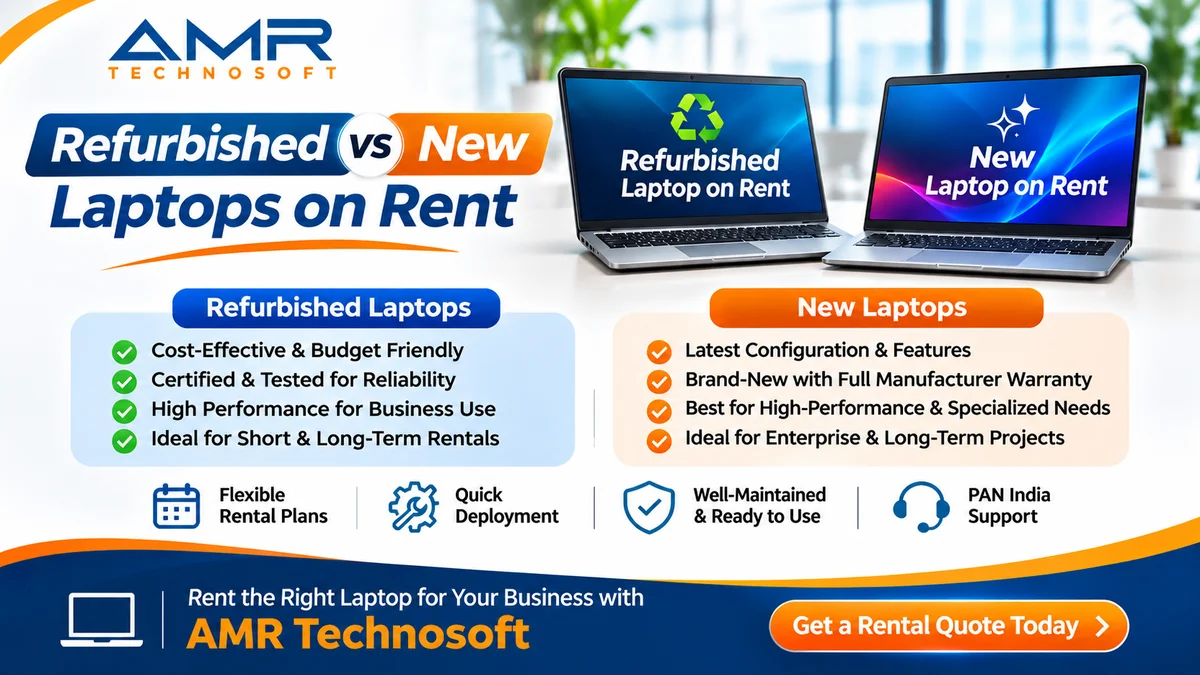
This guide explains the real difference between refurbished and new laptops on rent: what refurbishment actually involves, where each option fits, the myths worth ignoring, and exactly what to check so you get a reliable machine either way. We at AMR Technosoft Pvt. Ltd. rent laptops and other IT equipment to businesses, and the goal here is simply to help you choose sensibly.
What “Refurbished” and “New” Actually Mean in Rental
The words sound simple, but in the rental market they cover a wide range, so it is worth being precise.
New means the laptop has not been used by anyone before you. It comes out of the manufacturer’s sealed box, often with the manufacturer’s warranty starting around the time the rental begins.
Used means the laptop has had a previous user and is being rented out again. Strictly speaking, every rental laptop becomes “used” after its first rental. That is normal, and on its own it says nothing about quality.
Refurbished should mean more than used. A refurbished laptop has been inspected, tested, repaired where needed, had worn parts replaced, been cleaned, had its storage securely wiped and its operating system freshly installed, and then been tested again before going out. In other words, it has been brought back to a dependable working condition.
The catch is that there is no single standard for the word. Some providers follow a careful, documented process. Others simply wipe a laptop and call it refurbished. That is why the label matters less than the process behind it, which is what the next section covers.
You may also hear terms such as “certified refurbished” or “grade A”. These usually refer to a provider’s or manufacturer’s own grading of cosmetic and functional condition. Ask what the grade actually means in that provider’s system rather than assuming.
How a Laptop Is Refurbished Properly
A good refurbishment process is less glamorous than it sounds, and that is exactly the point. It is a careful checklist, followed the same way every time. A thorough process usually looks something like this:
- Intake and data wipe. The returned laptop is logged by serial number, and its storage is securely erased so nothing from the previous user remains.
- Physical inspection. Technicians check the body, hinges, screen, keyboard, touchpad, ports and charger for damage or wear.
- Hardware diagnostics. Memory, storage, processor, cooling fan, Wi-Fi, webcam, speakers and microphone are tested, ideally with diagnostic tools that run for long enough to catch intermittent faults.
- Battery health check. Battery capacity is measured against its original design capacity. Batteries that have worn down too far are replaced.
- Repair and part replacement. Faulty or worn parts are swapped: keyboards, batteries, chargers, storage drives and sometimes screens. Some providers also upgrade memory or move to faster SSD storage at this stage.
- Cleaning. Dust is cleared from fans and vents, and the keyboard, screen and body are cleaned and sanitised.
- Fresh software. A clean, properly licensed operating system and up-to-date drivers are installed, along with any standard software agreed with the customer.
- Final testing. The laptop is run under load for a period to make sure it stays stable and cool, then checked once more before dispatch.
When a provider follows a process like this, a refurbished laptop is not “someone else’s old laptop”. It is a machine whose condition has been checked part by part, with known weak points fixed before it reaches your desk.
When they skip steps, especially the battery check, diagnostics and the load test, the problems show up later, usually as a laptop that runs hot, dies quickly on battery, or freezes during video calls.
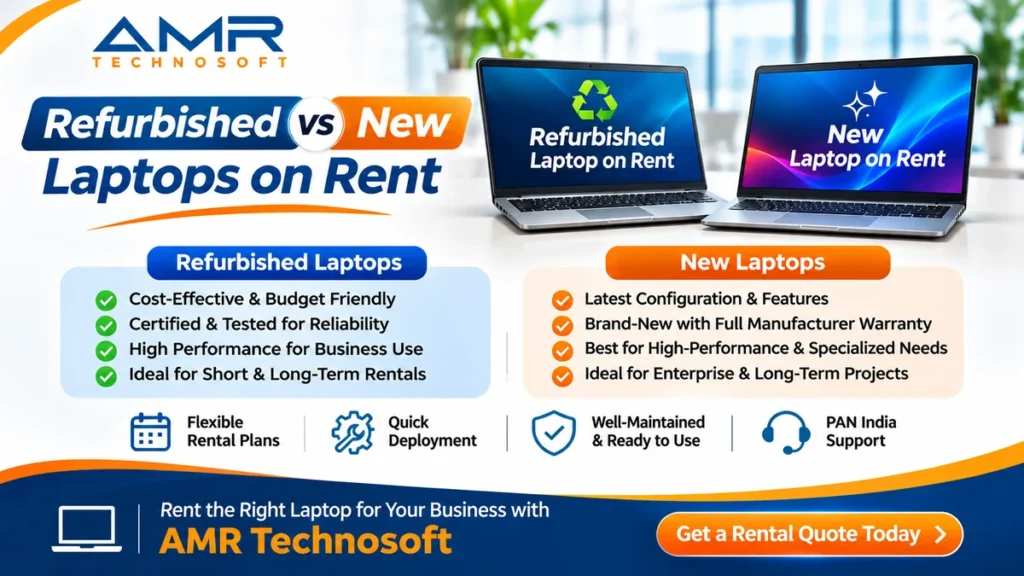
Refurbished vs New: A Side-by-Side Comparison
Here is how the two typically compare on the points that matter most to a business renting laptops. Actual details depend on the provider, the model and the rental agreement.
| Factor | Refurbished laptop on rent | New laptop on rent |
|---|---|---|
| Monthly rent | Usually lower for a similar class of machine | Usually higher |
| Model generation | Often one or more generations older | Current or recent models |
| Performance for office work | Generally comfortable for email, documents, browsers and video calls | Comfortable, with more headroom |
| Performance for heavy work | Depends on the model; may fall short for demanding software | Better suited to heavy development, design and data work |
| Cosmetic condition | May show minor marks, depending on grade | As new |
| Battery | Good if tested or replaced; ask for battery health | Full original capacity |
| Reliability | Good with a thorough refurbishment process | Good; early faults are uncommon but possible |
| Warranty or support | Provider’s support and replacement terms | Manufacturer warranty plus provider’s terms |
| Availability in bulk | Often readily available | Depends on stock and models |
| Delivery time | Often faster | Can take longer for specific models or large quantities |
| Environmental impact | Lower, because existing devices are reused | Higher, because a new device is manufactured |
The pattern is clear. For most everyday business work, the difference comes down to price and age, not usefulness. For demanding work, the newer hardware earns its higher rent.
Where Refurbished Laptops Make Good Sense
Refurbished laptops shine wherever the work is predictable and the main need is a reliable machine at a sensible cost.
Everyday office roles. HR, accounts, admin, operations and back-office teams spend most of their day in email, spreadsheets, browsers and video calls. A well-refurbished business laptop with an SSD and enough memory handles this comfortably.
Training, exams and events. Training rooms, assessment centres and events need many identical machines for days or weeks. Refurbished batches of the same model are often easier to source in bulk, faster to deliver and cheaper to rent.
Short projects and temporary teams. When a team is together for a few months, paying a premium for brand-new hardware rarely adds much value.
Customer support and data entry. These roles depend on stability and a good headset far more than on the latest processor.
Interns, trainees and contract staff. People who need a capable machine for a defined period are a natural fit.
Spare and buffer devices. Keeping a few refurbished laptops as spares for new joiners or quick swaps is a cost-effective way to avoid downtime.
Budget-conscious startups. Early-stage teams can stretch their runway by using refurbished machines for most roles and reserving new ones for those who truly need them.
There is a sustainability benefit too. Every laptop that is refurbished and reused is one fewer device that has to be manufactured, which reduces electronic waste. For companies that report on environmental goals, that can be a useful point in its own right.
Where New Laptops Are Worth Paying For
There are situations where the extra rent for a new laptop pays for itself quickly.
Demanding technical work. Software developers running heavy tools, data analysts working with large datasets, designers and video editors all benefit from the latest processors, more memory and better graphics. A slower machine here costs more in lost time than it saves in rent.
Client-facing roles. A senior consultant presenting to a client, or a salesperson demonstrating a product, may simply need a machine that looks and performs as good as new.
Specific model or specification requirements. Some software, client contracts or security policies require a particular recent model, processor generation, operating system version or hardware security feature. New laptops make compliance straightforward.
Long rental periods. If you plan to keep laptops for several years, starting with current hardware means the machines will still feel capable towards the end of the term.
Specialised needs. High-end workstations, the latest MacBooks for iOS development, or machines with particular graphics capabilities are often available only, or more reliably, as new stock.
Battery-critical use. For people who are constantly on the move and rarely near a charging point, a brand-new battery offers the most dependable runtime.
None of this means refurbished laptops cannot handle these jobs; some higher-end refurbished models can. But when performance, appearance or compliance matters, new hardware removes doubt.
Common Myths About Refurbished Laptops
A lot of hesitation about refurbished laptops comes from ideas that are only partly true, or true only of badly refurbished machines.
“Refurbished means it was faulty.” Not usually. Many refurbished business laptops come from rental returns, corporate fleet replacements or lease-end programmes, where perfectly working machines are retired on a schedule rather than because they failed.
“Refurbished laptops are slow.” Age alone does not make a laptop slow for everyday work. What matters more is the storage type, memory and condition. A business-class laptop with an SSD and enough RAM, freshly set up, is often quicker in daily use than a cheap new consumer laptop with a slow drive.
“The battery will die in an hour.” Only if nobody checked it. A proper refurbishment process measures battery health and replaces worn batteries. Ask for the battery health figure; a good provider will have it.
“Refurbished is less secure.” Security depends on a clean, updated, properly licensed operating system and a securely wiped drive, not on the age of the case. A well-refurbished laptop starts from a clean slate.
“New laptops never have problems.” New machines can also have early faults. What protects you in both cases is a provider who tests before dispatch and replaces quickly when something goes wrong.
“Refurbished means no support.” With rental, support comes from the rental agreement, not just from the manufacturer’s warranty. A good rental provider supports refurbished and new laptops on the same terms. Check what your agreement says.
How to Check a Refurbished Rental Laptop on Delivery
A ten-minute check when the laptops arrive can save weeks of frustration. It also gives you a clear record if anything needs replacing. Do this for every laptop, or at least a sample from a large batch.
- Serial number matches the delivery note or asset list
- Body and hinges are firm, with no cracks, loose parts or swollen areas around the base
- Screen has no dead pixels, lines, dark patches or flicker; check it on a plain white and a plain dark background
- Keyboard and touchpad work fully; type a line using every key
- Ports work: plug in a USB device, charger, and an external display if you use one
- Battery charges properly, and the battery health report shows acceptable capacity
- Charger is the correct one for the model and in good condition
- Wi-Fi and Bluetooth connect without trouble
- Webcam, microphone and speakers work on a short test video call
- Fans stay reasonably quiet at rest, and the laptop does not run unusually hot
- Operating system is activated, licensed and up to date
- Storage and memory match the specification you ordered
- No previous user data appears anywhere
On Windows, a battery report can be generated with a built-in command, and on macOS the battery condition is shown in system information. Your rental provider can show you how, or share the readings with you before dispatch.
If anything fails the check, report it straight away with photos, before the laptop is issued to an employee.
Questions to Ask Your Rental Provider
Whether you choose refurbished or new, these questions quickly show how seriously a provider takes quality.
- Is this laptop new or refurbished, and can you state it in the quote? The answer should be clear and written, not implied.
- What does your refurbishment process include? Listen for data wiping, diagnostics, battery testing, part replacement, cleaning, fresh software and a final load test.
- What is the minimum battery health you accept? A specific threshold is a good sign.
- What is the exact model and specification? Ask for model number, processor, memory and storage type, not just “i5 laptop”.
- How old is the model? Knowing the generation helps you judge whether it suits your software for the full rental period.
- Is the operating system genuine and licensed? It should be.
- What happens if a laptop fails? Ask about replacement time and whether it differs between new and refurbished units.
- Can I see a sample first? For larger orders, testing one laptop with your actual software is the most reliable check of all.
- Are all laptops in a batch the same model? Consistency makes setup, support and spare parts much easier.
- How is data wiped when laptops come back to you? This tells you how carefully they handle the next customer’s data, and yours.
A provider who answers these clearly and without hesitation is usually one you can rely on, whichever type of laptop you choose.
The Smart Middle Path: Mixing Both in One Fleet
For most companies the real answer is not “refurbished or new” but “refurbished for these roles, new for those”.
Imagine a fifty-person office. Thirty people work in operations, accounts, HR and support. Fifteen are developers and analysts. Five are senior managers who present to clients every week. Renting new laptops for all fifty means paying a premium for thirty machines whose users would never notice the difference. Renting refurbished for all fifty means some developers waiting on slow builds and managers apologising for their laptops in meetings.
A mixed fleet avoids both problems:
| Group | Suggested option | Why |
|---|---|---|
| Operations, accounts, HR, admin | Refurbished business laptops | Everyday work, lower rent |
| Customer support, data entry | Refurbished, with good headsets | Stability matters more than speed |
| Developers, analysts, designers | New or high-spec refurbished | Performance saves working hours |
| Client-facing managers and sales leads | New | Appearance and reliability in front of clients |
| Spares and new-joiner buffer | Refurbished | Cost-effective cover for swaps |
The exact split depends on your roles and budget, but the principle holds: spend more where the work needs it, and save where it does not. Agree on the split by role before asking for quotes, so the rental provider can price it accurately.
How AMR Technosoft Pvt. Ltd. Can Help
AMR Technosoft Pvt. Ltd. provides laptops, desktops and other IT equipment on rent for businesses, institutions and project teams. When you share your requirement, we can discuss which roles suit refurbished laptops, which need new ones, and what a sensible mix would look like for your budget.
To get a useful quotation, tell us:
- How many people need laptops, and what each team does
- Any software, client or security requirements
- Whether you prefer new, refurbished or a mix
- Rental duration and location
- Delivery, setup and support needs
We will then suggest suitable configurations and explain clearly whether each laptop offered is new or refurbished.
[Edit this section to describe AMR Technosoft’s actual refurbishment and testing process, battery standards and grading, if any, before publishing.]
Frequently Asked Questions
Is a refurbished laptop on rent good enough for office work? For everyday office work such as email, documents, spreadsheets, browsers and video calls, a well-refurbished business laptop with an SSD and sufficient memory is usually more than enough.
How much cheaper is a refurbished laptop on rent than a new one? Refurbished laptops usually rent for less than new ones of a similar class, but the exact difference depends on the model, age, specification and rental term. Compare actual quotes for both.
Do refurbished rental laptops come with support? Support on a rental laptop comes from the rental agreement. Many providers offer the same repair and replacement terms for refurbished and new laptops. Confirm this in writing.
How do I know if a refurbished laptop’s battery is good? Ask the provider for the battery health reading, and check it yourself on delivery using the built-in battery report in Windows or system information on a Mac.
Can I get refurbished laptops in bulk with the same model? Often yes, and same-model batches make setup and support easier. Confirm availability for your quantity and dates.
Are refurbished laptops safe to use with company data? Yes, provided the drive was securely wiped, the operating system is clean, genuine and updated, and you apply your normal security settings.
When should I insist on new laptops? For demanding technical work, client-facing roles, specific model or compliance requirements, very long rental periods, or when battery life is critical.
Is renting refurbished laptops better for the environment? Generally yes. Reusing existing devices reduces the need to manufacture new ones and helps cut electronic waste.
Conclusion
The real difference between refurbished and new laptops on rent is not “good” versus “bad”. It is age and price on one side, and headroom and certainty on the other. A carefully refurbished business laptop is a sound, economical choice for most everyday roles. A new laptop earns its higher rent where performance, appearance or compliance genuinely matter.
What decides the outcome is less the label and more the provider behind it: how thoroughly they refurbish, how honestly they describe what they supply, and how quickly they fix problems. Ask the right questions, check laptops on delivery, and match each role to the right option, and you will get reliable machines at a sensible cost.
If you are planning laptops on rent and want to compare refurbished, new or a mix, get in touch with AMR Technosoft Pvt. Ltd. Share your team size, roles and timeline, and we will help you choose the right option for each part of your team.